
Mettw - Minecraft Skins & Skin History
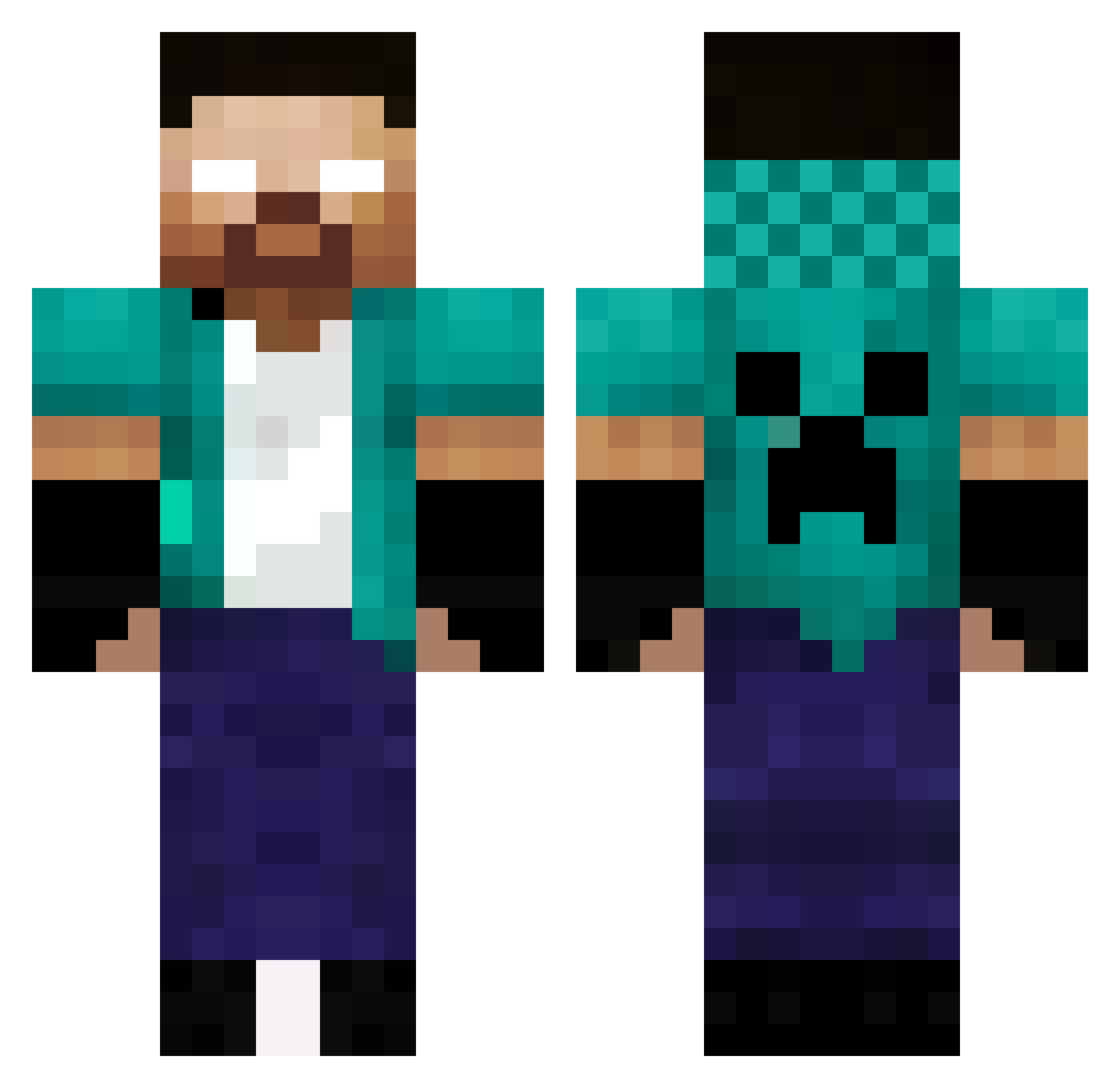
Current Minecraft skin of the player Mettw, loaded from the official Mojang API. Rotate the 3D model with your mouse or finger, then download the skin as a PNG file and use it in Minecraft: Bedrock Edition or Java Edition for free. When Mettw changes their skin, this page updates automatically and the old skin stays in the history below.
Other players with this skin (336)
Mettw was the 287th player we have seen with this skin, first spotted on 10.10.2026. The same skin was seen on these players. Open a nickname to see their current skin and skin history.
 GoldPhoenixxx YIVS7bit God32345 zedocuduro UnKevinMas2 hayacreeper BuRaKBeYAMCA Hexum001 Davbat06 theOdor1620 DimonKrutoi Wesley2023 LaBatata01 raphilochan Ooxkyle_kylexoO Guerreiro553 Hirobri bachtaty MYSTICRUSHI Raml69 BadLevin GILL_23 juicyuzi13 cybus CLuengames Teltriss fralle1234 PainedBasil316 TNAT281102 Phebroka Tugmzz Pedro_Cr07 PicDre elthunas_3645 SuperDani amin_mansour ZeusNots Tzemen iLobo_ Minecrafter1491 Ookiou g3rard00008 LOOKMAXIME Mileusx joude444 zayy111 BlackHaunter27 alexsoto23 siwma Alem4SS PoutineTheBest walmrynetto DemonSlayerFanX_ _ninja26 ErsaGun Mohrafli sltan305 ChimpanzePVPHARD paiqi1 Arwetuzt
More Herobrine Minecraft skins
How to install the Mettw skin
- Press the Download button above to save the skin as a PNG file.
- Minecraft: Bedrock Edition (PE): open the Dressing Room from the main menu (or tap your character → Edit Character), go to Classic Skins → Owned, press the + (new skin) button, choose the downloaded PNG and pick the Classic (Steve) model. Works on PC and mobile; consoles cannot import custom skins.
- Minecraft: Java Edition: open the Minecraft Launcher, go to the Skins tab, click New Skin, load the PNG, pick the Classic (Steve) model and press Save & Use. You can also upload it at minecraft.net → Profile → Change Skin.
The skin does not show up after import - what should I do?
Restart Minecraft and open the Dressing Room again - imported skins sometimes appear only after a restart. Also make sure you selected the imported skin and picked the Classic (Steve) model.
Which model should I choose, Classic or Slim?
This skin is designed for the Classic (Steve) model. If you pick the wrong model, the arms of the skin will look stretched or squeezed.
Is the skin of Mettw free to download?
Yes. Press Download, save the PNG file and use it in Minecraft: Bedrock Edition or Java Edition - no payment or registration needed. The skin also works on multiplayer servers and Realms.
More skins
Looking for more? Go back to all Minecraft skins and check the top skins of the week, month and all time, or find any player's skin by nickname.