
Meteun - Minecraft Skins & Skin History
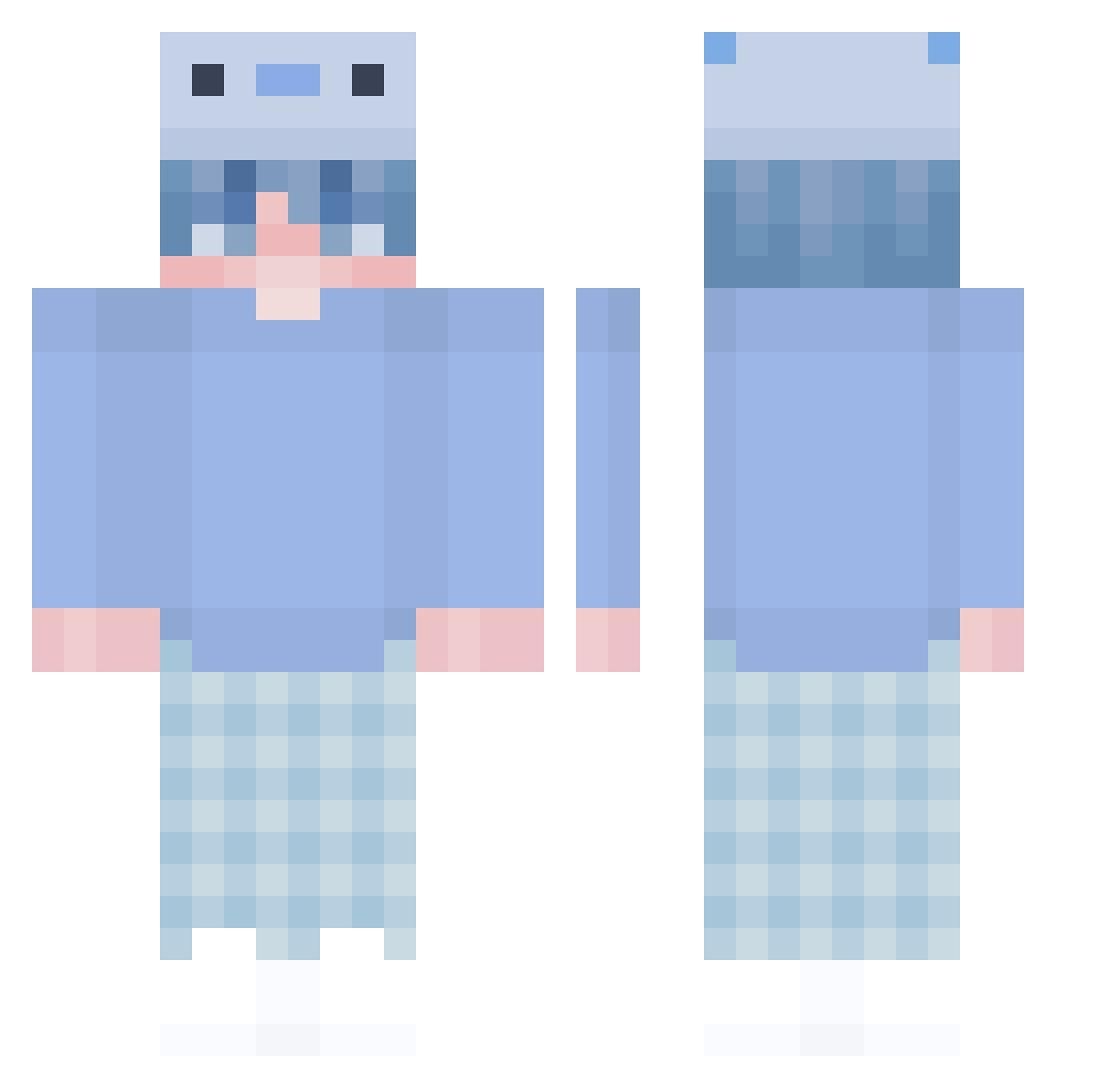
Current Minecraft skin of the player Meteun, loaded from the official Mojang API. Rotate the 3D model with your mouse or finger, then download the skin as a PNG file and use it in Minecraft: Bedrock Edition or Java Edition for free. When Meteun changes their skin, this page updates automatically and the old skin stays in the history below.
Other players with this skin (448)
Meteun was the 51st player we have seen with this skin, first spotted on 09.08.2026. The same skin was seen on these players. Open a nickname to see their current skin and skin history.
 CL0JnuCk Paulito__ Boy_0100 BlockBuster2Kq1 LongLiveLeo derkdyt NI4221 AraGan5 Panicqt Patruckk Tonbochaso dfor2 dowon1209 DillPickIe Mehlintoleranz Albando _Kubusiek HajiSpring JAYZZZZZZ___ Saraiva420 xX_UNWICHTIG_Xx yeehawgod Linsheo Evilpurplemonkey bisket1 Kaboh PeterHowardIII Yoono_ RAZER_007 SlimJims Zer0on0iq Haleaa iseung Jotikka Riiwen Qwerty_Mew_ haha996 kwck_e Fr7NcYk1N6 Hipe_X Medusa0684 SoiDeArisita ArcaneFTW Boop2133 Dxclann ngmaple AcmOfficial flaxplax reserve27 Nat8100 Alanker kale667_ camdeniscrying Violent_Killer Smoogle_ Buujjaa Szymekxx ronnysmoke ImLikeZ carbroombroom
More Axolotl Hat Minecraft skins
How to install the Meteun skin
- Press the Download button above to save the skin as a PNG file.
- Minecraft: Bedrock Edition (PE): open the Dressing Room from the main menu (or tap your character → Edit Character), go to Classic Skins → Owned, press the + (new skin) button, choose the downloaded PNG and pick the Classic (Steve) model. Works on PC and mobile; consoles cannot import custom skins.
- Minecraft: Java Edition: open the Minecraft Launcher, go to the Skins tab, click New Skin, load the PNG, pick the Classic (Steve) model and press Save & Use. You can also upload it at minecraft.net → Profile → Change Skin.
The skin does not show up after import - what should I do?
Restart Minecraft and open the Dressing Room again - imported skins sometimes appear only after a restart. Also make sure you selected the imported skin and picked the Classic (Steve) model.
Which model should I choose, Classic or Slim?
This skin is designed for the Classic (Steve) model. If you pick the wrong model, the arms of the skin will look stretched or squeezed.
Is the skin of Meteun free to download?
Yes. Press Download, save the PNG file and use it in Minecraft: Bedrock Edition or Java Edition - no payment or registration needed. The skin also works on multiplayer servers and Realms.
More skins
Looking for more? Go back to all Minecraft skins and check the top skins of the week, month and all time, or find any player's skin by nickname.