
Meltose - Minecraft Skins & Skin History
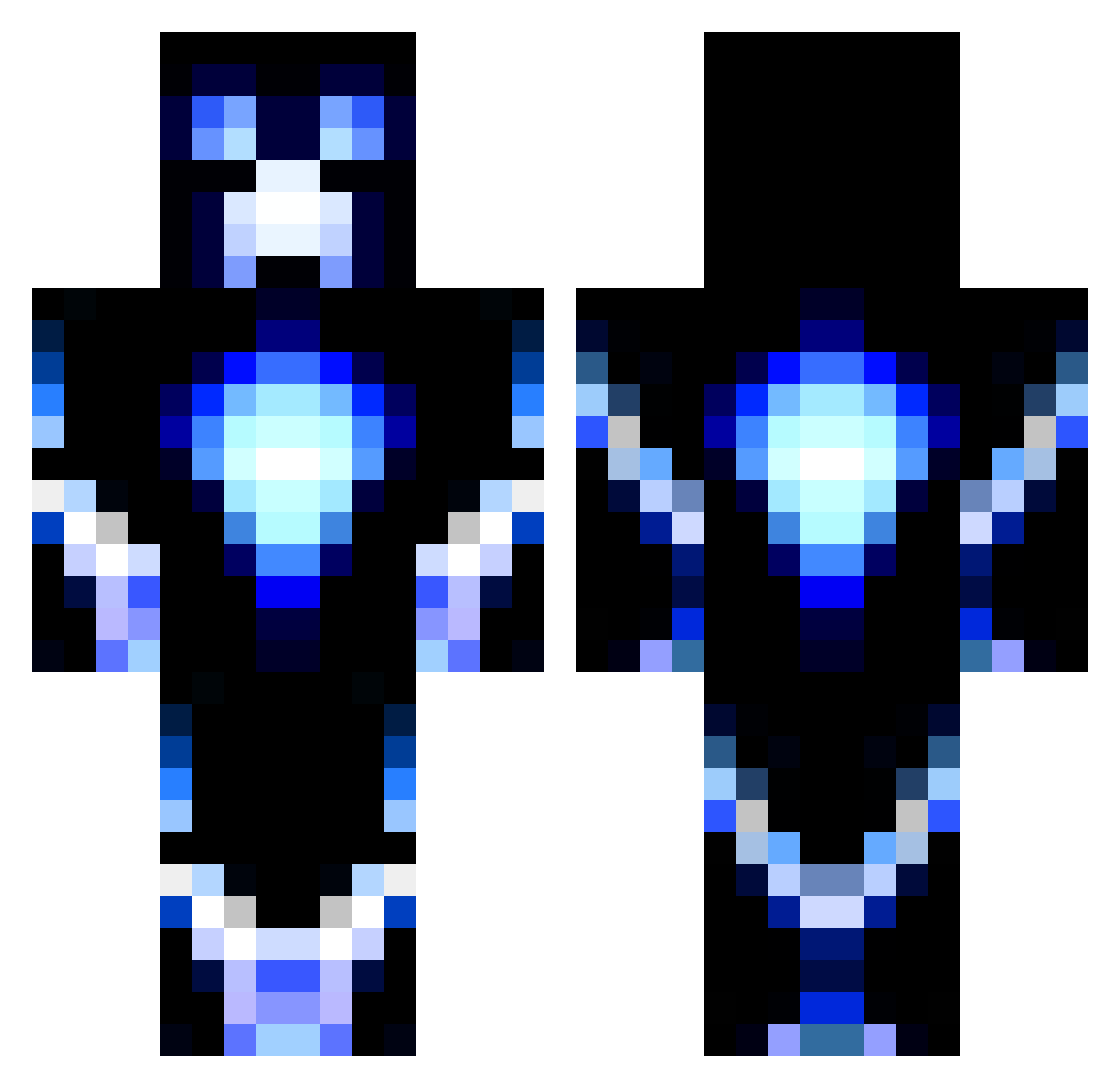
Current Minecraft skin of the player Meltose, loaded from the official Mojang API. Rotate the 3D model with your mouse or finger, then download the skin as a PNG file and use it in Minecraft: Bedrock Edition or Java Edition for free. When Meltose changes their skin, this page updates automatically and the old skin stays in the history below.
Other players with this skin (1193)
Meltose was the 664th player we have seen with this skin, first spotted on 25.09.2026. The same skin was seen on these players. Open a nickname to see their current skin and skin history.
 BloodmMoon33 WieHee Ole1210 mike_hoochie Healthcare_OSRS SoulStealer248 JahElSavage BlackDjinn KingMelky chumlin LittleSeaHawKK mindboy3 TOXIC_X13 bubba_8 mincraft1z chipie321 jasonsiemeling dan1466 Damdamdho semiproshrimo zigattack21 Luardius GTR3 BobManicMiner Samdil40 SilverArcherB 1mark2 ninjajcg bacon_monster3 cascadeurs Irishman1010 8Sideshow8 DevilDog0907 Buibui leachjonathan Mineval456 KIllerInAction1 baughnfamily JackFlash7782 Budder_monkey_3 Lacrossebro33 lentokonehullu ADILSHF iraqilegend Pawter1 TriXxTornadozZ Farmerbennett lewisgone killerx2007 22chainz xDoubleAx SOOVRAS Glitcherlp1 theduchterms Aplatazzz MilleMc07 kingcampbell88 Sasse1 ozzy10001 tobdel
More Glowing Minecraft skins
How to install the Meltose skin
- Press the Download button above to save the skin as a PNG file.
- Minecraft: Bedrock Edition (PE): open the Dressing Room from the main menu (or tap your character → Edit Character), go to Classic Skins → Owned, press the + (new skin) button, choose the downloaded PNG and pick the Classic (Steve) model. Works on PC and mobile; consoles cannot import custom skins.
- Minecraft: Java Edition: open the Minecraft Launcher, go to the Skins tab, click New Skin, load the PNG, pick the Classic (Steve) model and press Save & Use. You can also upload it at minecraft.net → Profile → Change Skin.
The skin does not show up after import - what should I do?
Restart Minecraft and open the Dressing Room again - imported skins sometimes appear only after a restart. Also make sure you selected the imported skin and picked the Classic (Steve) model.
Which model should I choose, Classic or Slim?
This skin is designed for the Classic (Steve) model. If you pick the wrong model, the arms of the skin will look stretched or squeezed.
Is the skin of Meltose free to download?
Yes. Press Download, save the PNG file and use it in Minecraft: Bedrock Edition or Java Edition - no payment or registration needed. The skin also works on multiplayer servers and Realms.
More skins
Looking for more? Go back to all Minecraft skins and check the top skins of the week, month and all time, or find any player's skin by nickname.