
Mc_Wxr - Minecraft Skins & Skin History
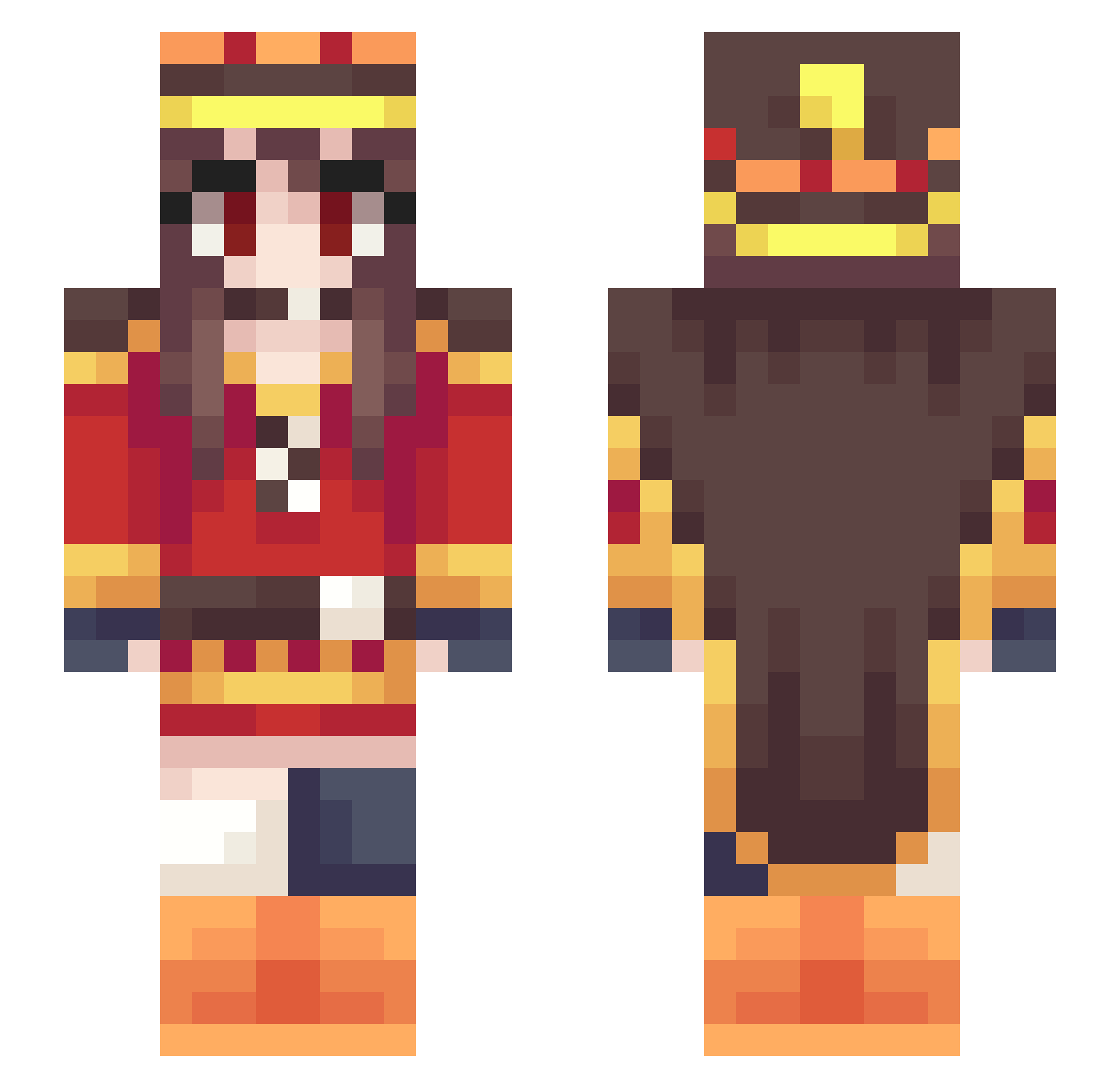
Current Minecraft skin of the player Mc_Wxr, loaded from the official Mojang API. Rotate the 3D model with your mouse or finger, then download the skin as a PNG file and use it in Minecraft: Bedrock Edition or Java Edition for free. When Mc_Wxr changes their skin, this page updates automatically and the old skin stays in the history below.
Other players with this skin (54)
Mc_Wxr was the 3rd player we have seen with this skin, first spotted on 27.07.2026. The same skin was seen on these players. Open a nickname to see their current skin and skin history.
 Mc_DonDon barren176 fatkanop Jamill_ vgscq Xide_01 spectre127 THEPLANETBUSTER _Temm_ Drawfox szFlan EpicPootis AozoraTears MasterSackhuman kylegod_1122 MikuChannel RoronoaZolo EcoRone ChinaJiangxi666 Wooloo3 Thukim Dash_the_turtle VTriggered AlitheiaDeus Satsuna xiuny The_Sylveon SDchao Lengsas Megumining kyroxx93 D1EDIE CIASleeperAgent Megumin__124 rj98 Megumin_Explosio Nurani tkc_rp Megumin163 Saydfull MixedGreens420 Kazuma___ Awaker7 NxDimi MeguminMegumin0 Megumi_Bakuhatsu Jiba0708 Ankhouu Markovnikov9 rimomegumin hqshqs Hikarinya cheddarslayer Illu322
More Hu Tao Minecraft skins
How to install the Mc_Wxr skin
- Press the Download button above to save the skin as a PNG file.
- Minecraft: Bedrock Edition (PE): open the Dressing Room from the main menu (or tap your character → Edit Character), go to Classic Skins → Owned, press the + (new skin) button, choose the downloaded PNG and pick the Slim (Alex) model. Works on PC and mobile; consoles cannot import custom skins.
- Minecraft: Java Edition: open the Minecraft Launcher, go to the Skins tab, click New Skin, load the PNG, pick the Slim (Alex) model and press Save & Use. You can also upload it at minecraft.net → Profile → Change Skin.
The skin does not show up after import - what should I do?
Restart Minecraft and open the Dressing Room again - imported skins sometimes appear only after a restart. Also make sure you selected the imported skin and picked the Slim (Alex) model.
Which model should I choose, Classic or Slim?
This skin is designed for the Slim (Alex) model. If you pick the wrong model, the arms of the skin will look stretched or squeezed.
Is the skin of Mc_Wxr free to download?
Yes. Press Download, save the PNG file and use it in Minecraft: Bedrock Edition or Java Edition - no payment or registration needed. The skin also works on multiplayer servers and Realms.
More skins
Looking for more? Go back to all Minecraft skins and check the top skins of the week, month and all time, or find any player's skin by nickname.