
MattCook306 - Minecraft Skins & Skin History
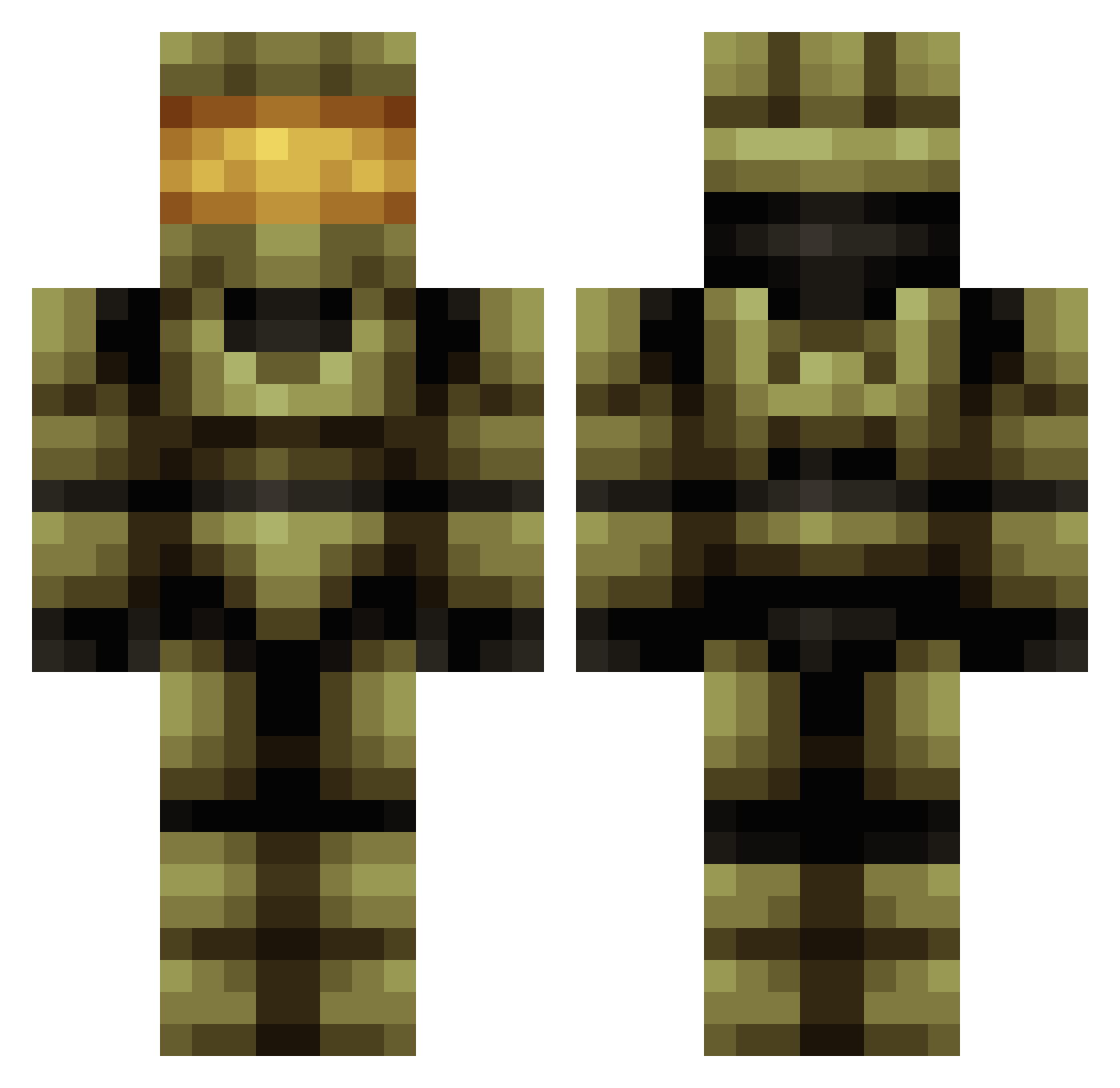
Current Minecraft skin of the player MattCook306, loaded from the official Mojang API. Rotate the 3D model with your mouse or finger, then download the skin as a PNG file and use it in Minecraft: Bedrock Edition or Java Edition for free. When MattCook306 changes their skin, this page updates automatically and the old skin stays in the history below.
Other players with this skin (419)
MattCook306 was the 298th player we have seen with this skin, first spotted on 04.10.2026. The same skin was seen on these players. Open a nickname to see their current skin and skin history.
 BIueG0at Cybers1ns Devil3312 yasinaga35 SNPR_117 Panther_9 cokani233 Meerbold spacewubzz PW8 papertubes herboKage blakesplay Kotel_Aleks Red242020 MartinoR34 MojangEmployee95 Zurethgg Phillipdayquan TheScreamingG0AT BigWood_69 pay10sbf BlackSparrow45 Leo_Skywalker0 UncoloredN TOPFIRE1957 GlitchMaster468 xMimSx MarcoPa007 DDerick P1aSt1C DN3_Remi SpunkyWizard PaperBlitz1 Vitiosus CNxiaox Tive9527 jongummo18 fvhuks Konman5o ozzy_286 FrozenWildfire DEADSH00T117 AURRUA Theghost0211 shiFt_Smexy Animestorm5000 xxJBP2008xx davinkhi Kyledog12 sahzoka SkyHAbduzan El_Dorita D27ShGUU IEatDirt23 Raptor3636 Mister_Stud Punisher7218 Xanthibbe SpareCooch1e
More Master Chief Minecraft skins
See all 526 Master Chief skins
How to install the MattCook306 skin
- Press the Download button above to save the skin as a PNG file.
- Minecraft: Bedrock Edition (PE): open the Dressing Room from the main menu (or tap your character → Edit Character), go to Classic Skins → Owned, press the + (new skin) button, choose the downloaded PNG and pick the Classic (Steve) model. Works on PC and mobile; consoles cannot import custom skins.
- Minecraft: Java Edition: open the Minecraft Launcher, go to the Skins tab, click New Skin, load the PNG, pick the Classic (Steve) model and press Save & Use. You can also upload it at minecraft.net → Profile → Change Skin.
The skin does not show up after import - what should I do?
Restart Minecraft and open the Dressing Room again - imported skins sometimes appear only after a restart. Also make sure you selected the imported skin and picked the Classic (Steve) model.
Which model should I choose, Classic or Slim?
This skin is designed for the Classic (Steve) model. If you pick the wrong model, the arms of the skin will look stretched or squeezed.
Is the skin of MattCook306 free to download?
Yes. Press Download, save the PNG file and use it in Minecraft: Bedrock Edition or Java Edition - no payment or registration needed. The skin also works on multiplayer servers and Realms.
More skins
Looking for more? Go back to all Minecraft skins and check the top skins of the week, month and all time, or find any player's skin by nickname.