
Masurot - Minecraft Skins & Skin History
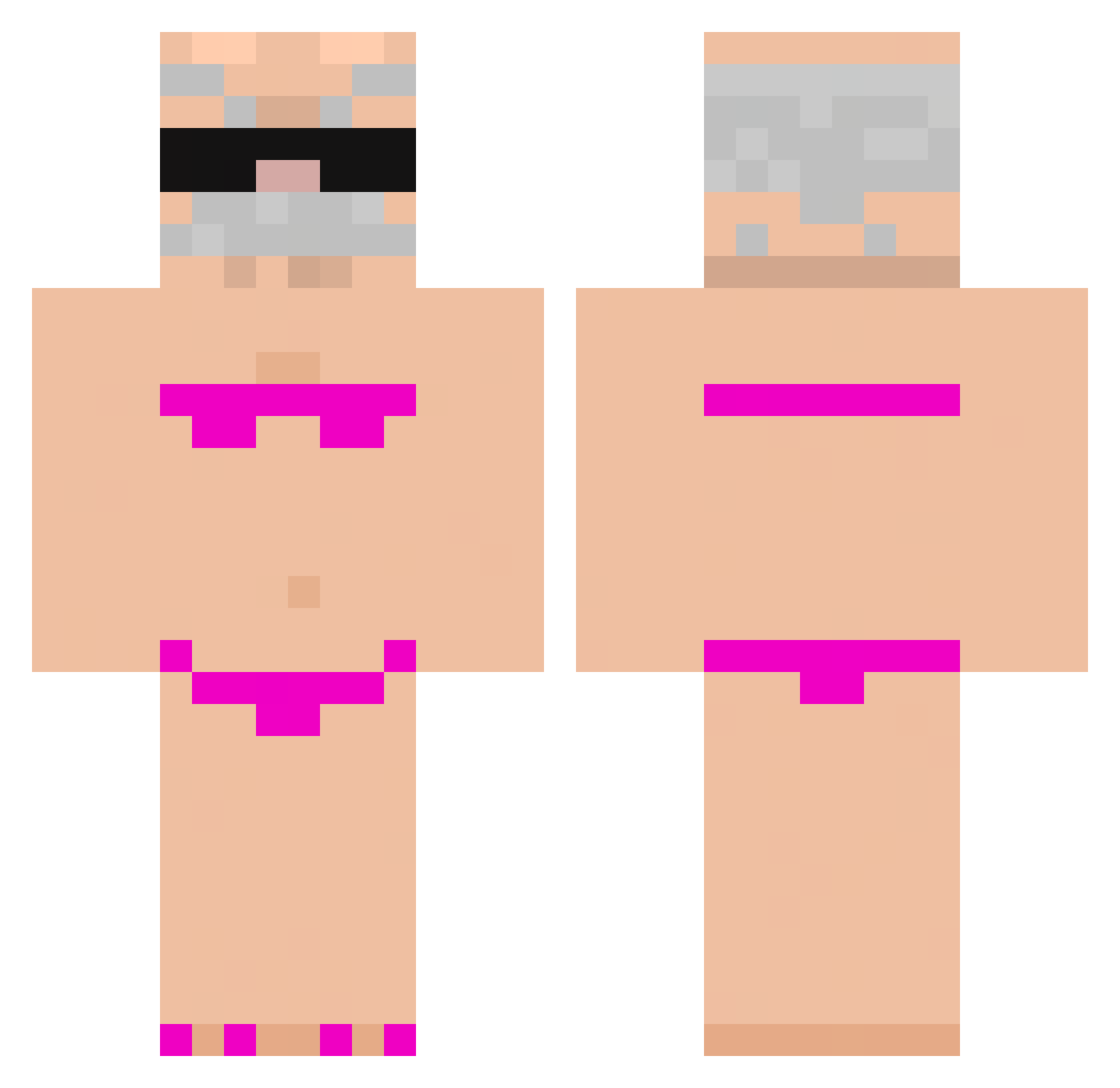
Current Minecraft skin of the player Masurot, loaded from the official Mojang API. Rotate the 3D model with your mouse or finger, then download the skin as a PNG file and use it in Minecraft: Bedrock Edition or Java Edition for free. When Masurot changes their skin, this page updates automatically and the old skin stays in the history below.
Other players with this skin (919)
Masurot was the 481st player we have seen with this skin, first spotted on 24.09.2026. The same skin was seen on these players. Open a nickname to see their current skin and skin history.
 Gulix HAMSTERCHIEF26 daddycakes2006 kipmetchili Ratel_ontop yushiyuyu ElBuenCarpi cfelofskicfel TupiGuarani37373 janghy_11 DDU509 Spaghettiemaster modifeetpics GoatMilk12 fartsmellercam sono_una_pantola MightySoup idulce r1uyk_ SilPirulito xOvor Gelos142 bartek_toja IS4BEL27_ Yinoos Martinsslv Gikam LNJBB Cat_Manfr JoeEIEI sondressr vianex Chim568 VortiAbi JPxciv cyxxa lele_rumma sebaCZek Xiao31_ gRegis1 Sibtids jem_adama SebasA125 AlfieFu lanchim MUSGOCONPUNTERIA WaynKing 32hits TEELYTHEGOAT WizardzzZZ cudeporco Eaqus3 zyrandol cat6667 nicname003 RexPandi12 leewsru cat325 ALEXIKS15 b2014
More Karl Marx Minecraft skins
How to install the Masurot skin
- Press the Download button above to save the skin as a PNG file.
- Minecraft: Bedrock Edition (PE): open the Dressing Room from the main menu (or tap your character → Edit Character), go to Classic Skins → Owned, press the + (new skin) button, choose the downloaded PNG and pick the Classic (Steve) model. Works on PC and mobile; consoles cannot import custom skins.
- Minecraft: Java Edition: open the Minecraft Launcher, go to the Skins tab, click New Skin, load the PNG, pick the Classic (Steve) model and press Save & Use. You can also upload it at minecraft.net → Profile → Change Skin.
The skin does not show up after import - what should I do?
Restart Minecraft and open the Dressing Room again - imported skins sometimes appear only after a restart. Also make sure you selected the imported skin and picked the Classic (Steve) model.
Which model should I choose, Classic or Slim?
This skin is designed for the Classic (Steve) model. If you pick the wrong model, the arms of the skin will look stretched or squeezed.
Is the skin of Masurot free to download?
Yes. Press Download, save the PNG file and use it in Minecraft: Bedrock Edition or Java Edition - no payment or registration needed. The skin also works on multiplayer servers and Realms.
More skins
Looking for more? Go back to all Minecraft skins and check the top skins of the week, month and all time, or find any player's skin by nickname.