
MasterMonodon - Minecraft Skins & Skin History
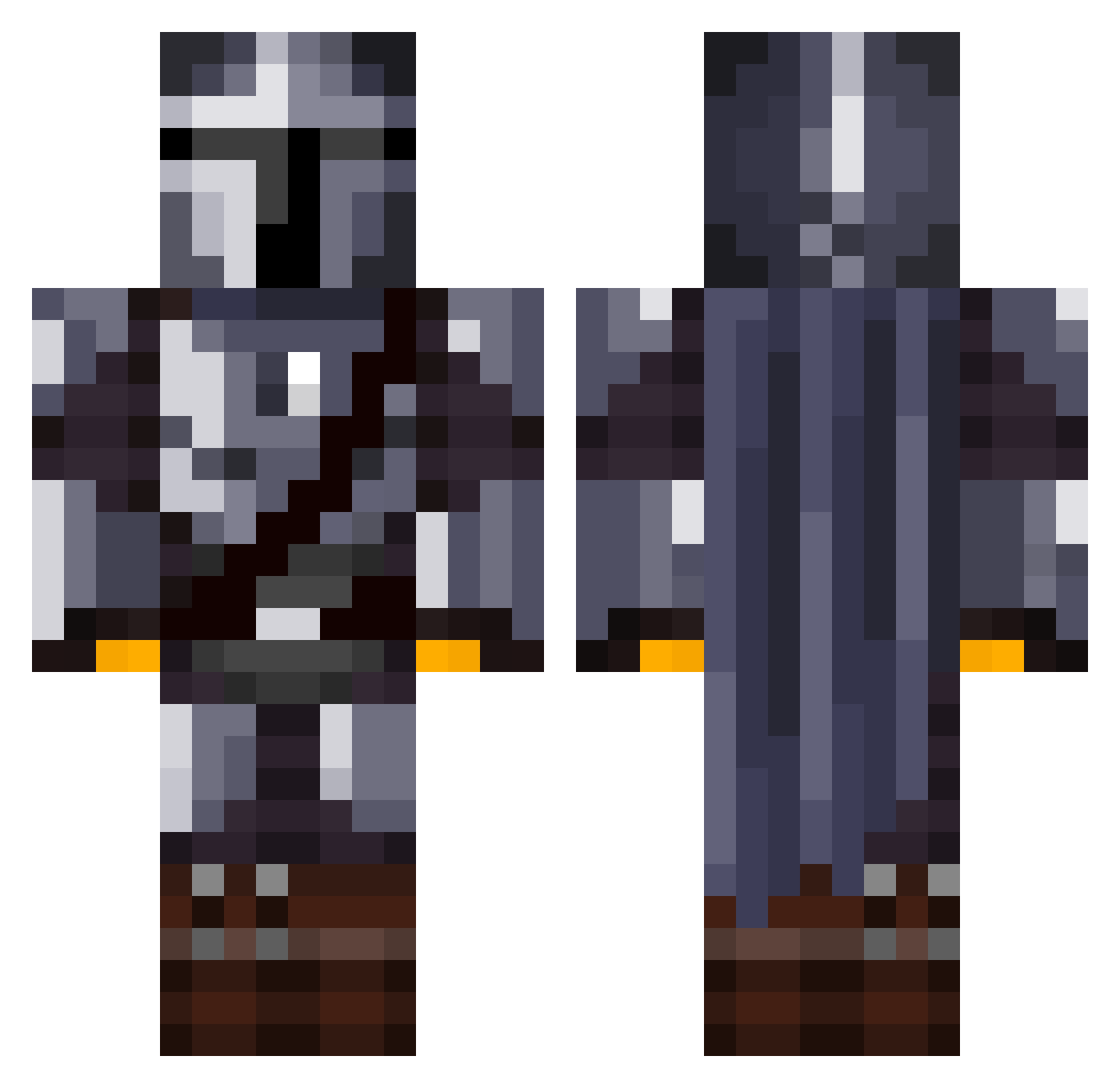
Current Minecraft skin of the player MasterMonodon, loaded from the official Mojang API. Rotate the 3D model with your mouse or finger, then download the skin as a PNG file and use it in Minecraft: Bedrock Edition or Java Edition for free. When MasterMonodon changes their skin, this page updates automatically and the old skin stays in the history below.
Other players with this skin (1069)
MasterMonodon was the 508th player we have seen with this skin, first spotted on 07.09.2026. The same skin was seen on these players. Open a nickname to see their current skin and skin history.
 RatBoiz krthomas1988 Jayseat Gaming_Pickle TomNookSlave bankrobber12 bruins10pasta The_Real_Mutley_ GHSTKN0WS BornToDiexP DeluxeBread Henrythegoat321 DaBest111 Forzaman678 penitraat15 duulyXD Javi_ej8 Karmeclic warrok000 sysmund SpookyCouches Asaegorn Gmcm129 Meffix_ PossiblyPJ Evenknot4812 PrimalJester Harry_Willy llHaru AVilchez18 louichb22 Barry713 orcordero T6mas1220 AdRiAnOs_Game g_fundzz vito147 isaacmasterpro Onlysb Ghostier08 Corgerrr BlueO32 Bangarang_2222 Sguugi BetoMor1234 Liuis_Emilton pierro1029 LukkyGamer333 MaxPlays935 JuulerKugler spookyx3 Griff98 JAMMMYT MinJunSu DaStine10 Qazqazblue HUNTERSHARK1530 Gabbe2g yaboigibby54 Anvechyy
More The Mandalorian Minecraft skins
See all 525 The Mandalorian skins
How to install the MasterMonodon skin
- Press the Download button above to save the skin as a PNG file.
- Minecraft: Bedrock Edition (PE): open the Dressing Room from the main menu (or tap your character → Edit Character), go to Classic Skins → Owned, press the + (new skin) button, choose the downloaded PNG and pick the Classic (Steve) model. Works on PC and mobile; consoles cannot import custom skins.
- Minecraft: Java Edition: open the Minecraft Launcher, go to the Skins tab, click New Skin, load the PNG, pick the Classic (Steve) model and press Save & Use. You can also upload it at minecraft.net → Profile → Change Skin.
The skin does not show up after import - what should I do?
Restart Minecraft and open the Dressing Room again - imported skins sometimes appear only after a restart. Also make sure you selected the imported skin and picked the Classic (Steve) model.
Which model should I choose, Classic or Slim?
This skin is designed for the Classic (Steve) model. If you pick the wrong model, the arms of the skin will look stretched or squeezed.
Is the skin of MasterMonodon free to download?
Yes. Press Download, save the PNG file and use it in Minecraft: Bedrock Edition or Java Edition - no payment or registration needed. The skin also works on multiplayer servers and Realms.
More skins
Looking for more? Go back to all Minecraft skins and check the top skins of the week, month and all time, or find any player's skin by nickname.