
Martingyuri - Minecraft Skins & Skin History
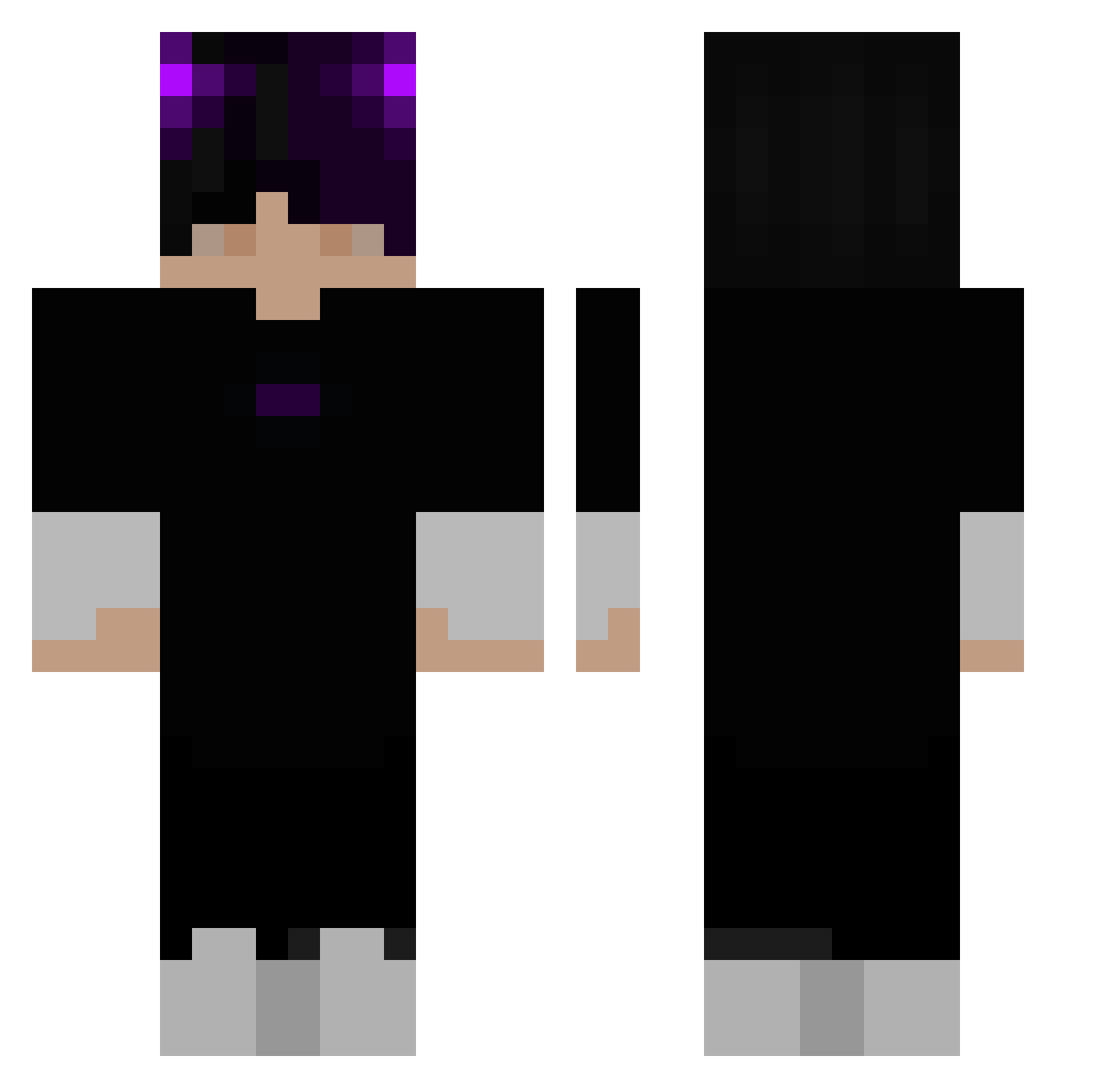
Current Minecraft skin of the player Martingyuri, loaded from the official Mojang API. Rotate the 3D model with your mouse or finger, then download the skin as a PNG file and use it in Minecraft: Bedrock Edition or Java Edition for free. When Martingyuri changes their skin, this page updates automatically and the old skin stays in the history below.
Other players with this skin (285)
Martingyuri was the 2nd player we have seen with this skin, first spotted on 21.07.2026. The same skin was seen on these players. Open a nickname to see their current skin and skin history.
 Maushes05 Madininax sunrisensavant CT_GANG
 Walppo Kleyber Siemer
 KUD3R3 loserrrrr goldpvpr SnowcrackHD Karmasa issac_YT tankerjacob peter1986750324 gabrieldkv JKittyx Trickki_YT Origin_Stone Terradaktor baseperson7 FacciaFocaccia 00_Water_00 nmenh1 Xaxix_ Minesteve2010 Dasiman resentfulness MrMojoRising777 xiezicheng Metschamonoquem 4u420 ENELOSHKA Martin_Kalmar123 AloneD_ manueld332 Hopfski 7feed_ tcplp Androxusz EhnMC africanuser ExO_white SimonOuO DaniZu SeungPark2 Fabianuuss shorel1ne Emperor_Nero 4sralMC
 Man_Fry Midterbarnet kubyx362 AndreiDauDinOZN SnezyxYT FonsecaC justsamuu overall1121 Phoniex_King o_Nexus
More Horns Minecraft skins
How to install the Martingyuri skin
- Press the Download button above to save the skin as a PNG file.
- Minecraft: Bedrock Edition (PE): open the Dressing Room from the main menu (or tap your character → Edit Character), go to Classic Skins → Owned, press the + (new skin) button, choose the downloaded PNG and pick the Classic (Steve) model. Works on PC and mobile; consoles cannot import custom skins.
- Minecraft: Java Edition: open the Minecraft Launcher, go to the Skins tab, click New Skin, load the PNG, pick the Classic (Steve) model and press Save & Use. You can also upload it at minecraft.net → Profile → Change Skin.
The skin does not show up after import - what should I do?
Restart Minecraft and open the Dressing Room again - imported skins sometimes appear only after a restart. Also make sure you selected the imported skin and picked the Classic (Steve) model.
Which model should I choose, Classic or Slim?
This skin is designed for the Classic (Steve) model. If you pick the wrong model, the arms of the skin will look stretched or squeezed.
Is the skin of Martingyuri free to download?
Yes. Press Download, save the PNG file and use it in Minecraft: Bedrock Edition or Java Edition - no payment or registration needed. The skin also works on multiplayer servers and Realms.
More skins
Looking for more? Go back to all Minecraft skins and check the top skins of the week, month and all time, or find any player's skin by nickname.