
Marshal1l - Minecraft Skins & Skin History
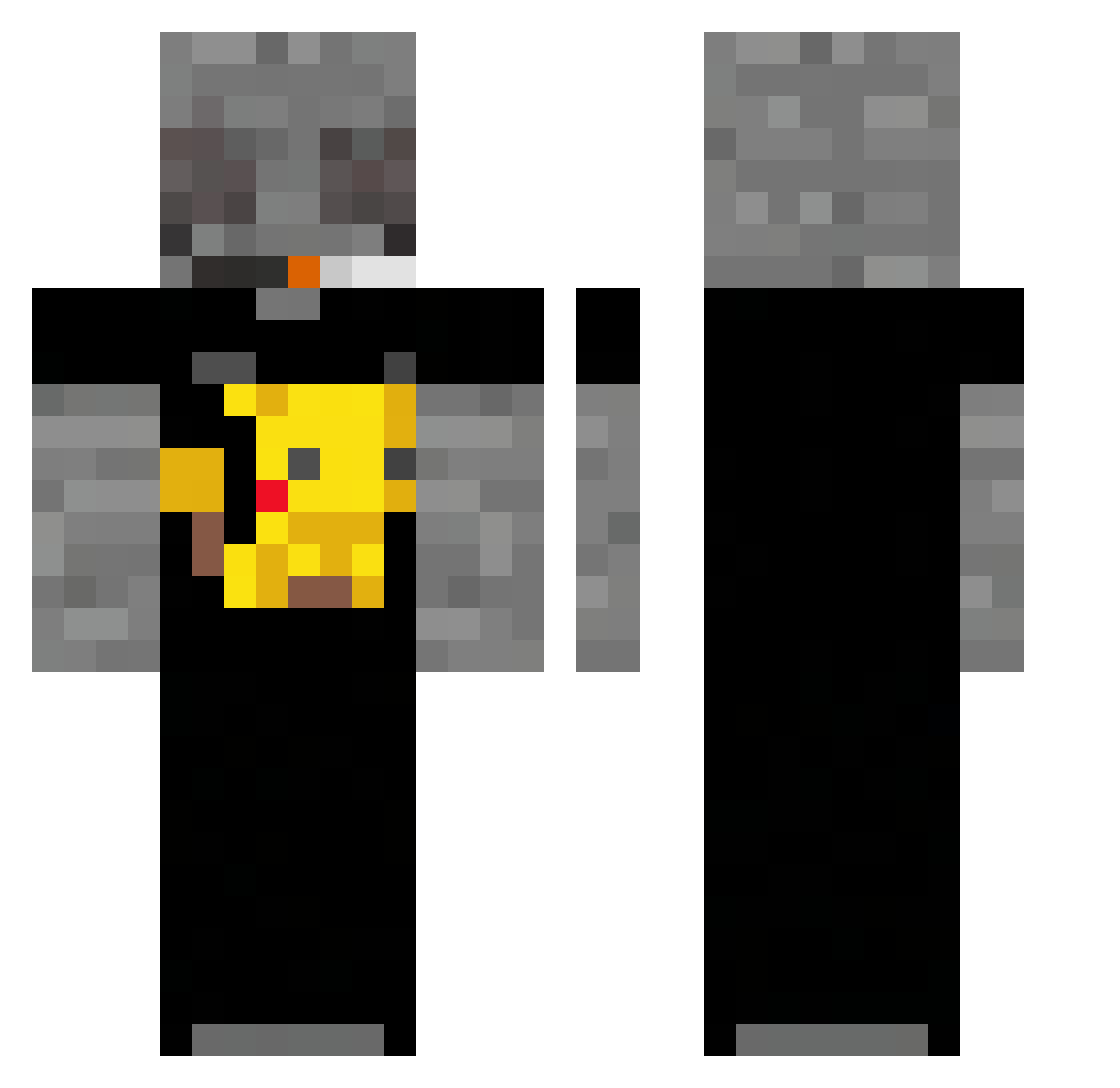
Current Minecraft skin of the player Marshal1l, loaded from the official Mojang API. Rotate the 3D model with your mouse or finger, then download the skin as a PNG file and use it in Minecraft: Bedrock Edition or Java Edition for free. When Marshal1l changes their skin, this page updates automatically and the old skin stays in the history below.
Other players with this skin (55)
Marshal1l was the 20th player we have seen with this skin, first spotted on 29.08.2026. The same skin was seen on these players. Open a nickname to see their current skin and skin history.
 Kanek9 Bloddyis123plc Turn_off12 Scratduud _H3RO TheVector2003 dawka00 xt17 ComicalBrown
 ciasteczko30000 spocony_maciusEZ Grubyelo320 toad1301 ITzClumzy jakuto__ DJ_SpoiledMilk INXANITY_ Mrs_ReD xXSrJuanjoXx iron_branch GuillePepino Bjoshh SuomenHuonoin
 albrtk BrenimDelas czarnyjeleN Wiyfup W00B Vlncent10 Paranoiaaee SigmaVody67 AmAr66 edi113 zKeynX Victor_3575 Lukwaa choiceon iguanon546 RaPh2A Nixzzyy2137 Juzekessa xxrp_x oll33_ nest29 Trankimanin20gr Sm0ke71 WetPillowcase 24xhuurzz blackpanther1567 KuroKi23 liaanp epicmud53 br5da DennisFrosty _limeXD
More Pikachu Minecraft skins
How to install the Marshal1l skin
- Press the Download button above to save the skin as a PNG file.
- Minecraft: Bedrock Edition (PE): open the Dressing Room from the main menu (or tap your character → Edit Character), go to Classic Skins → Owned, press the + (new skin) button, choose the downloaded PNG and pick the Classic (Steve) model. Works on PC and mobile; consoles cannot import custom skins.
- Minecraft: Java Edition: open the Minecraft Launcher, go to the Skins tab, click New Skin, load the PNG, pick the Classic (Steve) model and press Save & Use. You can also upload it at minecraft.net → Profile → Change Skin.
The skin does not show up after import - what should I do?
Restart Minecraft and open the Dressing Room again - imported skins sometimes appear only after a restart. Also make sure you selected the imported skin and picked the Classic (Steve) model.
Which model should I choose, Classic or Slim?
This skin is designed for the Classic (Steve) model. If you pick the wrong model, the arms of the skin will look stretched or squeezed.
Is the skin of Marshal1l free to download?
Yes. Press Download, save the PNG file and use it in Minecraft: Bedrock Edition or Java Edition - no payment or registration needed. The skin also works on multiplayer servers and Realms.
More skins
Looking for more? Go back to all Minecraft skins and check the top skins of the week, month and all time, or find any player's skin by nickname.