
Markall156 - Minecraft Skins & Skin History
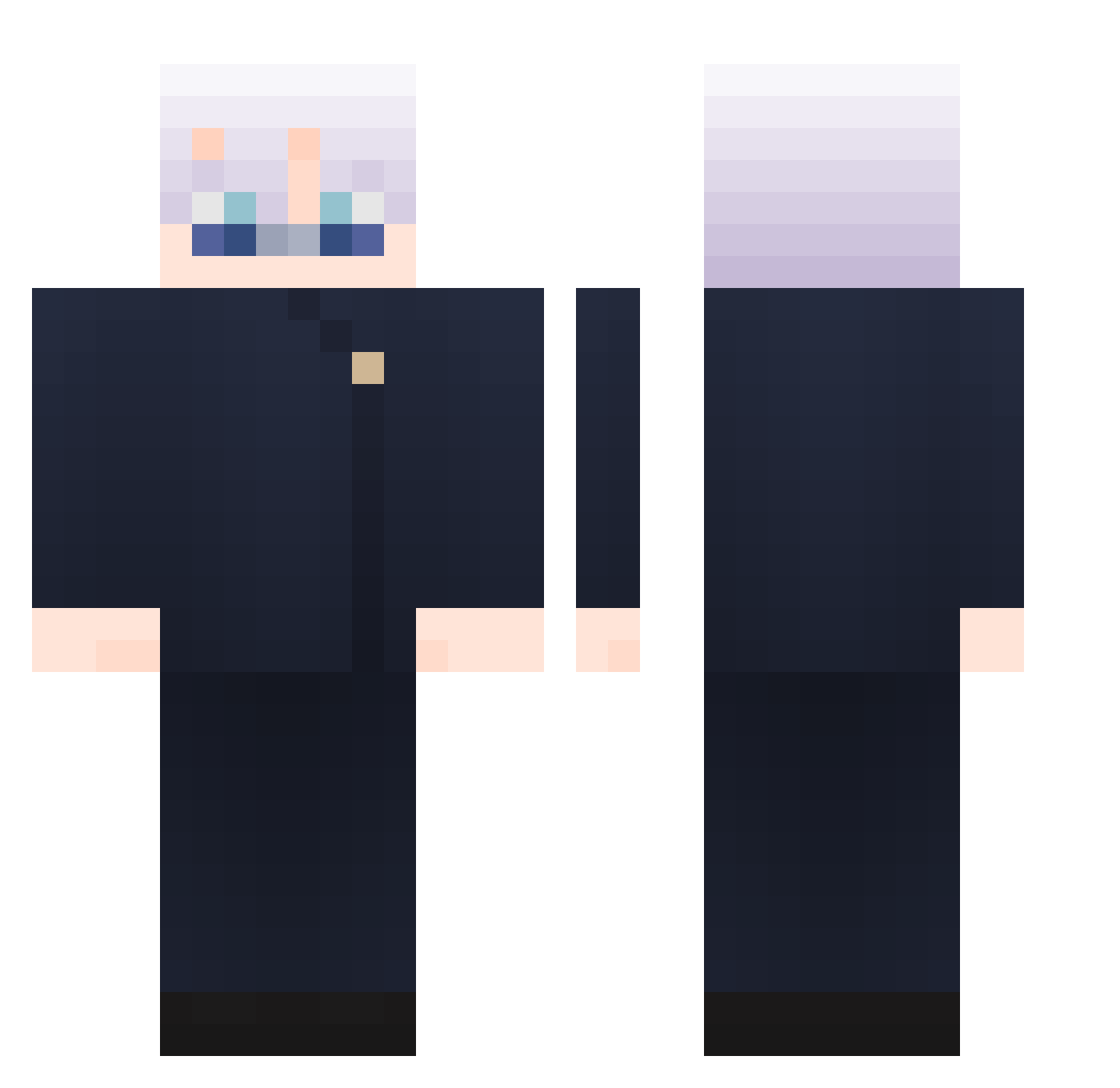
Current Minecraft skin of the player Markall156, loaded from the official Mojang API. Rotate the 3D model with your mouse or finger, then download the skin as a PNG file and use it in Minecraft: Bedrock Edition or Java Edition for free. When Markall156 changes their skin, this page updates automatically and the old skin stays in the history below.
Other players with this skin (865)
Markall156 was the 29th player we have seen with this skin, first spotted on 26.07.2026. The same skin was seen on these players. Open a nickname to see their current skin and skin history.
 Brook_i_guess ROSEHADES758621 PabloNino StealthVelocity QingTan1 Jottaszt loquetrois Alys5on sinminwoo DaPrince100 NoircodaOvO k2sprr AmoIL principalhuang Espirituloco ArtFist00 d5yuun Host_Builds3936 LMSMXJJ Adam13400x Teddy931119 shha123 yuhaozz Kotelelzzz SivaaZ Cazzgos manu055 jimmer0 wuw130 Mitsuha0 IndoorBrute VarizH264 bvbvbvbvbudvbv T2hizhi44864 yiyi0408 Flams_ PrismsirP 4am1ife FusillierMalin beobachten Lelouch1019 ifla55 youngwook01 TXGEcH0 YouHaveNoMaidens Jun_1224 MOHAMAD_GAME creeperRevel hotchocomc kamise1010
 SuperDuperStyle GALALALALALAAL XueYue0218 rutkeb min080807 Enderbeast321 simple_person7 NitNyung DongKka Kevinkingbig
More Satoru Gojo Minecraft skins
See all 1223 Satoru Gojo skins
How to install the Markall156 skin
- Press the Download button above to save the skin as a PNG file.
- Minecraft: Bedrock Edition (PE): open the Dressing Room from the main menu (or tap your character → Edit Character), go to Classic Skins → Owned, press the + (new skin) button, choose the downloaded PNG and pick the Classic (Steve) model. Works on PC and mobile; consoles cannot import custom skins.
- Minecraft: Java Edition: open the Minecraft Launcher, go to the Skins tab, click New Skin, load the PNG, pick the Classic (Steve) model and press Save & Use. You can also upload it at minecraft.net → Profile → Change Skin.
The skin does not show up after import - what should I do?
Restart Minecraft and open the Dressing Room again - imported skins sometimes appear only after a restart. Also make sure you selected the imported skin and picked the Classic (Steve) model.
Which model should I choose, Classic or Slim?
This skin is designed for the Classic (Steve) model. If you pick the wrong model, the arms of the skin will look stretched or squeezed.
Is the skin of Markall156 free to download?
Yes. Press Download, save the PNG file and use it in Minecraft: Bedrock Edition or Java Edition - no payment or registration needed. The skin also works on multiplayer servers and Realms.
More skins
Looking for more? Go back to all Minecraft skins and check the top skins of the week, month and all time, or find any player's skin by nickname.