
Map1166 - Minecraft Skins & Skin History
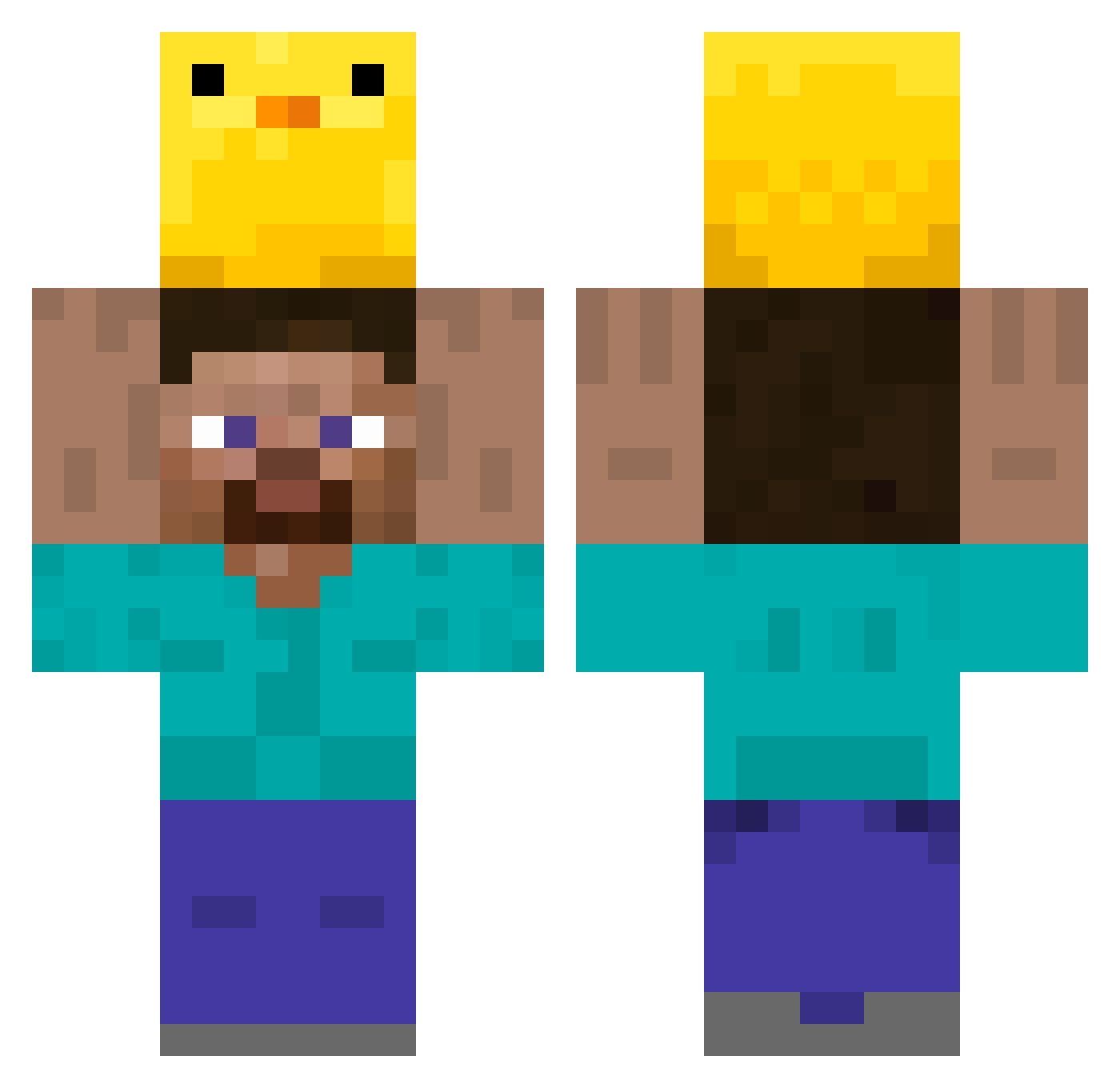
Current Minecraft skin of the player Map1166, loaded from the official Mojang API. Rotate the 3D model with your mouse or finger, then download the skin as a PNG file and use it in Minecraft: Bedrock Edition or Java Edition for free. When Map1166 changes their skin, this page updates automatically and the old skin stays in the history below.
Other players with this skin (348)
Map1166 was the 19th player we have seen with this skin, first spotted on 01.08.2026. The same skin was seen on these players. Open a nickname to see their current skin and skin history.
 BeeMay2006 Ki11ers Pepototo freakyDominik Selbstredend Rachachu lacartemere Fastsun dhszesha hoyyaa HAT1Z Levelsheet justmonday Chittt Crispy_Spicy JY_a Ejahr METHOD_IS Obama__Balls Ayvee211 kimjjangdol2 ZoeAsh2006 mercuryAM ez1234566778 JAMHE2 Aisaak14 BYEONGGU134 DAVIN69 Barmeian_Cheese Femalebaby Drecksgaul01 _Sky_10 JonAsh1982 Nicebed18 Wumeng05 Cleverattack hooobana Junuin SirLotharDT Bakhaow 4shark_ Fireeeeeeeeeeee leopinta CiccioGamer8 chamchi0 earlya1low chou0821 Suigetsy PeppaPigConDepre JarZip81 TORUKOICE ImSam240 dailywonder pricklytree I2nquisiti_velyd highlymoan hulubo Mellimeter Stifftable Chocotacoro
More Holding Duck Minecraft skins
How to install the Map1166 skin
- Press the Download button above to save the skin as a PNG file.
- Minecraft: Bedrock Edition (PE): open the Dressing Room from the main menu (or tap your character → Edit Character), go to Classic Skins → Owned, press the + (new skin) button, choose the downloaded PNG and pick the Classic (Steve) model. Works on PC and mobile; consoles cannot import custom skins.
- Minecraft: Java Edition: open the Minecraft Launcher, go to the Skins tab, click New Skin, load the PNG, pick the Classic (Steve) model and press Save & Use. You can also upload it at minecraft.net → Profile → Change Skin.
The skin does not show up after import - what should I do?
Restart Minecraft and open the Dressing Room again - imported skins sometimes appear only after a restart. Also make sure you selected the imported skin and picked the Classic (Steve) model.
Which model should I choose, Classic or Slim?
This skin is designed for the Classic (Steve) model. If you pick the wrong model, the arms of the skin will look stretched or squeezed.
Is the skin of Map1166 free to download?
Yes. Press Download, save the PNG file and use it in Minecraft: Bedrock Edition or Java Edition - no payment or registration needed. The skin also works on multiplayer servers and Realms.
More skins
Looking for more? Go back to all Minecraft skins and check the top skins of the week, month and all time, or find any player's skin by nickname.