
Manole43 - Minecraft Skins & Skin History
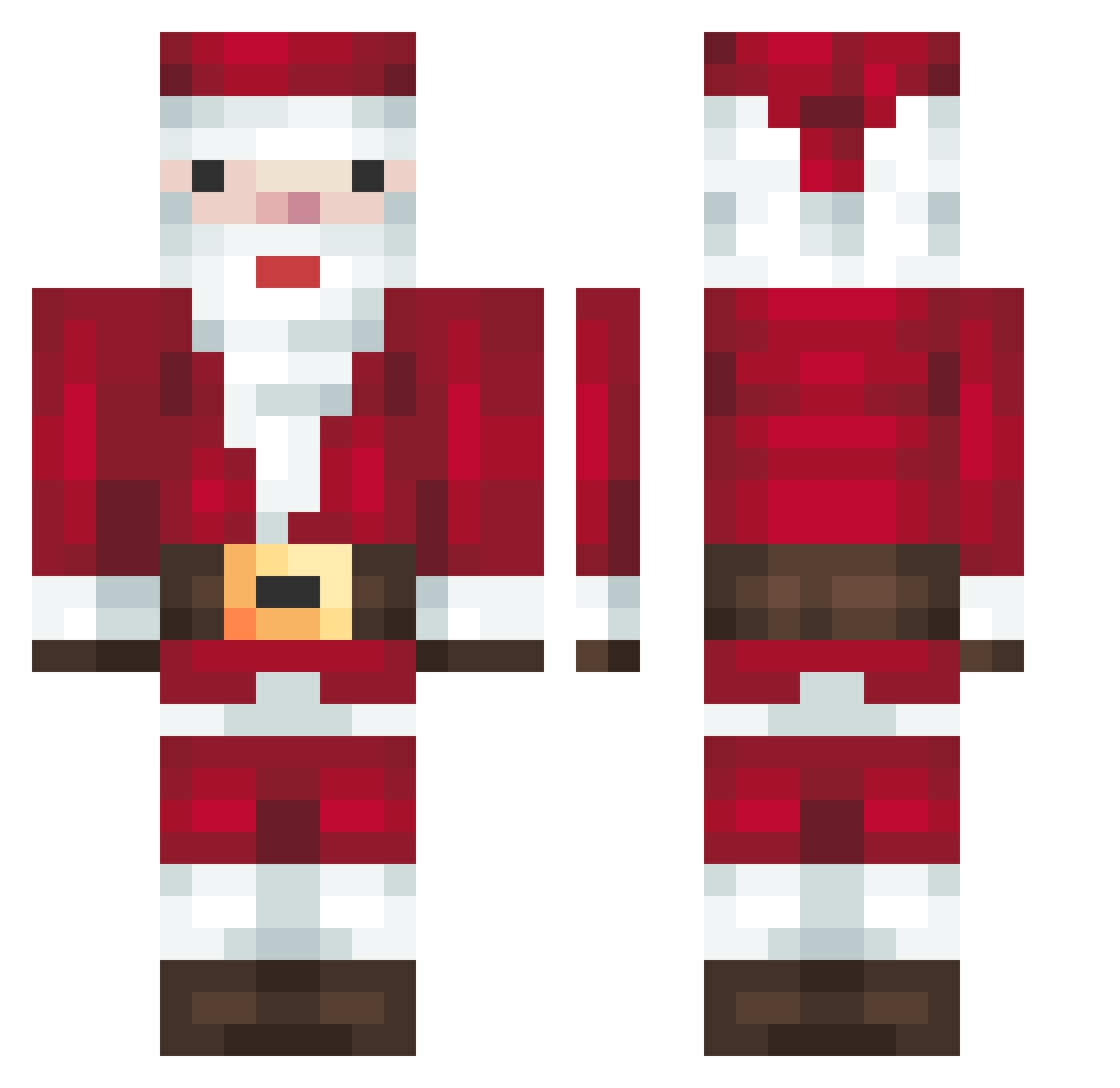
Current Minecraft skin of the player Manole43, loaded from the official Mojang API. Rotate the 3D model with your mouse or finger, then download the skin as a PNG file and use it in Minecraft: Bedrock Edition or Java Edition for free. When Manole43 changes their skin, this page updates automatically and the old skin stays in the history below.
Other players with this skin (279)
Manole43 was the 42nd player we have seen with this skin, first spotted on 10.08.2026. The same skin was seen on these players. Open a nickname to see their current skin and skin history.
 3MK_305 Karolnup P1MPOLLO IceTeaSven SHIN_COBI Apechito
 Blake_0X bakjengoen ashley_rkn houseclock Limelot12 dedmka BombasLocas ooozy14 DortHit_oxtiab1m Rectotio Cool_Dude1009 Fansyut yemregndz Glenn321 Derwurfell Sam_2727 Verkholaz_ iljor AnduRSK viperouslay63 TryHardzerrrrrr Rela497 Morri5 glyper123 zizone_sh EnderFlameX Reactionrate BedrockNoob1123 NormalFire4665 cark12345 AllRock Jfpro111 MarciaJung DELICIOXV ManSick2 JenkumHuff nalitnyk ajioh Chris160180 cpvpsanta hauntmode Jakobbusmaximus xXFACTIONSGODXx xy2115 hydracan minjae1017 happypeach233 Zeyzxe AutoclickInc marlon4451 franiogamer losad marinus420 ChalupaLaLupa
More Santa Claus Minecraft skins
How to install the Manole43 skin
- Press the Download button above to save the skin as a PNG file.
- Minecraft: Bedrock Edition (PE): open the Dressing Room from the main menu (or tap your character → Edit Character), go to Classic Skins → Owned, press the + (new skin) button, choose the downloaded PNG and pick the Classic (Steve) model. Works on PC and mobile; consoles cannot import custom skins.
- Minecraft: Java Edition: open the Minecraft Launcher, go to the Skins tab, click New Skin, load the PNG, pick the Classic (Steve) model and press Save & Use. You can also upload it at minecraft.net → Profile → Change Skin.
The skin does not show up after import - what should I do?
Restart Minecraft and open the Dressing Room again - imported skins sometimes appear only after a restart. Also make sure you selected the imported skin and picked the Classic (Steve) model.
Which model should I choose, Classic or Slim?
This skin is designed for the Classic (Steve) model. If you pick the wrong model, the arms of the skin will look stretched or squeezed.
Is the skin of Manole43 free to download?
Yes. Press Download, save the PNG file and use it in Minecraft: Bedrock Edition or Java Edition - no payment or registration needed. The skin also works on multiplayer servers and Realms.
More skins
Looking for more? Go back to all Minecraft skins and check the top skins of the week, month and all time, or find any player's skin by nickname.