
MajorBK - Minecraft Skins & Skin History
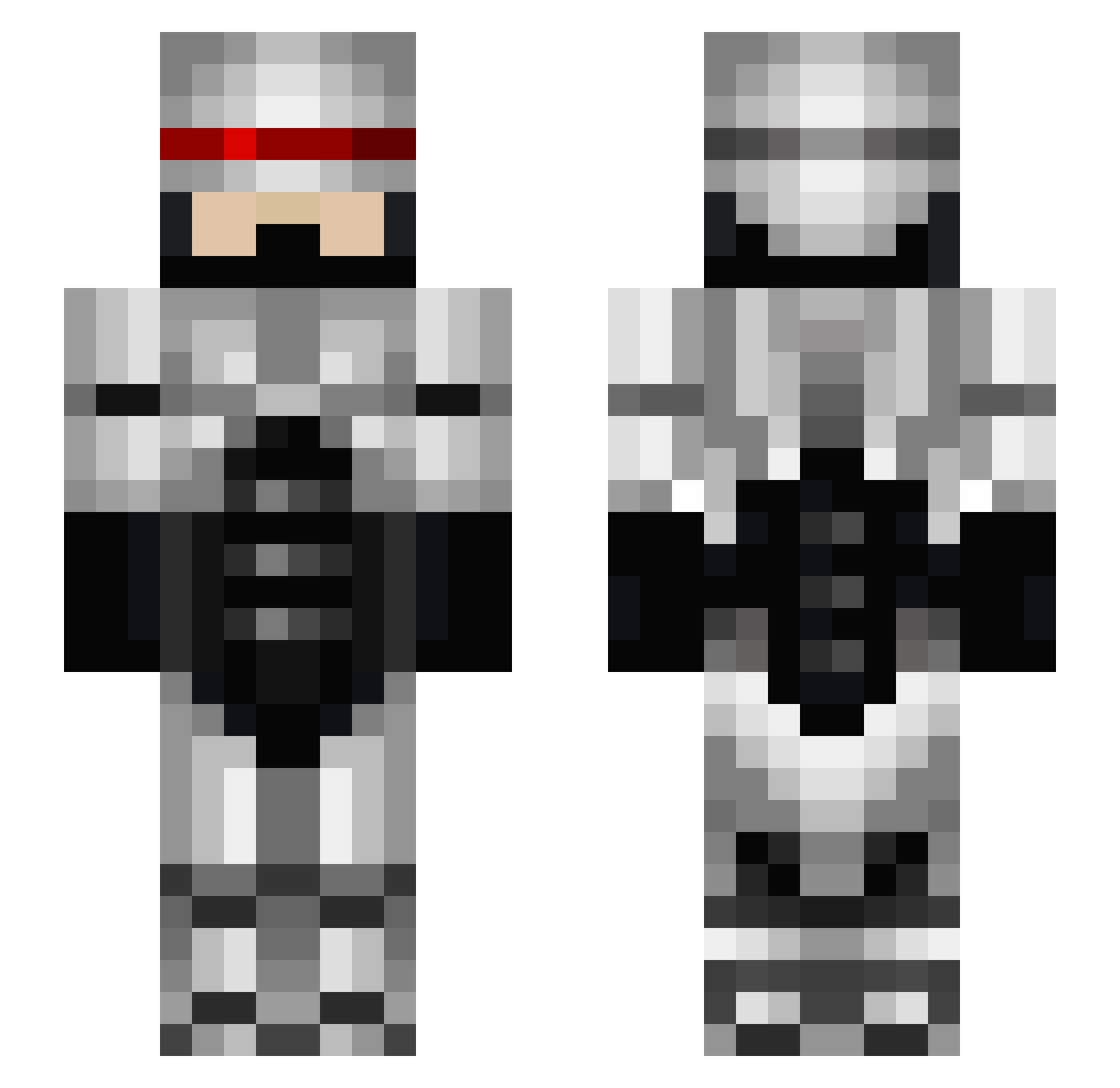
Current Minecraft skin of the player MajorBK, loaded from the official Mojang API. Rotate the 3D model with your mouse or finger, then download the skin as a PNG file and use it in Minecraft: Bedrock Edition or Java Edition for free. When MajorBK changes their skin, this page updates automatically and the old skin stays in the history below.
Other players with this skin (673)
MajorBK was the 169th player we have seen with this skin, first spotted on 25.08.2026. The same skin was seen on these players. Open a nickname to see their current skin and skin history.
 thebovrilmonkey HUSTs Ziken52 Pokeaf RoboNegan DeafLeopard nickneskis Angthoron benzeroner Inoia KingstonOwl laplace19 Chal3ah blacklion2345 XDarkXknightX56 Browhair55 V3ktiv AlphaNickster Ethum brydon101 Robocop Preums RoboGandhi LatinoLopez69 Lachlan9889 Austar blu3chip CurtisGekko erdBAEReis AlphaDad womby123 burgerone BaconMaster96 IPinkFloyd kyle9005 something612 hman0100 BigSpam24 Kerloda DrTobes Maximo12356 MaDzEx Dhamer miner987123 shadowelgaymer97 Leepardoe Parilon SnipingSoul kingrook Hayden1__ robocopmind camo66 unit2224 metadan tweisge1 sburgz MDxLato torsell Ravenzel minecraftpro913
More Robocop Minecraft skins
How to install the MajorBK skin
- Press the Download button above to save the skin as a PNG file.
- Minecraft: Bedrock Edition (PE): open the Dressing Room from the main menu (or tap your character → Edit Character), go to Classic Skins → Owned, press the + (new skin) button, choose the downloaded PNG and pick the Slim (Alex) model. Works on PC and mobile; consoles cannot import custom skins.
- Minecraft: Java Edition: open the Minecraft Launcher, go to the Skins tab, click New Skin, load the PNG, pick the Slim (Alex) model and press Save & Use. You can also upload it at minecraft.net → Profile → Change Skin.
The skin does not show up after import - what should I do?
Restart Minecraft and open the Dressing Room again - imported skins sometimes appear only after a restart. Also make sure you selected the imported skin and picked the Slim (Alex) model.
Which model should I choose, Classic or Slim?
This skin is designed for the Slim (Alex) model. If you pick the wrong model, the arms of the skin will look stretched or squeezed.
Is the skin of MajorBK free to download?
Yes. Press Download, save the PNG file and use it in Minecraft: Bedrock Edition or Java Edition - no payment or registration needed. The skin also works on multiplayer servers and Realms.
More skins
Looking for more? Go back to all Minecraft skins and check the top skins of the week, month and all time, or find any player's skin by nickname.