
Maestro_Creator - Minecraft Skins & Skin History
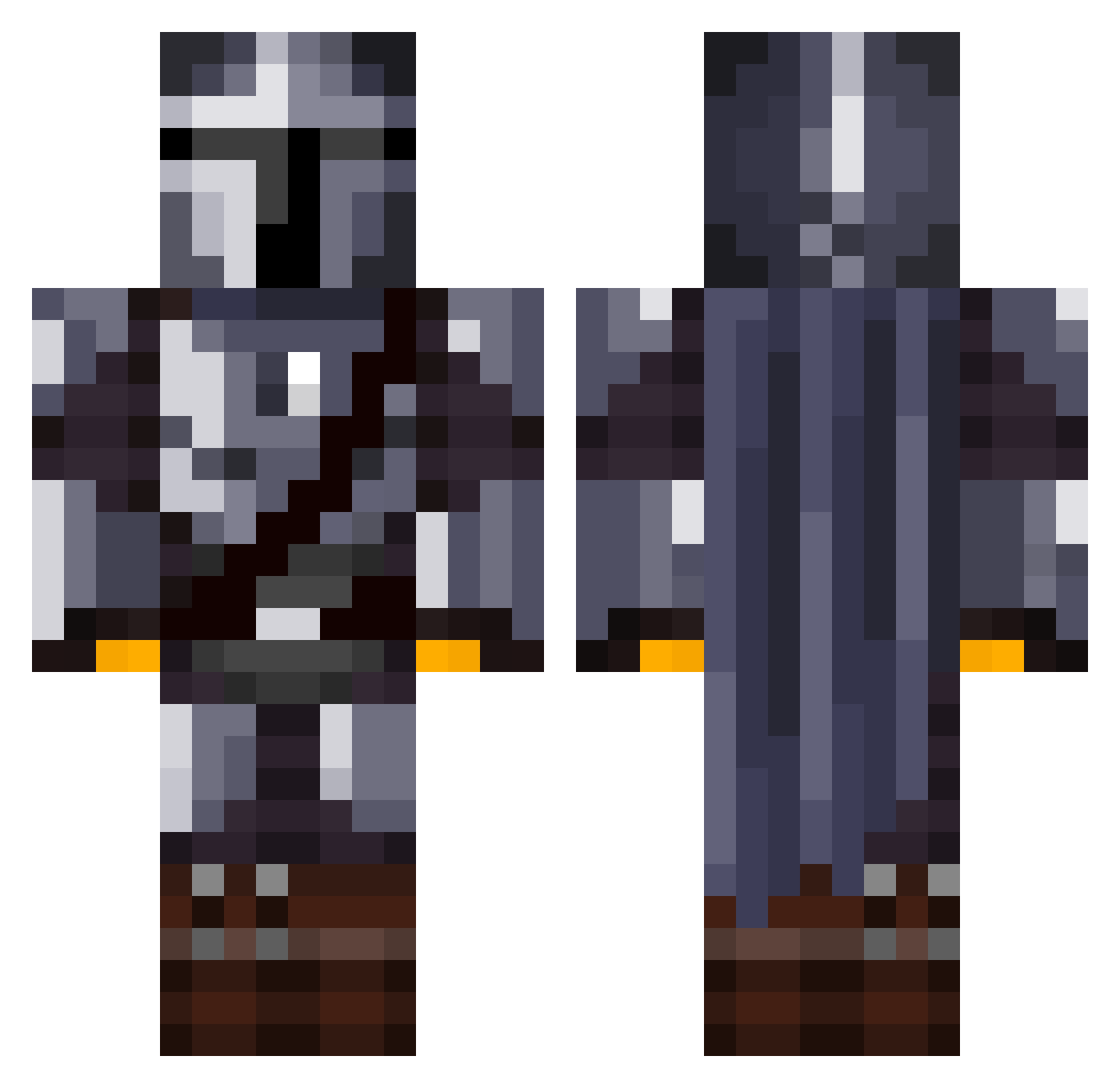
Current Minecraft skin of the player Maestro_Creator, loaded from the official Mojang API. Rotate the 3D model with your mouse or finger, then download the skin as a PNG file and use it in Minecraft: Bedrock Edition or Java Edition for free. When Maestro_Creator changes their skin, this page updates automatically and the old skin stays in the history below.
Other players with this skin (1076)
Maestro_Creator was the 206th player we have seen with this skin, first spotted on 11.08.2026. The same skin was seen on these players. Open a nickname to see their current skin and skin history.
 Kemosabe21 Filipekkkq Mbapp10 JayM792 Superdman916 KuyMojang ludl200 Zed_AU Cupit05 Eeet_Wont_Flush _Wrangler_ Berticuda M0NORION Nikki717 elfferre Anandjo C4M3R0NWM SirDylPicTonic Aruleth WillSambrook Diavolo21 Linus_67 Pinyin_nnn ElNiko_98 _taylor_10 OldDregg THE_GOROD jgmin321 MESAMAN71 Jnrkjunior scadaddle_ Lucadeviljin Logamotive_ Andudler_5 yasu114514 LbananaCZ LuisPMA69 Balakaye3 zhhhy Im_the_Turok Salarianin MinuteGDS ZaidCraftYT thebromin Tomo2406 Jaeger_Division barneybailey MRTN20 stevethebeavee Brasiboi sguy benjonesy98 CrazySymon WolfOfBallSt SvenSvensson1 Markus01p Rexus6129 hikazen7 DeathCake46 thomasip
More The Mandalorian Minecraft skins
See all 525 The Mandalorian skins
How to install the Maestro_Creator skin
- Press the Download button above to save the skin as a PNG file.
- Minecraft: Bedrock Edition (PE): open the Dressing Room from the main menu (or tap your character → Edit Character), go to Classic Skins → Owned, press the + (new skin) button, choose the downloaded PNG and pick the Classic (Steve) model. Works on PC and mobile; consoles cannot import custom skins.
- Minecraft: Java Edition: open the Minecraft Launcher, go to the Skins tab, click New Skin, load the PNG, pick the Classic (Steve) model and press Save & Use. You can also upload it at minecraft.net → Profile → Change Skin.
The skin does not show up after import - what should I do?
Restart Minecraft and open the Dressing Room again - imported skins sometimes appear only after a restart. Also make sure you selected the imported skin and picked the Classic (Steve) model.
Which model should I choose, Classic or Slim?
This skin is designed for the Classic (Steve) model. If you pick the wrong model, the arms of the skin will look stretched or squeezed.
Is the skin of Maestro_Creator free to download?
Yes. Press Download, save the PNG file and use it in Minecraft: Bedrock Edition or Java Edition - no payment or registration needed. The skin also works on multiplayer servers and Realms.
More skins
Looking for more? Go back to all Minecraft skins and check the top skins of the week, month and all time, or find any player's skin by nickname.