
Mae1215 - Minecraft Skins & Skin History
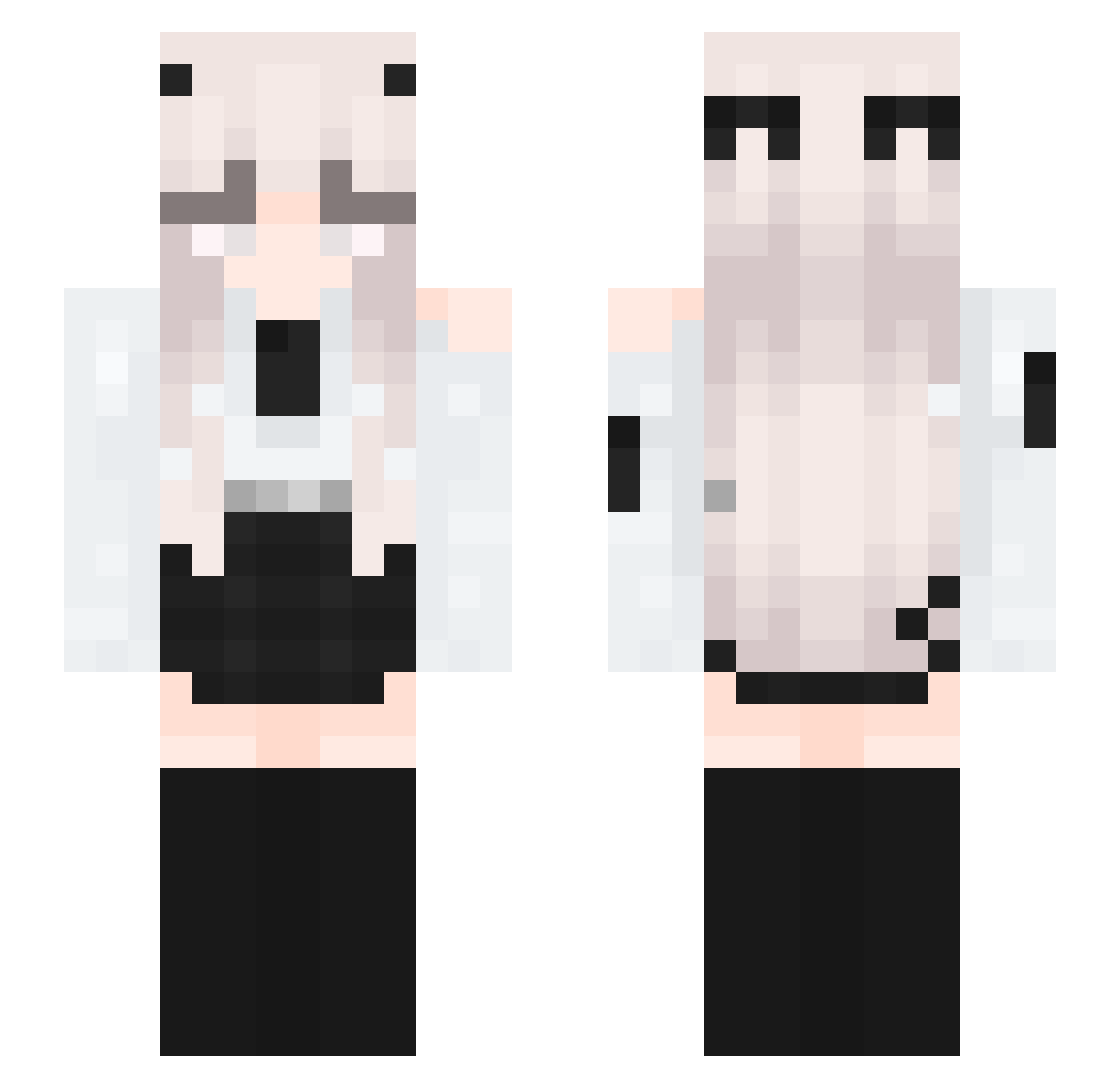
Current Minecraft skin of the player Mae1215, loaded from the official Mojang API. Rotate the 3D model with your mouse or finger, then download the skin as a PNG file and use it in Minecraft: Bedrock Edition or Java Edition for free. When Mae1215 changes their skin, this page updates automatically and the old skin stays in the history below.
Other players with this skin (313)
Mae1215 was the 294th player we have seen with this skin, first spotted on 20.10.2026. The same skin was seen on these players. Open a nickname to see their current skin and skin history.
 soomvam Zyni_ ButterWOW ssbdo TheOnlyLanKnight Emerald905 Errordream1234 Arin_reina_lina Droitmer IinkSun tlsldnd mido2308 Skafexxx seungye06 DBlueCanary2s JumperYa SFSade Prohunter68 linokzbtw MoonLight6667 ImLiisa_ samvska mistyirous Princess_Lara Naiirobii Jqlynn _Rikaaa_ ELoraQ IsIssa doh_o NIHNIHNIHNIHNIHN xitsmetoni Allekiller19 Mezalogphin Peachy782 Likkann_ Banda11u 1337SAD1 Wl5E itspeakcraft quidlia zuishang S4tanLilu sakadayo Flash4218 iBiilu SkyLane1 itzCami_ norallaii Logan99991 atlasvte Patison279 Lunathema geeeni Gushry arabek_fem_boy DarkNightHero284 xmzzsds lemniscata12 max201465
More Horns Minecraft skins
How to install the Mae1215 skin
- Press the Download button above to save the skin as a PNG file.
- Minecraft: Bedrock Edition (PE): open the Dressing Room from the main menu (or tap your character → Edit Character), go to Classic Skins → Owned, press the + (new skin) button, choose the downloaded PNG and pick the Slim (Alex) model. Works on PC and mobile; consoles cannot import custom skins.
- Minecraft: Java Edition: open the Minecraft Launcher, go to the Skins tab, click New Skin, load the PNG, pick the Slim (Alex) model and press Save & Use. You can also upload it at minecraft.net → Profile → Change Skin.
The skin does not show up after import - what should I do?
Restart Minecraft and open the Dressing Room again - imported skins sometimes appear only after a restart. Also make sure you selected the imported skin and picked the Slim (Alex) model.
Which model should I choose, Classic or Slim?
This skin is designed for the Slim (Alex) model. If you pick the wrong model, the arms of the skin will look stretched or squeezed.
Is the skin of Mae1215 free to download?
Yes. Press Download, save the PNG file and use it in Minecraft: Bedrock Edition or Java Edition - no payment or registration needed. The skin also works on multiplayer servers and Realms.
More skins
Looking for more? Go back to all Minecraft skins and check the top skins of the week, month and all time, or find any player's skin by nickname.