
Maateo_ - Minecraft Skins & Skin History
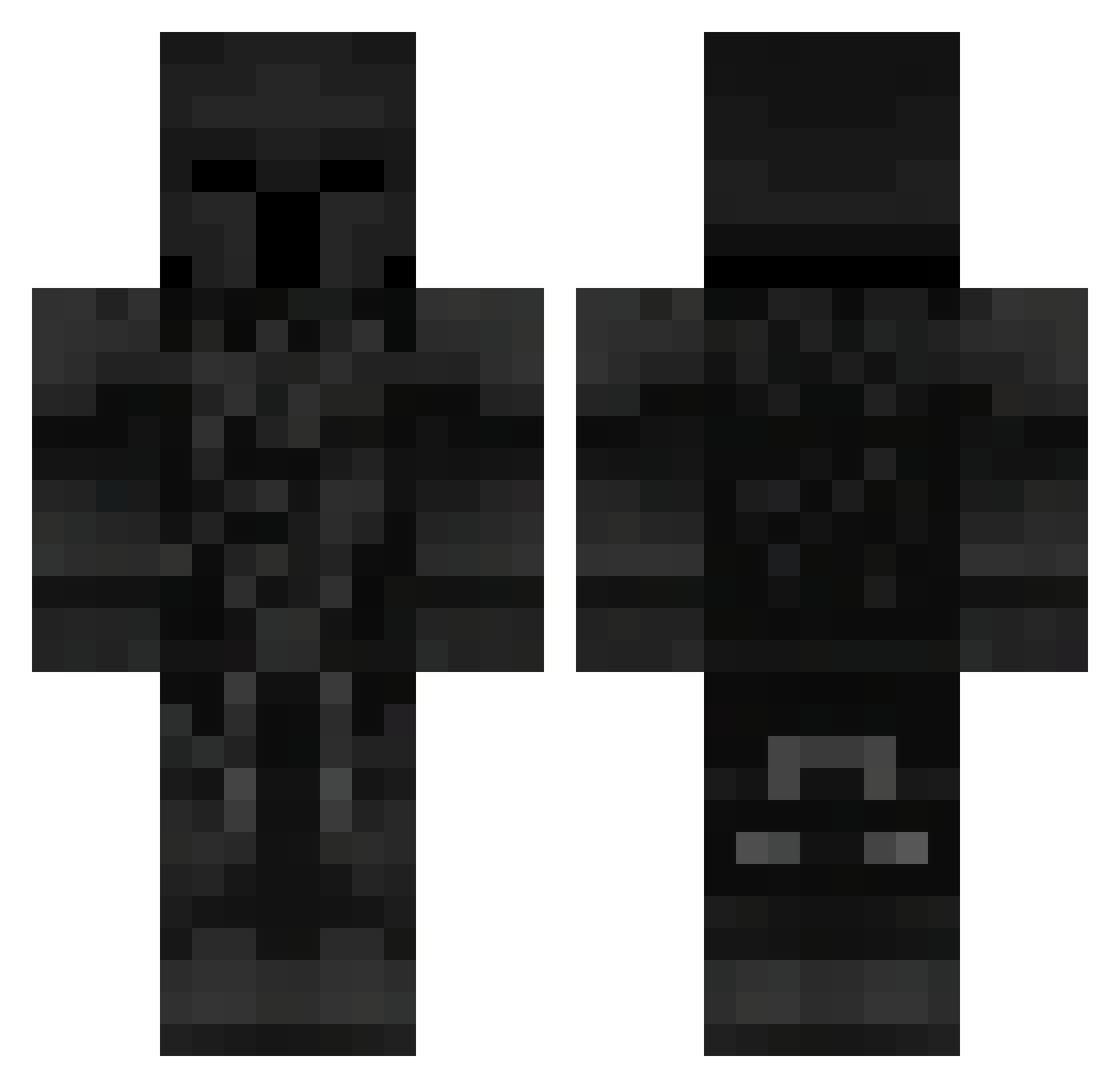
Current Minecraft skin of the player Maateo_, loaded from the official Mojang API. Rotate the 3D model with your mouse or finger, then download the skin as a PNG file and use it in Minecraft: Bedrock Edition or Java Edition for free. When Maateo_ changes their skin, this page updates automatically and the old skin stays in the history below.
Other players with this skin (105)
Maateo_ was the 24th player we have seen with this skin, first spotted on 13.08.2026. The same skin was seen on these players. Open a nickname to see their current skin and skin history.
 Alexxx_2011 lebronbay Realtokensboy sadf4ce1324 fabriciost09 Ace_10ww MR_wotstr Lingo eyOneSkill MAXI323345271 The_RaXonn Electron098 Darkshadow204 IceDragon6199 Verusco Kaczka519 AKX91
 Gabriel6vd Quitos82 Sweaty_nuggets24 RoosterAGN Nykovitch D3SH4WN kaplan1010 Rho_012 lliksel ItzFlyzY Tr4sh_Dem0n Krzysiu0811 mrbean_lol
 LanzarQ7 Luizos SoldierBink Nico_0303 jojo4157 Math075 MrCapsss
 batmanczewski airondiego virtuil Finny708 stanleysilva_fps adv_931931 LioNielMessi _Dizen 50kVisxn RYAN0908 Zeonx15 NicoBoca11 Tunic3567 Nanucek123 Pa4tryk_ manerfdrvd fili1918 Skubi69 24KIBLAZING123 CapiKenway Vardrus Frog3er AslanArcher
More Knight Minecraft skins
How to install the Maateo_ skin
- Press the Download button above to save the skin as a PNG file.
- Minecraft: Bedrock Edition (PE): open the Dressing Room from the main menu (or tap your character → Edit Character), go to Classic Skins → Owned, press the + (new skin) button, choose the downloaded PNG and pick the Classic (Steve) model. Works on PC and mobile; consoles cannot import custom skins.
- Minecraft: Java Edition: open the Minecraft Launcher, go to the Skins tab, click New Skin, load the PNG, pick the Classic (Steve) model and press Save & Use. You can also upload it at minecraft.net → Profile → Change Skin.
The skin does not show up after import - what should I do?
Restart Minecraft and open the Dressing Room again - imported skins sometimes appear only after a restart. Also make sure you selected the imported skin and picked the Classic (Steve) model.
Which model should I choose, Classic or Slim?
This skin is designed for the Classic (Steve) model. If you pick the wrong model, the arms of the skin will look stretched or squeezed.
Is the skin of Maateo_ free to download?
Yes. Press Download, save the PNG file and use it in Minecraft: Bedrock Edition or Java Edition - no payment or registration needed. The skin also works on multiplayer servers and Realms.
More skins
Looking for more? Go back to all Minecraft skins and check the top skins of the week, month and all time, or find any player's skin by nickname.