
MYBANSHEE - Minecraft Skins & Skin History
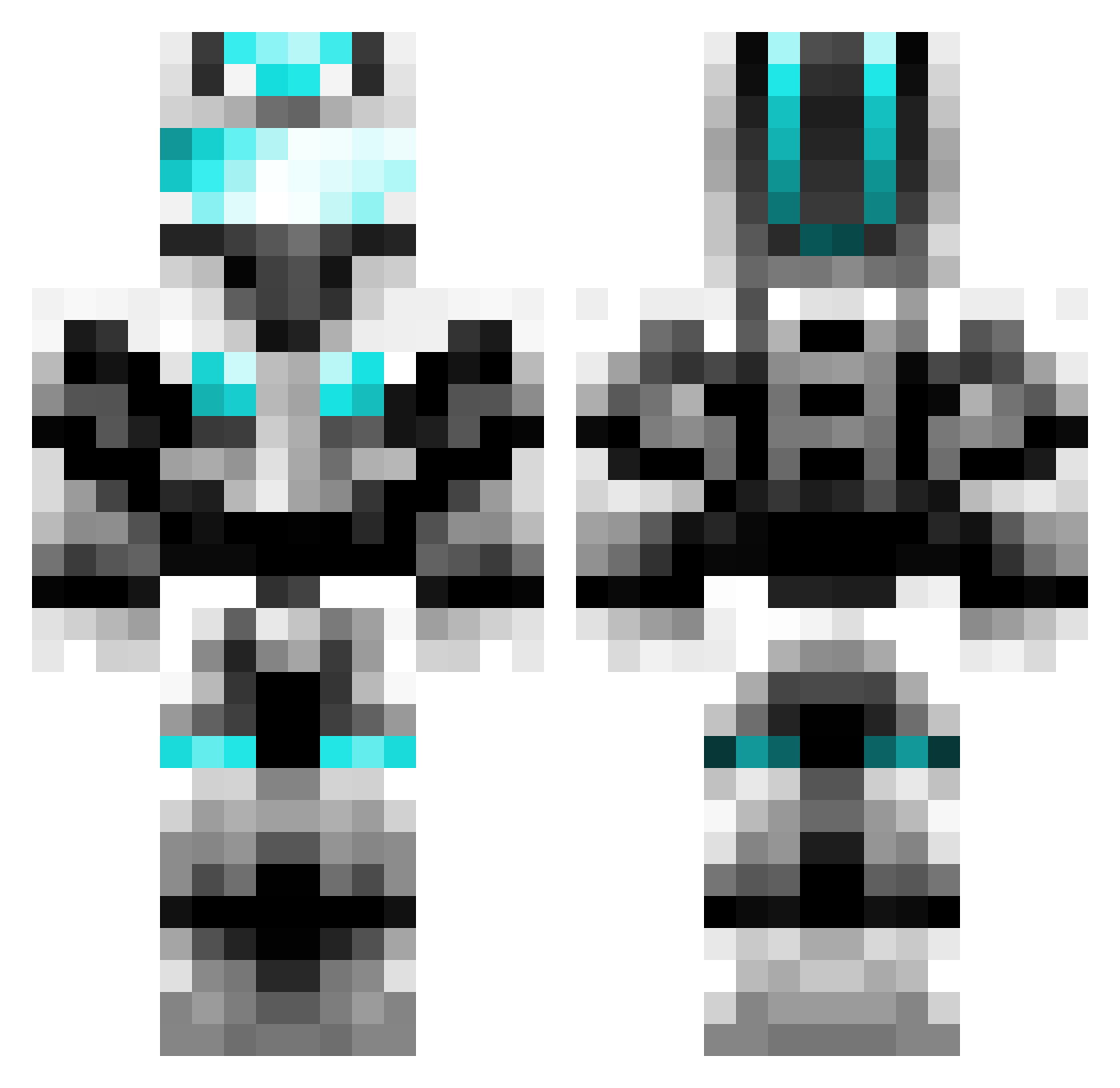
Current Minecraft skin of the player MYBANSHEE, loaded from the official Mojang API. Rotate the 3D model with your mouse or finger, then download the skin as a PNG file and use it in Minecraft: Bedrock Edition or Java Edition for free. When MYBANSHEE changes their skin, this page updates automatically and the old skin stays in the history below.
Other players with this skin (657)
MYBANSHEE was the 604th player we have seen with this skin, first spotted on 22.10.2026. The same skin was seen on these players. Open a nickname to see their current skin and skin history.
 wasd_gaming DegenPups Recorderstrike 1_pvpskills_1 Onslaught413 NathanPeng fantasticbob 6john9 ahmed7390 BudderBoy229 Harndog1 trystin7605 Pvt_Panda211 samhubbard23 ROADLU ktibuilds OSCARNED DarkMonkey975 spillednick armed_legend SUBAN246 Karl_McC Simongeorge8 xiong_ying_ royalgff MinecraftkingRS MIK3K2 Sam412 Hkwyxx NappJN_ Failedkey awesome007 strive22 Samstar9 TechnoTiger bweb777 humingsen juhokor fastkill69 kasperrr1234 Maistero1 grimmi_12 AlRizzo Abistory technojunki ThatMinus JaphethA flash8079 Tawnyman jnamesno FrankAdler arunptl100 japanman64 JUFRAy FixLeoGS Kub29 mmgm3214 Lucas1317 Gamareth nicnik2000
More Cyber Soldier Minecraft skins
See all 44 Cyber Soldier skins
How to install the MYBANSHEE skin
- Press the Download button above to save the skin as a PNG file.
- Minecraft: Bedrock Edition (PE): open the Dressing Room from the main menu (or tap your character → Edit Character), go to Classic Skins → Owned, press the + (new skin) button, choose the downloaded PNG and pick the Classic (Steve) model. Works on PC and mobile; consoles cannot import custom skins.
- Minecraft: Java Edition: open the Minecraft Launcher, go to the Skins tab, click New Skin, load the PNG, pick the Classic (Steve) model and press Save & Use. You can also upload it at minecraft.net → Profile → Change Skin.
The skin does not show up after import - what should I do?
Restart Minecraft and open the Dressing Room again - imported skins sometimes appear only after a restart. Also make sure you selected the imported skin and picked the Classic (Steve) model.
Which model should I choose, Classic or Slim?
This skin is designed for the Classic (Steve) model. If you pick the wrong model, the arms of the skin will look stretched or squeezed.
Is the skin of MYBANSHEE free to download?
Yes. Press Download, save the PNG file and use it in Minecraft: Bedrock Edition or Java Edition - no payment or registration needed. The skin also works on multiplayer servers and Realms.
More skins
Looking for more? Go back to all Minecraft skins and check the top skins of the week, month and all time, or find any player's skin by nickname.