
MJ_I - Minecraft Skins & Skin History
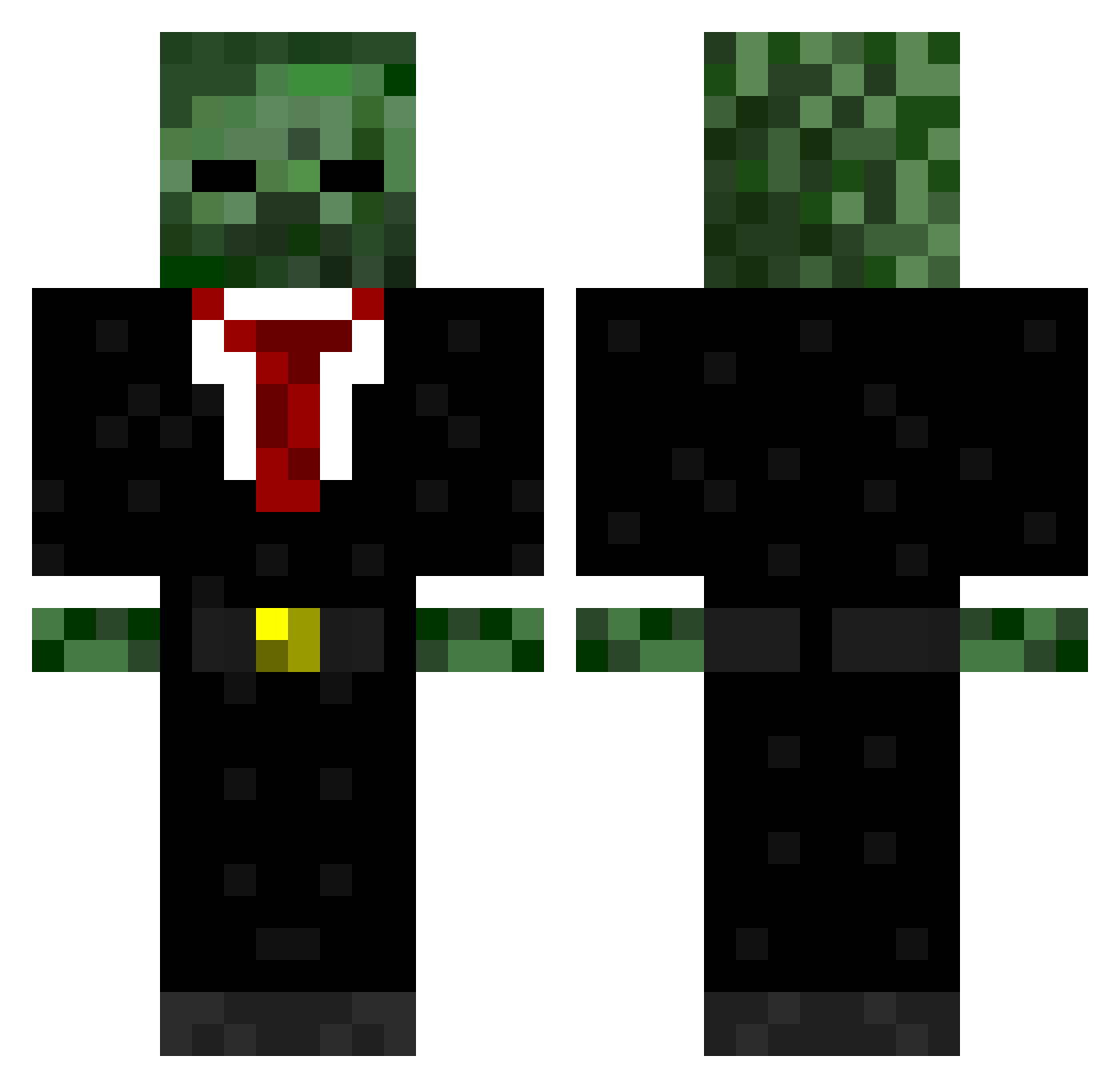
Current Minecraft skin of the player MJ_I, loaded from the official Mojang API. Rotate the 3D model with your mouse or finger, then download the skin as a PNG file and use it in Minecraft: Bedrock Edition or Java Edition for free. When MJ_I changes their skin, this page updates automatically and the old skin stays in the history below.
Other players with this skin (571)
MJ_I was the 411th player we have seen with this skin, first spotted on 08.10.2026. The same skin was seen on these players. Open a nickname to see their current skin and skin history.
 Phillips5858 Antonio_Craft GamingMouse12 arinikit Tomibotero Orelitz Tan0313 Justkidding12369 Abook JD82429 chelseasw6 CamkodaNZ jade117 mbawwe DEADLY_RAPIDZ PineappleKing87 Lukebezerker oShultzy ItzRobbie67 Heist_toxic jordankiss_ NorthMedal12 Funky164 134moler iTehPro Bobby_Shmurda_21 Redgroove Jonny001997 anonymox jaws8675309 SGT_Nadman xReaper15 Louis5055 DAVINO164 Joe1811 sportivaHD jackpowell12349 ForeignDorin foggybob9 Jake3098 x_dbero S7Ym0nPL xSuperKx BlakeABrown joshsmith2000 Hazzalar99 Monsterv15 Sanaref ShadeXAlex ACV91802 accountless Facepuncher9800 zjvanpopering Joefinn77 griffinh99 TheLittleJae Rami6000 Zinnova IIZippyII TheHyperDarkness
More Zombie Minecraft skins
How to install the MJ_I skin
- Press the Download button above to save the skin as a PNG file.
- Minecraft: Bedrock Edition (PE): open the Dressing Room from the main menu (or tap your character → Edit Character), go to Classic Skins → Owned, press the + (new skin) button, choose the downloaded PNG and pick the Classic (Steve) model. Works on PC and mobile; consoles cannot import custom skins.
- Minecraft: Java Edition: open the Minecraft Launcher, go to the Skins tab, click New Skin, load the PNG, pick the Classic (Steve) model and press Save & Use. You can also upload it at minecraft.net → Profile → Change Skin.
The skin does not show up after import - what should I do?
Restart Minecraft and open the Dressing Room again - imported skins sometimes appear only after a restart. Also make sure you selected the imported skin and picked the Classic (Steve) model.
Which model should I choose, Classic or Slim?
This skin is designed for the Classic (Steve) model. If you pick the wrong model, the arms of the skin will look stretched or squeezed.
Is the skin of MJ_I free to download?
Yes. Press Download, save the PNG file and use it in Minecraft: Bedrock Edition or Java Edition - no payment or registration needed. The skin also works on multiplayer servers and Realms.
More skins
Looking for more? Go back to all Minecraft skins and check the top skins of the week, month and all time, or find any player's skin by nickname.