
M1nJUngg - Minecraft Skins & Skin History
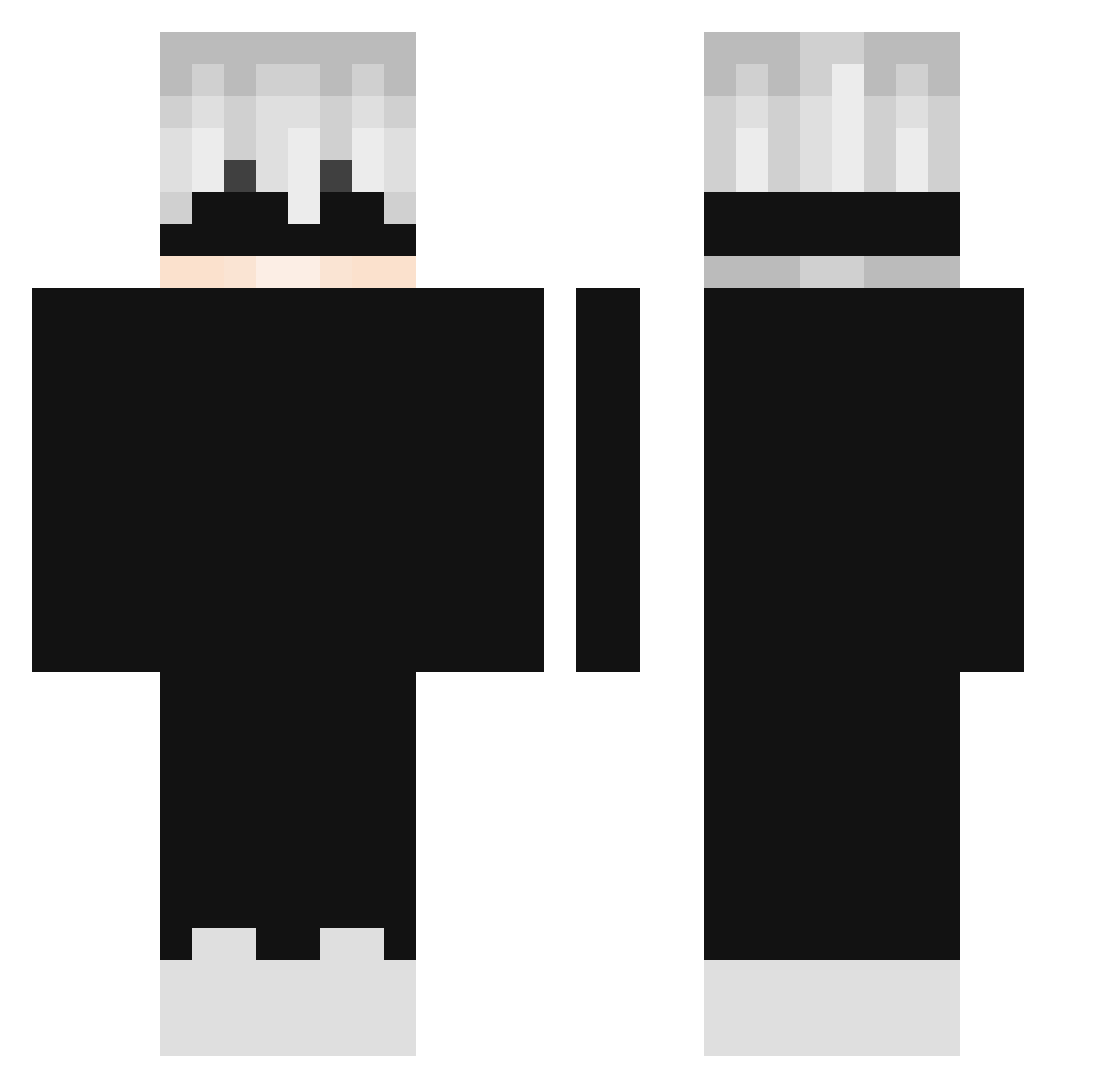
Current Minecraft skin of the player M1nJUngg, loaded from the official Mojang API. Rotate the 3D model with your mouse or finger, then download the skin as a PNG file and use it in Minecraft: Bedrock Edition or Java Edition for free. When M1nJUngg changes their skin, this page updates automatically and the old skin stays in the history below.
Other players with this skin (345)
M1nJUngg was the 321st player we have seen with this skin, first spotted on 12.11.2026. The same skin was seen on these players. Open a nickname to see their current skin and skin history.
 loKumaol smloading poolhj BrickyB0y iiVanityLur JUSTlynx03 Itz_IL7mXx Yo7I Jedz10 Mighty_M0 zRoneX y16X Bahiano_da_Rede ChoeNRocK2544 OnlyMare GreenNem TheChosenAces INTxx MC7Leonardo Luiz_0_ Meowx2 borkkooo sm3t xINyzz Tmzinn 0569 0AsianMan0 AsK261 _JestemKai Tib_93 Lostwarco VisGames Hanasaki1925 Rudreshsoni09 Tazz___ Luxyferr MT_Ishaan n0lick2 ZhaoXian LonelyGon Otiq _Hariox_ RayxClips hyprays Whoistommy Back4 Akrija ARROBAbielrtx Th1sIsAndr3w_ Son_Gorad Vekxz J4GoAn_Mamah SH_Paulo Tabsi08 YasiiNe thewitcherr shenyuhao NT_7414 Blucker_V2 DanoneLEGIT
More Satoru Gojo Minecraft skins
See all 1484 Satoru Gojo skins
How to install the M1nJUngg skin
- Press the Download button above to save the skin as a PNG file.
- Minecraft: Bedrock Edition (PE): open the Dressing Room from the main menu (or tap your character → Edit Character), go to Classic Skins → Owned, press the + (new skin) button, choose the downloaded PNG and pick the Classic (Steve) model. Works on PC and mobile; consoles cannot import custom skins.
- Minecraft: Java Edition: open the Minecraft Launcher, go to the Skins tab, click New Skin, load the PNG, pick the Classic (Steve) model and press Save & Use. You can also upload it at minecraft.net → Profile → Change Skin.
The skin does not show up after import - what should I do?
Restart Minecraft and open the Dressing Room again - imported skins sometimes appear only after a restart. Also make sure you selected the imported skin and picked the Classic (Steve) model.
Which model should I choose, Classic or Slim?
This skin is designed for the Classic (Steve) model. If you pick the wrong model, the arms of the skin will look stretched or squeezed.
Is the skin of M1nJUngg free to download?
Yes. Press Download, save the PNG file and use it in Minecraft: Bedrock Edition or Java Edition - no payment or registration needed. The skin also works on multiplayer servers and Realms.
More skins
Looking for more? Go back to all Minecraft skins and check the top skins of the week, month and all time, or find any player's skin by nickname.