
Lvki_ - Minecraft Skins & Skin History
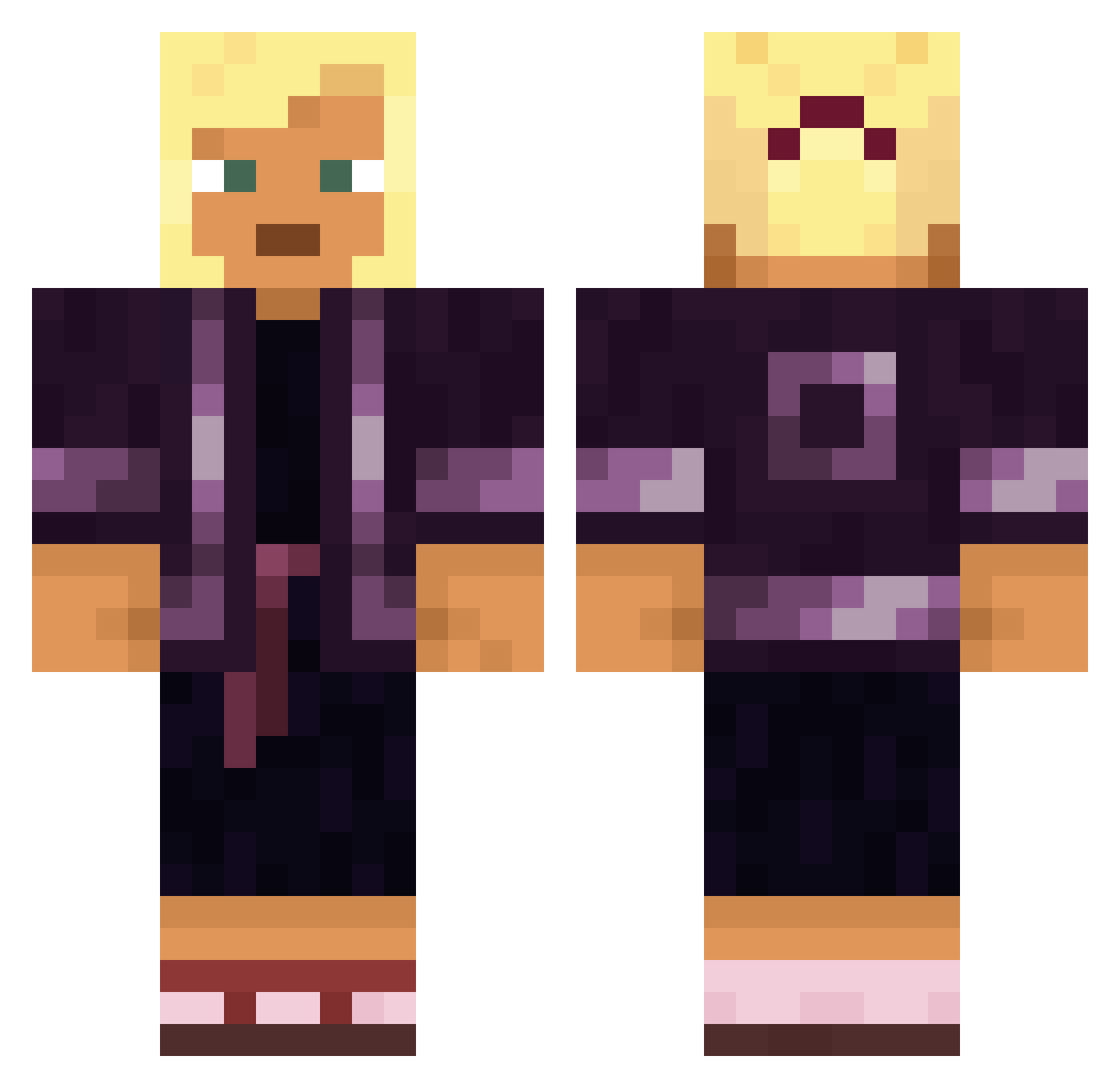
Current Minecraft skin of the player Lvki_, loaded from the official Mojang API. Rotate the 3D model with your mouse or finger, then download the skin as a PNG file and use it in Minecraft: Bedrock Edition or Java Edition for free. When Lvki_ changes their skin, this page updates automatically and the old skin stays in the history below.
Other players with this skin (1632)
Lvki_ was the 438th player we have seen with this skin, first spotted on 25.08.2026. The same skin was seen on these players. Open a nickname to see their current skin and skin history.
 FatCake ungird Anto9610 Straussel Actiniaria laiyike Giraffe5441 Nid RavenWillyDS flashier Conchoidal Bentwood MoeRuebe mikastout Rikitoma_ Xellans hystericus YouOffendMe Mecin Virtuosi Playing_Potato selectively Swagrid123 UnwiseRanger
 wizardaim01 KDYYY Gicse MyJobIsToTry Zqrstl_ Bandzz44 Oddly_Stiff_Sock muxan zzzhhy6 Uven policewoman Benkzi Glroy En1ghM4_ daleiplus Ristio JunkYardGhost Ganser manit 0x08charlie Asserter Leystu Suprenova2 xMiiLF Buoyant spogwog LeMayBBQ Benker0802 Adam_Q TrackyGG clark0r Varske420 kurunnai superethical Angrier Roastloeffel
More Kimono Minecraft skins
How to install the Lvki_ skin
- Press the Download button above to save the skin as a PNG file.
- Minecraft: Bedrock Edition (PE): open the Dressing Room from the main menu (or tap your character → Edit Character), go to Classic Skins → Owned, press the + (new skin) button, choose the downloaded PNG and pick the Classic (Steve) model. Works on PC and mobile; consoles cannot import custom skins.
- Minecraft: Java Edition: open the Minecraft Launcher, go to the Skins tab, click New Skin, load the PNG, pick the Classic (Steve) model and press Save & Use. You can also upload it at minecraft.net → Profile → Change Skin.
The skin does not show up after import - what should I do?
Restart Minecraft and open the Dressing Room again - imported skins sometimes appear only after a restart. Also make sure you selected the imported skin and picked the Classic (Steve) model.
Which model should I choose, Classic or Slim?
This skin is designed for the Classic (Steve) model. If you pick the wrong model, the arms of the skin will look stretched or squeezed.
Is the skin of Lvki_ free to download?
Yes. Press Download, save the PNG file and use it in Minecraft: Bedrock Edition or Java Edition - no payment or registration needed. The skin also works on multiplayer servers and Realms.
More skins
Looking for more? Go back to all Minecraft skins and check the top skins of the week, month and all time, or find any player's skin by nickname.