
LuvaBall - Minecraft Skins & Skin History
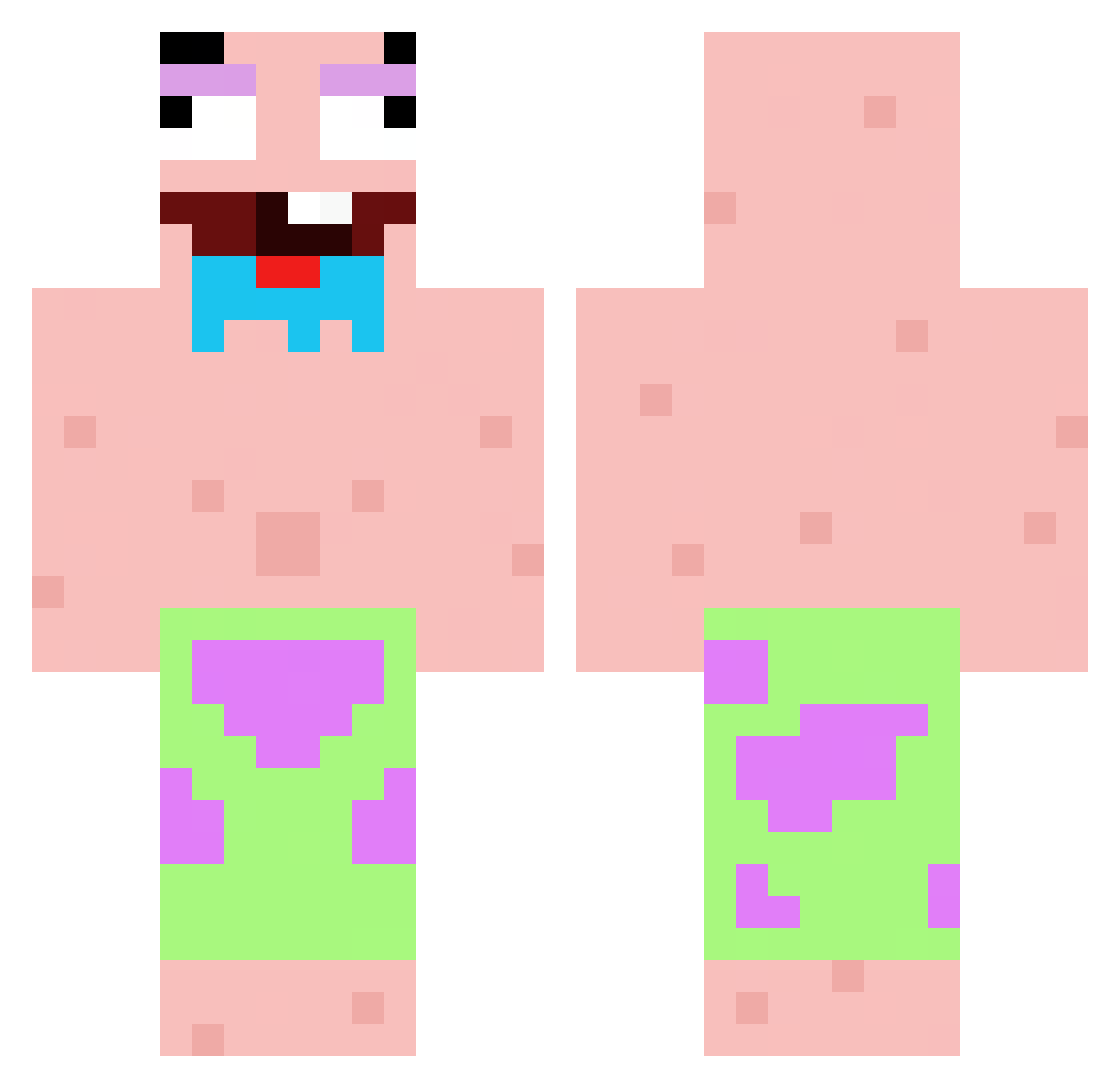
Current Minecraft skin of the player LuvaBall, loaded from the official Mojang API. Rotate the 3D model with your mouse or finger, then download the skin as a PNG file and use it in Minecraft: Bedrock Edition or Java Edition for free. When LuvaBall changes their skin, this page updates automatically and the old skin stays in the history below.
Other players with this skin (94)
LuvaBall was the 2nd player we have seen with this skin, first spotted on 23.07.2026. The same skin was seen on these players. Open a nickname to see their current skin and skin history.
 kotix122 kaojeff MentalLT6
 LordMox15 ArthurTav FetterLarry
 adamleonov
 Coco_312 Kyliams MicoInTheForest
 casperkry RobertESP Stevenotbad TuhSee
 cuteschoolboy BetterCall7md lysatygrysica CougarHunter4eva Stanly_tp RAKKTAR Mariuszek2012
 AlgiiX_ michakiyoo menukatsu cangliao pierogi0 Hot_Majcia72
 Tom8255 Whoz2 DoSurMc mart8333 swefayt7 irene1puente7 SrYumaGG Benee__ Gelggmire SILETNF evoxlv1 Militant3580 4COUL4 Mej0r_ Felicidad_top1 Bugz1n_ Valkyrax Forza972 pharella Titoo96 Mr_Nishino maback1214 ChunkLock pierokoka BensonSoCute PopChamp panda_king546 saddd147 Duynam24 ndmii nuuud BurtonBlazers mumijka
More Patrick Star Minecraft skins
See all 637 Patrick Star skins
How to install the LuvaBall skin
- Press the Download button above to save the skin as a PNG file.
- Minecraft: Bedrock Edition (PE): open the Dressing Room from the main menu (or tap your character → Edit Character), go to Classic Skins → Owned, press the + (new skin) button, choose the downloaded PNG and pick the Classic (Steve) model. Works on PC and mobile; consoles cannot import custom skins.
- Minecraft: Java Edition: open the Minecraft Launcher, go to the Skins tab, click New Skin, load the PNG, pick the Classic (Steve) model and press Save & Use. You can also upload it at minecraft.net → Profile → Change Skin.
The skin does not show up after import - what should I do?
Restart Minecraft and open the Dressing Room again - imported skins sometimes appear only after a restart. Also make sure you selected the imported skin and picked the Classic (Steve) model.
Which model should I choose, Classic or Slim?
This skin is designed for the Classic (Steve) model. If you pick the wrong model, the arms of the skin will look stretched or squeezed.
Is the skin of LuvaBall free to download?
Yes. Press Download, save the PNG file and use it in Minecraft: Bedrock Edition or Java Edition - no payment or registration needed. The skin also works on multiplayer servers and Realms.
More skins
Looking for more? Go back to all Minecraft skins and check the top skins of the week, month and all time, or find any player's skin by nickname.