
Luuuuuuuuuuucas - Minecraft Skins & Skin History
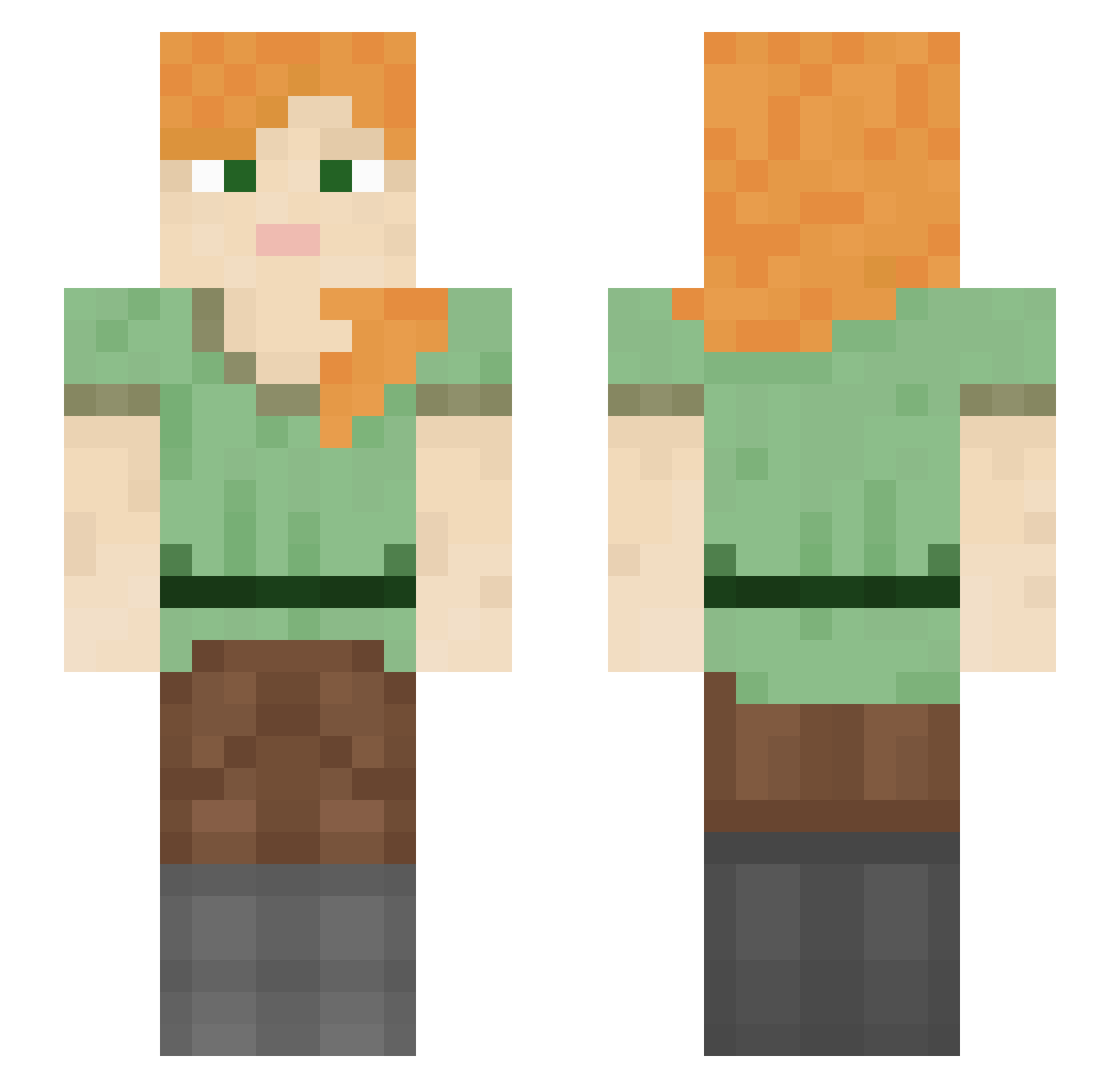
Current Minecraft skin of the player Luuuuuuuuuuucas, loaded from the official Mojang API. Rotate the 3D model with your mouse or finger, then download the skin as a PNG file and use it in Minecraft: Bedrock Edition or Java Edition for free. When Luuuuuuuuuuucas changes their skin, this page updates automatically and the old skin stays in the history below.
Other players with this skin (1261)
Luuuuuuuuuuucas was the 573rd player we have seen with this skin, first spotted on 17.09.2026. The same skin was seen on these players. Open a nickname to see their current skin and skin history.
 Frvnxx GlouTmon hybrid420 Riverscape Tar_Minastir equinoxpi NbzSNiPER44 Electah KeesMafkees RIK0_ AhmedGamba behemoth11 An15 futurewillow chobo314 Otyn smouse intaker Decillions Koppsal AlphaDarkRider Wakiki AverageRatter NAGIBATELMINE Time2play Dandles AlfaGolf FrostyWampa Commander_Pog_ arace dodoshik LyonX MyWh0re KYEEEEEEEEEEEEEN mitogen Bazoo Lovelessbr Debunked xXPsychoGurlXx ewqd Sadepilvi TNT_King_Lachish Complaints KamilDark tbh6 bananamatmilk Eclips3Dragon bandhacker GamingWhitBogacz darkxburak Autist_David iGoPee Schemer Pronecs_icsde Gaaven moongyeonho_24 fightnirish6972 Henrique_164 Allergists shancau
How to install the Luuuuuuuuuuucas skin
- Press the Download button above to save the skin as a PNG file.
- Minecraft: Bedrock Edition (PE): open the Dressing Room from the main menu (or tap your character → Edit Character), go to Classic Skins → Owned, press the + (new skin) button, choose the downloaded PNG and pick the Slim (Alex) model. Works on PC and mobile; consoles cannot import custom skins.
- Minecraft: Java Edition: open the Minecraft Launcher, go to the Skins tab, click New Skin, load the PNG, pick the Slim (Alex) model and press Save & Use. You can also upload it at minecraft.net → Profile → Change Skin.
The skin does not show up after import - what should I do?
Restart Minecraft and open the Dressing Room again - imported skins sometimes appear only after a restart. Also make sure you selected the imported skin and picked the Slim (Alex) model.
Which model should I choose, Classic or Slim?
This skin is designed for the Slim (Alex) model. If you pick the wrong model, the arms of the skin will look stretched or squeezed.
Is the skin of Luuuuuuuuuuucas free to download?
Yes. Press Download, save the PNG file and use it in Minecraft: Bedrock Edition or Java Edition - no payment or registration needed. The skin also works on multiplayer servers and Realms.
More skins
Looking for more? Go back to all Minecraft skins and check the top skins of the week, month and all time, or find any player's skin by nickname.