
LukeSkyWalkerSwe - Minecraft Skins & Skin History
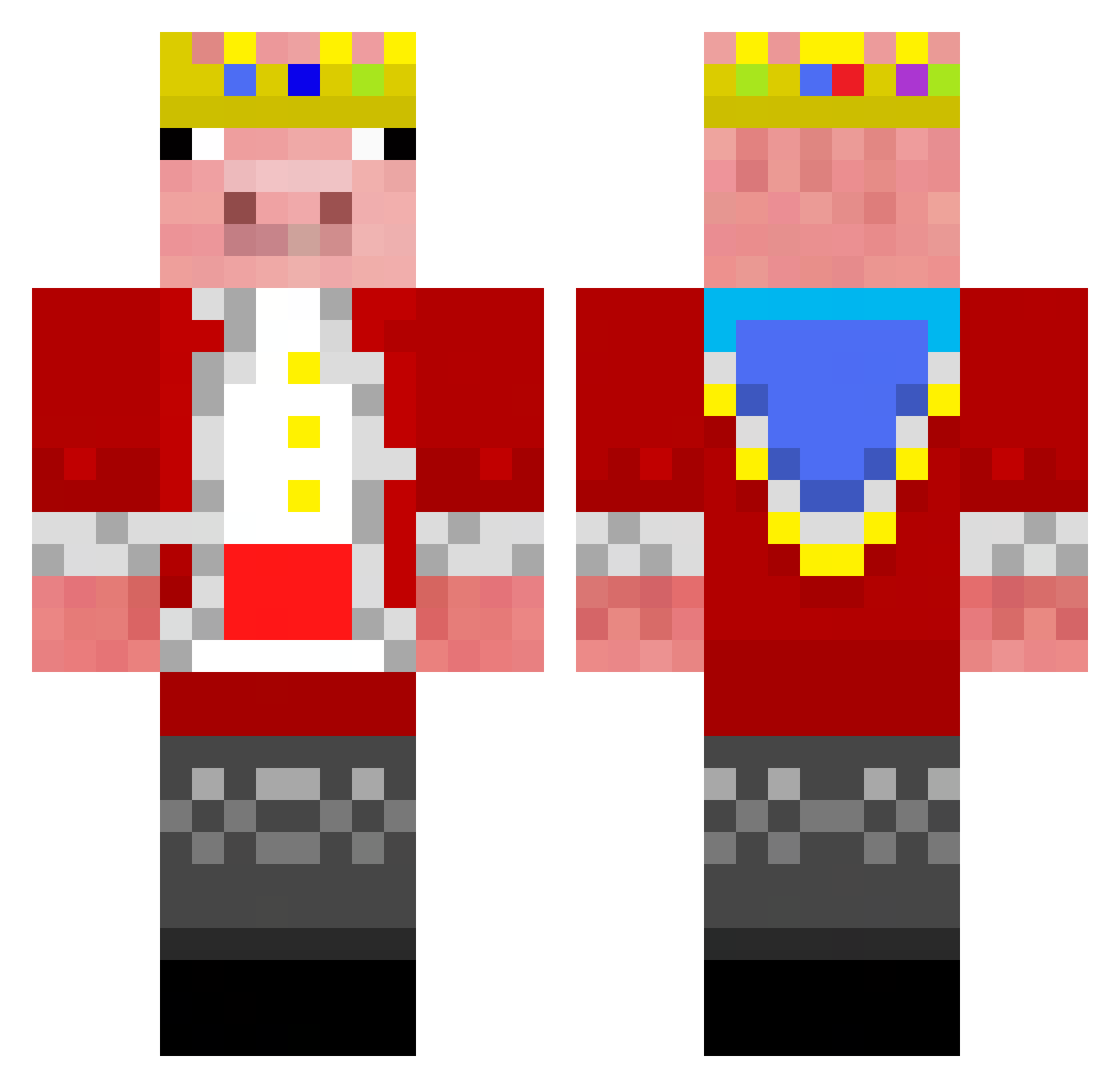
Current Minecraft skin of the player LukeSkyWalkerSwe, loaded from the official Mojang API. Rotate the 3D model with your mouse or finger, then download the skin as a PNG file and use it in Minecraft: Bedrock Edition or Java Edition for free. When LukeSkyWalkerSwe changes their skin, this page updates automatically and the old skin stays in the history below.
Other players with this skin (162)
LukeSkyWalkerSwe was the 122nd player we have seen with this skin, first spotted on 11.10.2026. The same skin was seen on these players. Open a nickname to see their current skin and skin history.
 ppsmacker12 Toys4KidsMarios Shadow119712 soopcoop23 Maverick4304 RoodoglO mikefuny Toasterman_ KaptenenG nashgiri DiamondBuilder69 ninjatree24 Nightmare_X10 lllDarkcxlll Astaroth7968 monkexe Johnnypb94 ArskaB Coincubefish VoltsKrafty Haug04 AceCuber MisterAlex2007 LavenderEmu282 Texas22398 OriginalTierin H3R0BR1N3_MC FrXoAce Syndrome303 B0lt_V3x kAnArImAn Lsfc mynameispro29 BlazeTheKiller69 DuskyMeerkat427 ChrisRPerez FrikkiFrikk tooeccentric GalaxyBee_Playz squekydogboy PacoDaTaco2 SixCastle965528 konradrub yoshikandula MrQuibles AJDucky12 Alex11Dishonored yeitacar ThePotatolord07 Technobladetheg Retver NoodleWarrior88 Samppu08 Panda7777777 edvinguden y3ers OggyDynamite F__kwitTheThird dino0105 N0tTechnoblade
More Pig Minecraft skins
How to install the LukeSkyWalkerSwe skin
- Press the Download button above to save the skin as a PNG file.
- Minecraft: Bedrock Edition (PE): open the Dressing Room from the main menu (or tap your character → Edit Character), go to Classic Skins → Owned, press the + (new skin) button, choose the downloaded PNG and pick the Classic (Steve) model. Works on PC and mobile; consoles cannot import custom skins.
- Minecraft: Java Edition: open the Minecraft Launcher, go to the Skins tab, click New Skin, load the PNG, pick the Classic (Steve) model and press Save & Use. You can also upload it at minecraft.net → Profile → Change Skin.
The skin does not show up after import - what should I do?
Restart Minecraft and open the Dressing Room again - imported skins sometimes appear only after a restart. Also make sure you selected the imported skin and picked the Classic (Steve) model.
Which model should I choose, Classic or Slim?
This skin is designed for the Classic (Steve) model. If you pick the wrong model, the arms of the skin will look stretched or squeezed.
Is the skin of LukeSkyWalkerSwe free to download?
Yes. Press Download, save the PNG file and use it in Minecraft: Bedrock Edition or Java Edition - no payment or registration needed. The skin also works on multiplayer servers and Realms.
More skins
Looking for more? Go back to all Minecraft skins and check the top skins of the week, month and all time, or find any player's skin by nickname.