
Lsvaine - Minecraft Skins & Skin History
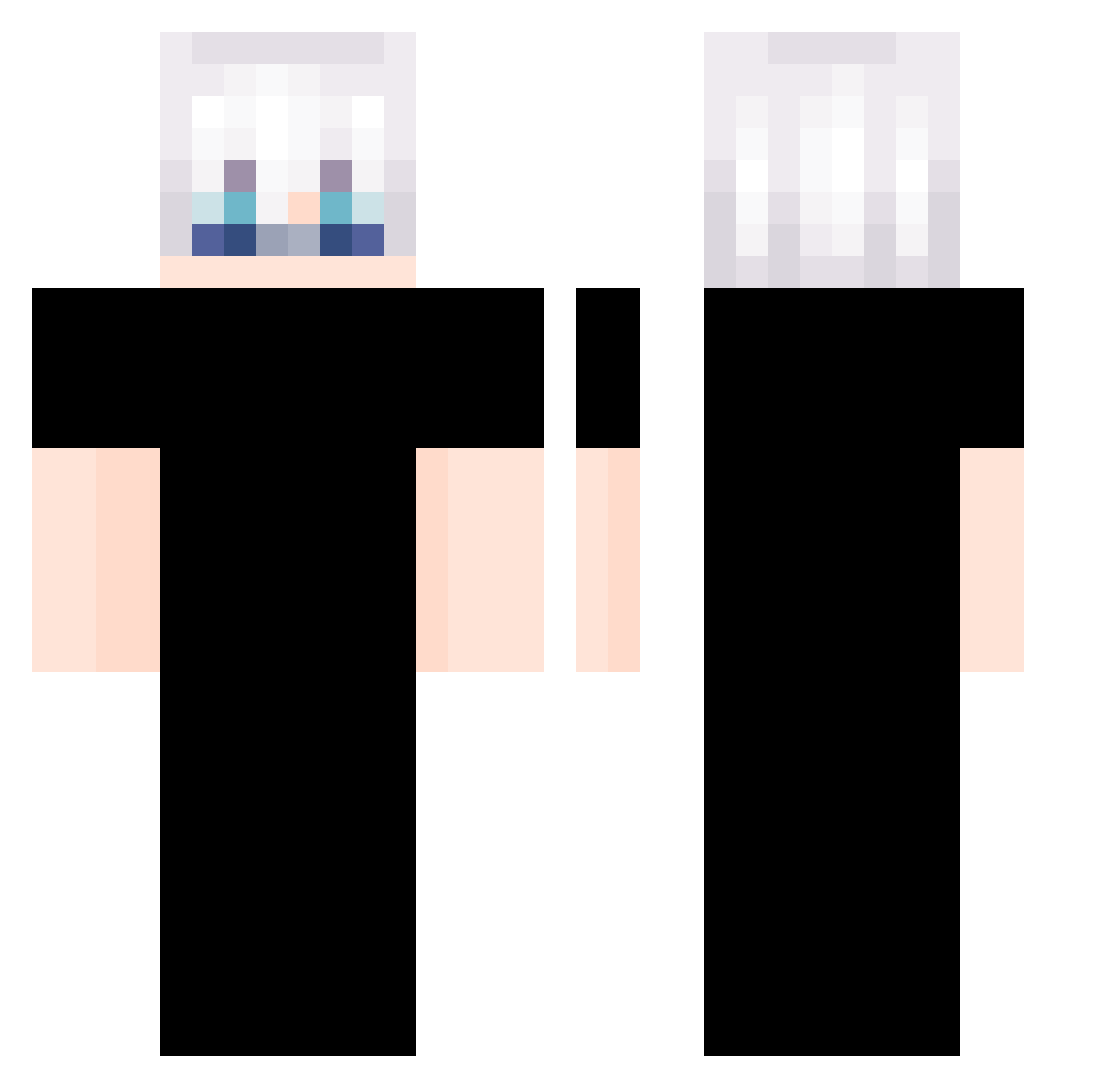
Current Minecraft skin of the player Lsvaine, loaded from the official Mojang API. Rotate the 3D model with your mouse or finger, then download the skin as a PNG file and use it in Minecraft: Bedrock Edition or Java Edition for free. When Lsvaine changes their skin, this page updates automatically and the old skin stays in the history below.
Other players with this skin (328)
Lsvaine was the 262nd player we have seen with this skin, first spotted on 15.10.2026. The same skin was seen on these players. Open a nickname to see their current skin and skin history.
 Xun0654 lyxxmi Allzheimer manbir_the_goat ajvarkiller Happybutton0323 jimin2da BeTa_CraCKz_ Midnxght1 GBraga016 Kraveness ImmuneDieu adahuda Shoryun Xx1REX1xX sergiogelvis rato4x PequenoYuuta Erro509 1chironn TeTu_L Somjuad pinpin2833 ryle__ __EMD Controlink catik2756 schzio1122 Iamwinningdad alejayjay garana777 Raramu0808 Hz48Ke Stdfangzi_ feidee 595_ BeoBeoBeom Rikku00 Sarpheine LordBiel7 hot_chamomile austin1111574 Bayker_ DarWin667 Italianne phatee h_59_l Choubifred Chydally owow IEV8 perryzudo princeminjae rampart0219 _R4v7n_ xyigitx2 mekuurito santiinaa hoo_kwon Swiiz754
More Satoru Gojo Minecraft skins
See all 1288 Satoru Gojo skins
How to install the Lsvaine skin
- Press the Download button above to save the skin as a PNG file.
- Minecraft: Bedrock Edition (PE): open the Dressing Room from the main menu (or tap your character → Edit Character), go to Classic Skins → Owned, press the + (new skin) button, choose the downloaded PNG and pick the Classic (Steve) model. Works on PC and mobile; consoles cannot import custom skins.
- Minecraft: Java Edition: open the Minecraft Launcher, go to the Skins tab, click New Skin, load the PNG, pick the Classic (Steve) model and press Save & Use. You can also upload it at minecraft.net → Profile → Change Skin.
The skin does not show up after import - what should I do?
Restart Minecraft and open the Dressing Room again - imported skins sometimes appear only after a restart. Also make sure you selected the imported skin and picked the Classic (Steve) model.
Which model should I choose, Classic or Slim?
This skin is designed for the Classic (Steve) model. If you pick the wrong model, the arms of the skin will look stretched or squeezed.
Is the skin of Lsvaine free to download?
Yes. Press Download, save the PNG file and use it in Minecraft: Bedrock Edition or Java Edition - no payment or registration needed. The skin also works on multiplayer servers and Realms.
More skins
Looking for more? Go back to all Minecraft skins and check the top skins of the week, month and all time, or find any player's skin by nickname.