
Loxis13 - Minecraft Skins & Skin History
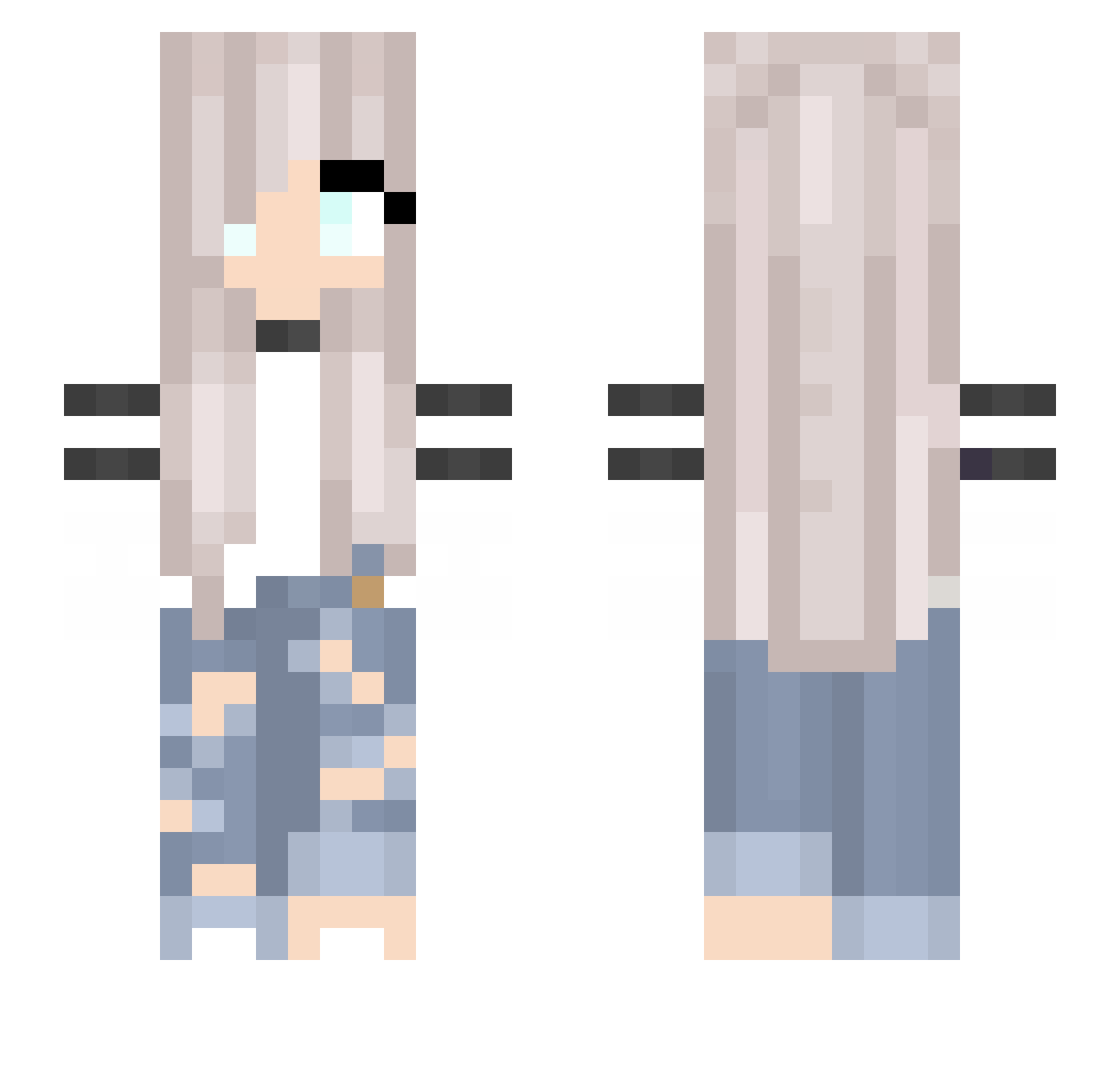
Current Minecraft skin of the player Loxis13, loaded from the official Mojang API. Rotate the 3D model with your mouse or finger, then download the skin as a PNG file and use it in Minecraft: Bedrock Edition or Java Edition for free. When Loxis13 changes their skin, this page updates automatically and the old skin stays in the history below.
Other players with this skin (257)
Loxis13 was the 190th player we have seen with this skin, first spotted on 17.10.2026. The same skin was seen on these players. Open a nickname to see their current skin and skin history.
 Northina1 Joycix4 princesskayline nathanjandol SoyTostadora Deb85 Lalorence JustynkaKuraKo schnachseln Senta123 JadeDarkness KAR1NKA Atormentada Howt zxANNYxz xhoneyangelx R0l1S YourSweetCherry tuzinfellas_ HanciaQ aylinmz CMarie_ Kawtar_The_Pro Larina07 bedwarsgame2049 Shmaaaaaa Ally420 deathlyhollows19 ManDrake_ CrafterTaylor Labolina07 tKnaterrrs bebebcute thatuibu MaravanDijk Eunnysam horsegirlmadison Dajo442 Grey_Shepherd LunaWolfiee BahoTV_ Tofumonster123 Nightmasu Qeezy_Pxlse Asunaa_ SquintyWolfe qlison Marimariiii Evil_Gods_EG 176casian ALMARTIN05 Hiinaki Jubagobbo SaraTheGhost Densities PrettyGirl5 Mikachu_220 eozoeozoe Ako028 lizzard214
More Girl Minecraft skins
How to install the Loxis13 skin
- Press the Download button above to save the skin as a PNG file.
- Minecraft: Bedrock Edition (PE): open the Dressing Room from the main menu (or tap your character → Edit Character), go to Classic Skins → Owned, press the + (new skin) button, choose the downloaded PNG and pick the Slim (Alex) model. Works on PC and mobile; consoles cannot import custom skins.
- Minecraft: Java Edition: open the Minecraft Launcher, go to the Skins tab, click New Skin, load the PNG, pick the Slim (Alex) model and press Save & Use. You can also upload it at minecraft.net → Profile → Change Skin.
The skin does not show up after import - what should I do?
Restart Minecraft and open the Dressing Room again - imported skins sometimes appear only after a restart. Also make sure you selected the imported skin and picked the Slim (Alex) model.
Which model should I choose, Classic or Slim?
This skin is designed for the Slim (Alex) model. If you pick the wrong model, the arms of the skin will look stretched or squeezed.
Is the skin of Loxis13 free to download?
Yes. Press Download, save the PNG file and use it in Minecraft: Bedrock Edition or Java Edition - no payment or registration needed. The skin also works on multiplayer servers and Realms.
More skins
Looking for more? Go back to all Minecraft skins and check the top skins of the week, month and all time, or find any player's skin by nickname.