
Loxar - Minecraft Skins & Skin History
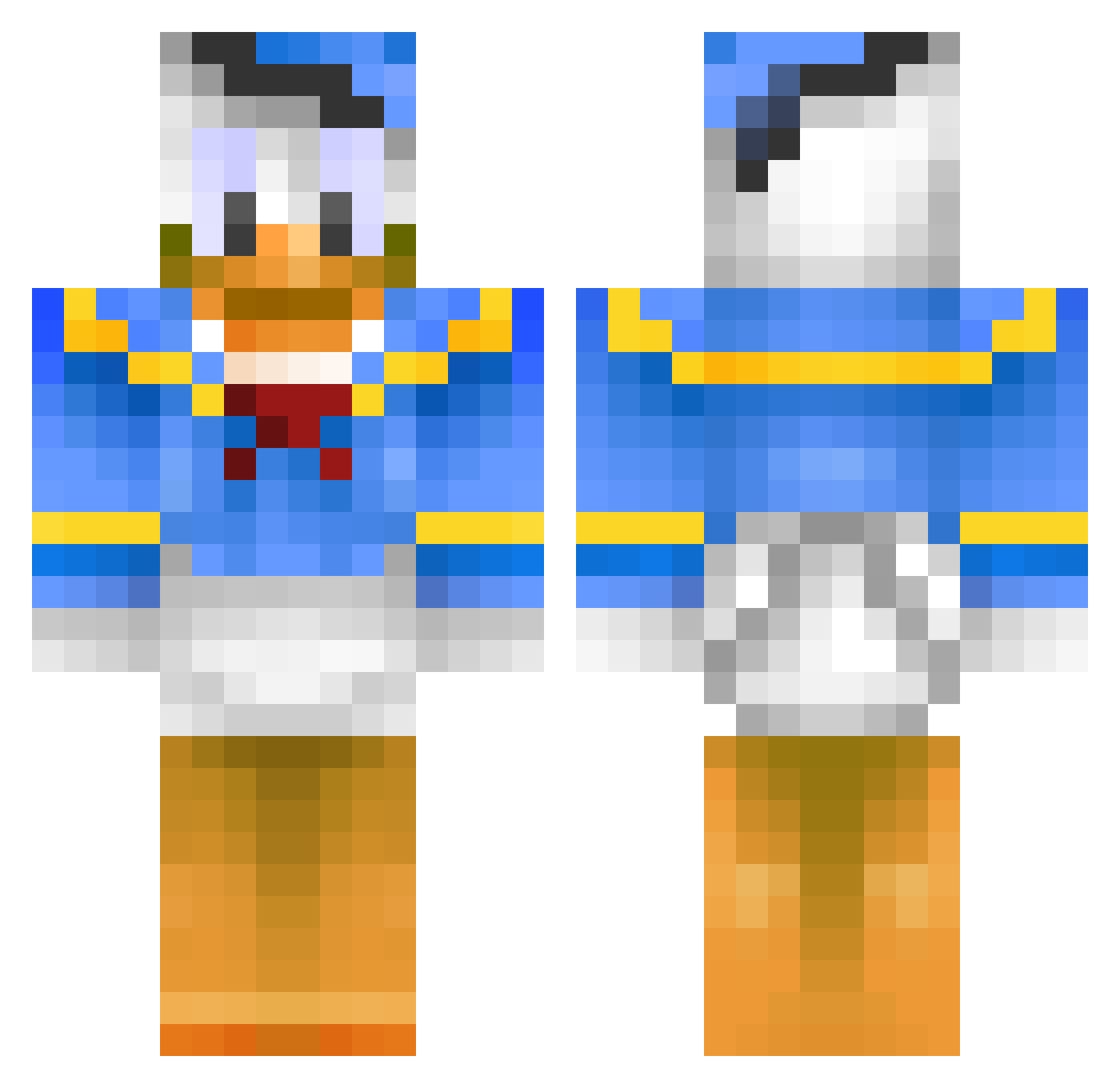
Current Minecraft skin of the player Loxar, loaded from the official Mojang API. Rotate the 3D model with your mouse or finger, then download the skin as a PNG file and use it in Minecraft: Bedrock Edition or Java Edition for free. When Loxar changes their skin, this page updates automatically and the old skin stays in the history below.
Other players with this skin (398)
Loxar was the 122nd player we have seen with this skin, first spotted on 24.08.2026. The same skin was seen on these players. Open a nickname to see their current skin and skin history.
 Donald_TheDuck DonaldDuck1 Suchoi37 lukepote aussieboy04 KickAssJones69 OddLei ArramD linus_dirtbike brad5151 thewidow123 Eniot2 Chillvard Paiskaaja666 dooly829 jesper26 bolie123 ThijsVerschoor rehtii PvPDuckZ bliksembeast Moland05 EstefiOr_YT DragonSleyer34 KAISERMON solduma Gaffelkoelsch Samyam24 MrStinky_01 Grisilus hastac_90 Tuituichen JuanRD jokeada98 GlitchPvP doolanmeister themacplayer3000 Leggatt1 Clasps Landy12 xR3AP3RZx dendroginodendro samekuru Hungdaddy1993 TAMK2005 sammi030410 swagking85 POW_Tyrant deinGod harry1100 GroussBoy Nikolaj1601 HannoverCraft DAA01 xRolexKing TheCracker3000 Gomboal CoolDude_123 HunaKim TorstenFlink001
More Donald Duck Minecraft skins
How to install the Loxar skin
- Press the Download button above to save the skin as a PNG file.
- Minecraft: Bedrock Edition (PE): open the Dressing Room from the main menu (or tap your character → Edit Character), go to Classic Skins → Owned, press the + (new skin) button, choose the downloaded PNG and pick the Classic (Steve) model. Works on PC and mobile; consoles cannot import custom skins.
- Minecraft: Java Edition: open the Minecraft Launcher, go to the Skins tab, click New Skin, load the PNG, pick the Classic (Steve) model and press Save & Use. You can also upload it at minecraft.net → Profile → Change Skin.
The skin does not show up after import - what should I do?
Restart Minecraft and open the Dressing Room again - imported skins sometimes appear only after a restart. Also make sure you selected the imported skin and picked the Classic (Steve) model.
Which model should I choose, Classic or Slim?
This skin is designed for the Classic (Steve) model. If you pick the wrong model, the arms of the skin will look stretched or squeezed.
Is the skin of Loxar free to download?
Yes. Press Download, save the PNG file and use it in Minecraft: Bedrock Edition or Java Edition - no payment or registration needed. The skin also works on multiplayer servers and Realms.
More skins
Looking for more? Go back to all Minecraft skins and check the top skins of the week, month and all time, or find any player's skin by nickname.