
Lovingandfree - Minecraft Skins & Skin History
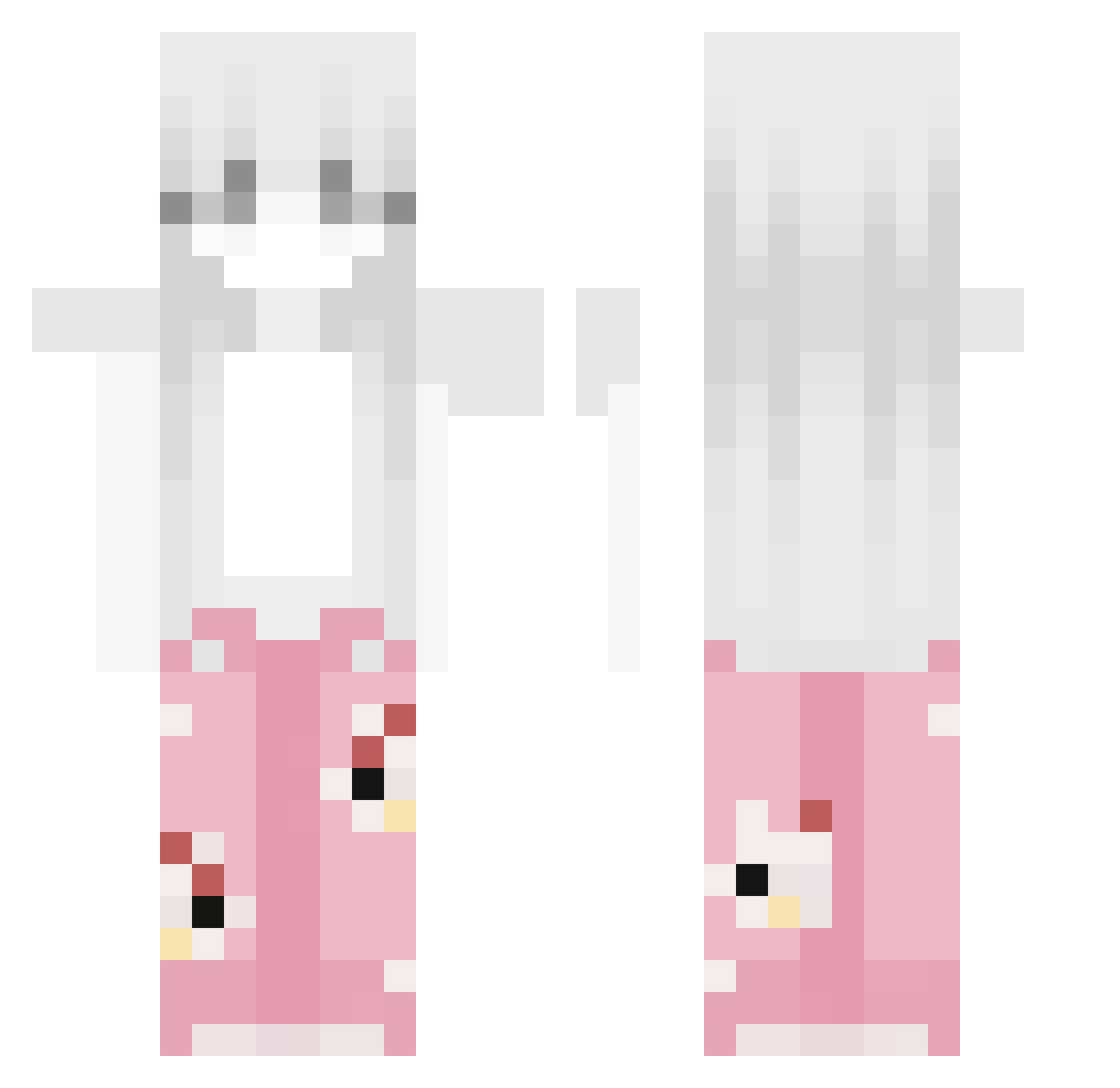
Current Minecraft skin of the player Lovingandfree, loaded from the official Mojang API. Rotate the 3D model with your mouse or finger, then download the skin as a PNG file and use it in Minecraft: Bedrock Edition or Java Edition for free. When Lovingandfree changes their skin, this page updates automatically and the old skin stays in the history below.
Other players with this skin (53)
Lovingandfree was the 6th player we have seen with this skin, first spotted on 06.08.2026. The same skin was seen on these players. Open a nickname to see their current skin and skin history.
 _Tojiii_ Flossies
 AnhYeuEmSoMuch Bythin xxK4CP3Rxx
 Moedaaa lepepeo saar144526 Guust297 Bratsalat123 p8no_ s_cuv P_arkpark kps_34 rasmuslol1 1337smok Fomentation
 IamZyrex dcsm Shadowb57g AHB2014idk niku3iax_ Brenden_frost Boby1641 HarkyChan MoggedByElmyyrt
 Lt_Toast Yxerius_09 needyoung _zvxnikepro_
 TahManiak SANSTON_HI SquirrelDancing i_love_cpvp r2bt_ BMSYN3 _Pushinnek zengeli vmax90kmh Itzz_J4ziuu pyboo Miloo32_ Audaciious suckmyrick THMSAKURA Kaandemixw Seikodeb Loveyoubaby_ Merijn_T E1yth SmolCheesii Smileyprohack JackLLF
More Pyjamas Minecraft skins
How to install the Lovingandfree skin
- Press the Download button above to save the skin as a PNG file.
- Minecraft: Bedrock Edition (PE): open the Dressing Room from the main menu (or tap your character → Edit Character), go to Classic Skins → Owned, press the + (new skin) button, choose the downloaded PNG and pick the Classic (Steve) model. Works on PC and mobile; consoles cannot import custom skins.
- Minecraft: Java Edition: open the Minecraft Launcher, go to the Skins tab, click New Skin, load the PNG, pick the Classic (Steve) model and press Save & Use. You can also upload it at minecraft.net → Profile → Change Skin.
The skin does not show up after import - what should I do?
Restart Minecraft and open the Dressing Room again - imported skins sometimes appear only after a restart. Also make sure you selected the imported skin and picked the Classic (Steve) model.
Which model should I choose, Classic or Slim?
This skin is designed for the Classic (Steve) model. If you pick the wrong model, the arms of the skin will look stretched or squeezed.
Is the skin of Lovingandfree free to download?
Yes. Press Download, save the PNG file and use it in Minecraft: Bedrock Edition or Java Edition - no payment or registration needed. The skin also works on multiplayer servers and Realms.
More skins
Looking for more? Go back to all Minecraft skins and check the top skins of the week, month and all time, or find any player's skin by nickname.