
LostDotHack - Minecraft Skins & Skin History
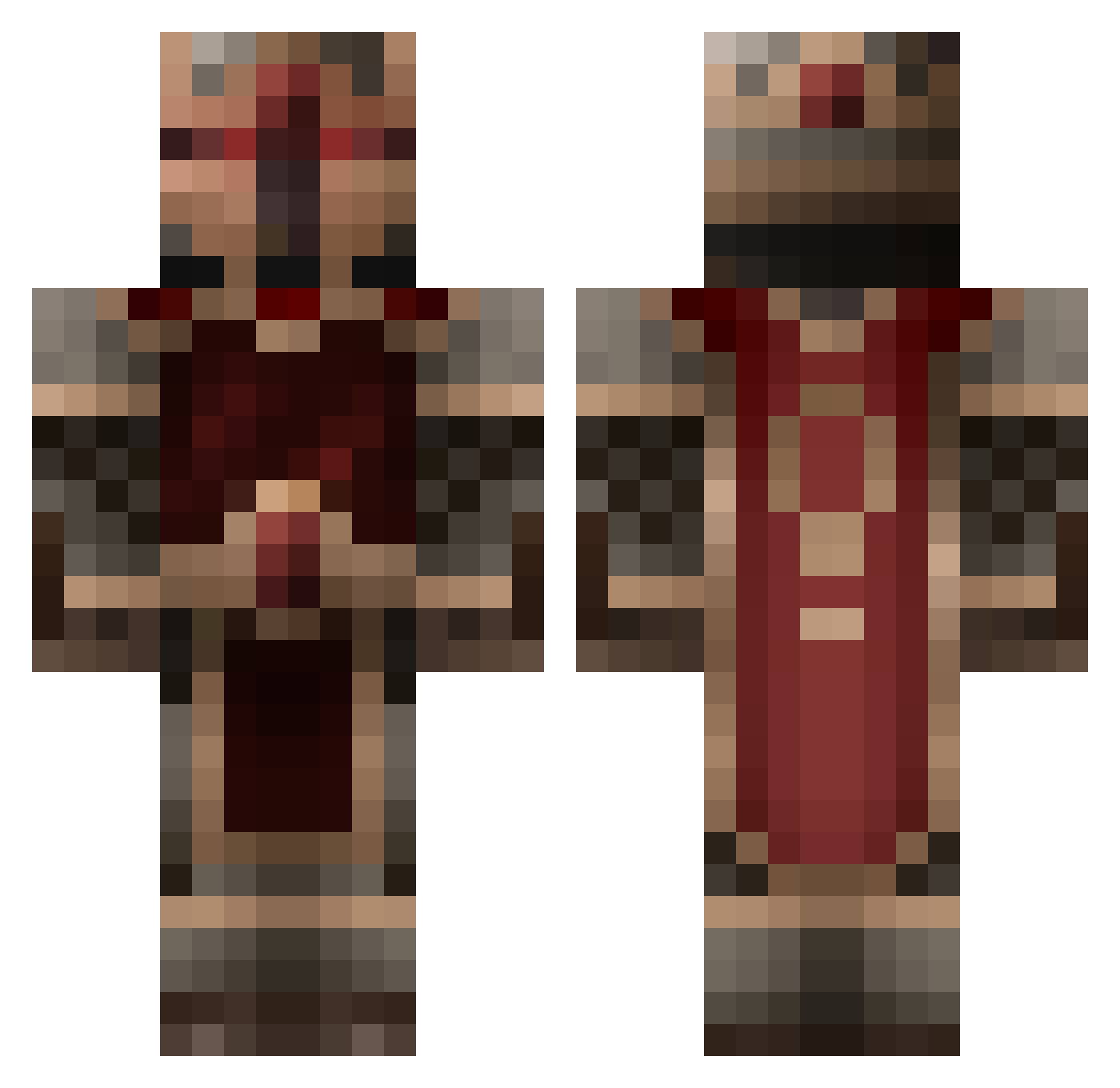
Current Minecraft skin of the player LostDotHack, loaded from the official Mojang API. Rotate the 3D model with your mouse or finger, then download the skin as a PNG file and use it in Minecraft: Bedrock Edition or Java Edition for free. When LostDotHack changes their skin, this page updates automatically and the old skin stays in the history below.
Other players with this skin (855)
LostDotHack was the 322nd player we have seen with this skin, first spotted on 10.09.2026. The same skin was seen on these players. Open a nickname to see their current skin and skin history.
 Politics4Profit iamawesome0510 Harperdoo32 Ulmaan Niemand21 Overkillbc LlamaVengeance_ RoyalBunker99 warrior299 Sacul11 Maccaroni01 SunderFang TheDefender221 coutachot Sepolx SoggyWaffles2400 FateSaber dannysave CalebHawks rm7625 NeskoHD 6homie Cletrus mrgragont ninjamaster808 KhaoticDestroyer samus124 vladex123 Drewskinator777 Wicked14190 Zekoe CitronFruit BubbaCO2 onEvolve _The_Neo_ gnou38430 Jammydoger_ jaimesto zerodark1 Ghost321 Officespaceman kekkerlek skullceeper beavisblack11 Dangkan nicolas_J Vensid Vic_Hidersine Taxark Sir_Guardian1 thesuperturkey minermab stal06 Andrewratelawr kartick TheVVarren Thodever carrot88 Koboss501 loganesq
More Knight Minecraft skins
How to install the LostDotHack skin
- Press the Download button above to save the skin as a PNG file.
- Minecraft: Bedrock Edition (PE): open the Dressing Room from the main menu (or tap your character → Edit Character), go to Classic Skins → Owned, press the + (new skin) button, choose the downloaded PNG and pick the Classic (Steve) model. Works on PC and mobile; consoles cannot import custom skins.
- Minecraft: Java Edition: open the Minecraft Launcher, go to the Skins tab, click New Skin, load the PNG, pick the Classic (Steve) model and press Save & Use. You can also upload it at minecraft.net → Profile → Change Skin.
The skin does not show up after import - what should I do?
Restart Minecraft and open the Dressing Room again - imported skins sometimes appear only after a restart. Also make sure you selected the imported skin and picked the Classic (Steve) model.
Which model should I choose, Classic or Slim?
This skin is designed for the Classic (Steve) model. If you pick the wrong model, the arms of the skin will look stretched or squeezed.
Is the skin of LostDotHack free to download?
Yes. Press Download, save the PNG file and use it in Minecraft: Bedrock Edition or Java Edition - no payment or registration needed. The skin also works on multiplayer servers and Realms.
More skins
Looking for more? Go back to all Minecraft skins and check the top skins of the week, month and all time, or find any player's skin by nickname.