
TheVVarren - Minecraft Skins & Skin History
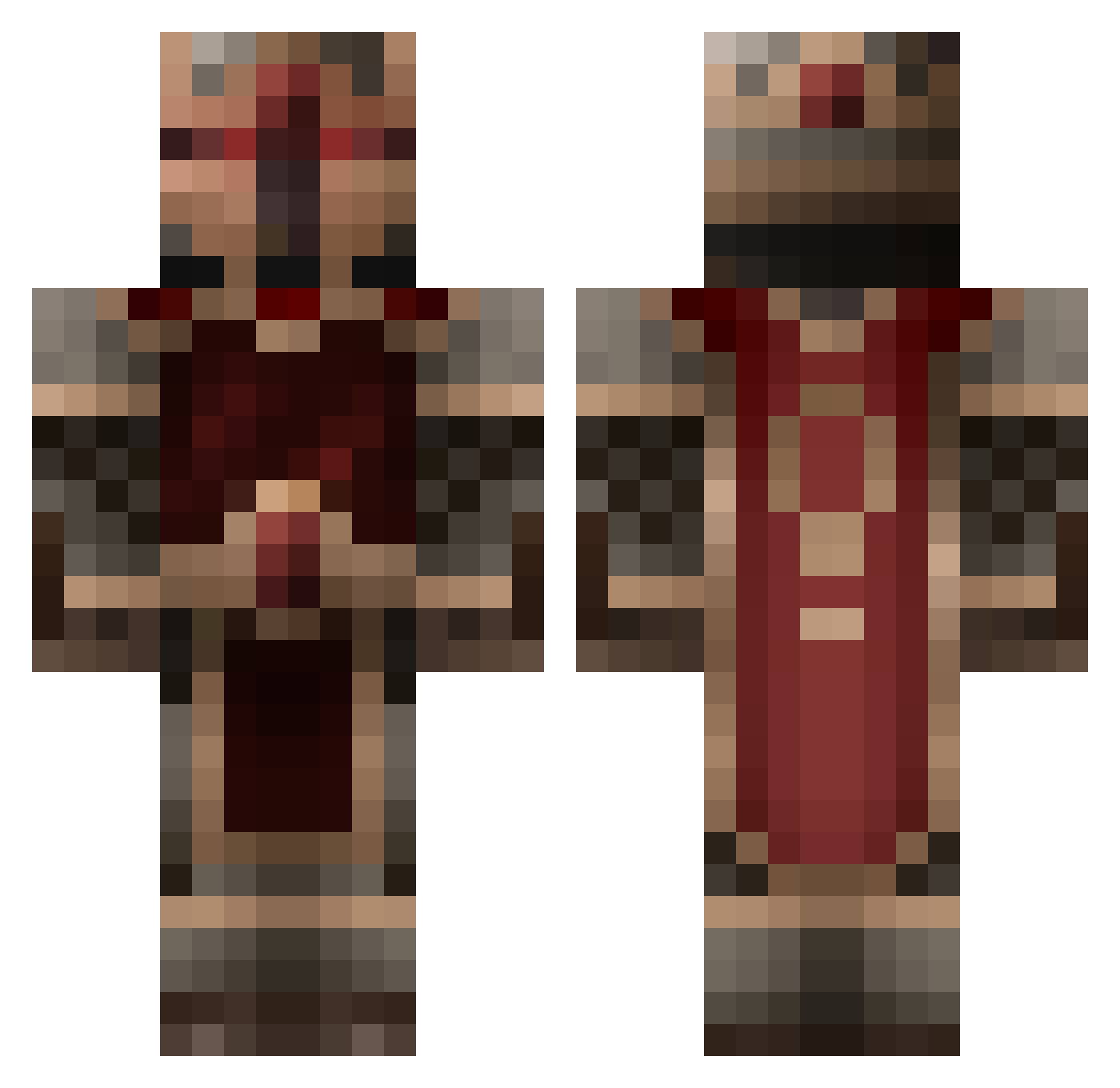
Current Minecraft skin of the player TheVVarren, loaded from the official Mojang API. Rotate the 3D model with your mouse or finger, then download the skin as a PNG file and use it in Minecraft: Bedrock Edition or Java Edition for free. When TheVVarren changes their skin, this page updates automatically and the old skin stays in the history below.
Other players with this skin (855)
TheVVarren was the 355th player we have seen with this skin, first spotted on 15.09.2026. The same skin was seen on these players. Open a nickname to see their current skin and skin history.
 loganesq Cooterust Andrewratelawr Bluemchen007 stal06 KingCabel abeltheboss Llama_Pyjama Hazoed shadowmancer25 minermab thesuperturkey Lars_200 Miner_Key MagnusLupus rpballstar boboman08 Taxark TenseBubbles60 ross5957 Vic_Hidersine Vensid MarcusJensen0403 Fizlin Dangkan beavisblack11 Raven9472 skullceeper kekkerlek Officespaceman Jubb13 zerodark1 jaimesto Jammydoger_ gnou38430 BubbaCO2 Tickbite Andregamer9562 CitronFruit SupremeBlah Zekoe Wicked14190 Nemicu Drewskinator777 Willisman4000 meldiron721 vladex123 samus124 ninjamaster808 AlexIsHungry 6homie NeskoHD Kaileph Jubjub229 infin8soul Mexxx11 coutachot TheRevolutionmen Malthael28 killertaco101
More Knight Minecraft skins
How to install the TheVVarren skin
- Press the Download button above to save the skin as a PNG file.
- Minecraft: Bedrock Edition (PE): open the Dressing Room from the main menu (or tap your character → Edit Character), go to Classic Skins → Owned, press the + (new skin) button, choose the downloaded PNG and pick the Classic (Steve) model. Works on PC and mobile; consoles cannot import custom skins.
- Minecraft: Java Edition: open the Minecraft Launcher, go to the Skins tab, click New Skin, load the PNG, pick the Classic (Steve) model and press Save & Use. You can also upload it at minecraft.net → Profile → Change Skin.
The skin does not show up after import - what should I do?
Restart Minecraft and open the Dressing Room again - imported skins sometimes appear only after a restart. Also make sure you selected the imported skin and picked the Classic (Steve) model.
Which model should I choose, Classic or Slim?
This skin is designed for the Classic (Steve) model. If you pick the wrong model, the arms of the skin will look stretched or squeezed.
Is the skin of TheVVarren free to download?
Yes. Press Download, save the PNG file and use it in Minecraft: Bedrock Edition or Java Edition - no payment or registration needed. The skin also works on multiplayer servers and Realms.
More skins
Looking for more? Go back to all Minecraft skins and check the top skins of the week, month and all time, or find any player's skin by nickname.