
Loki_Doki10 - Minecraft Skins & Skin History
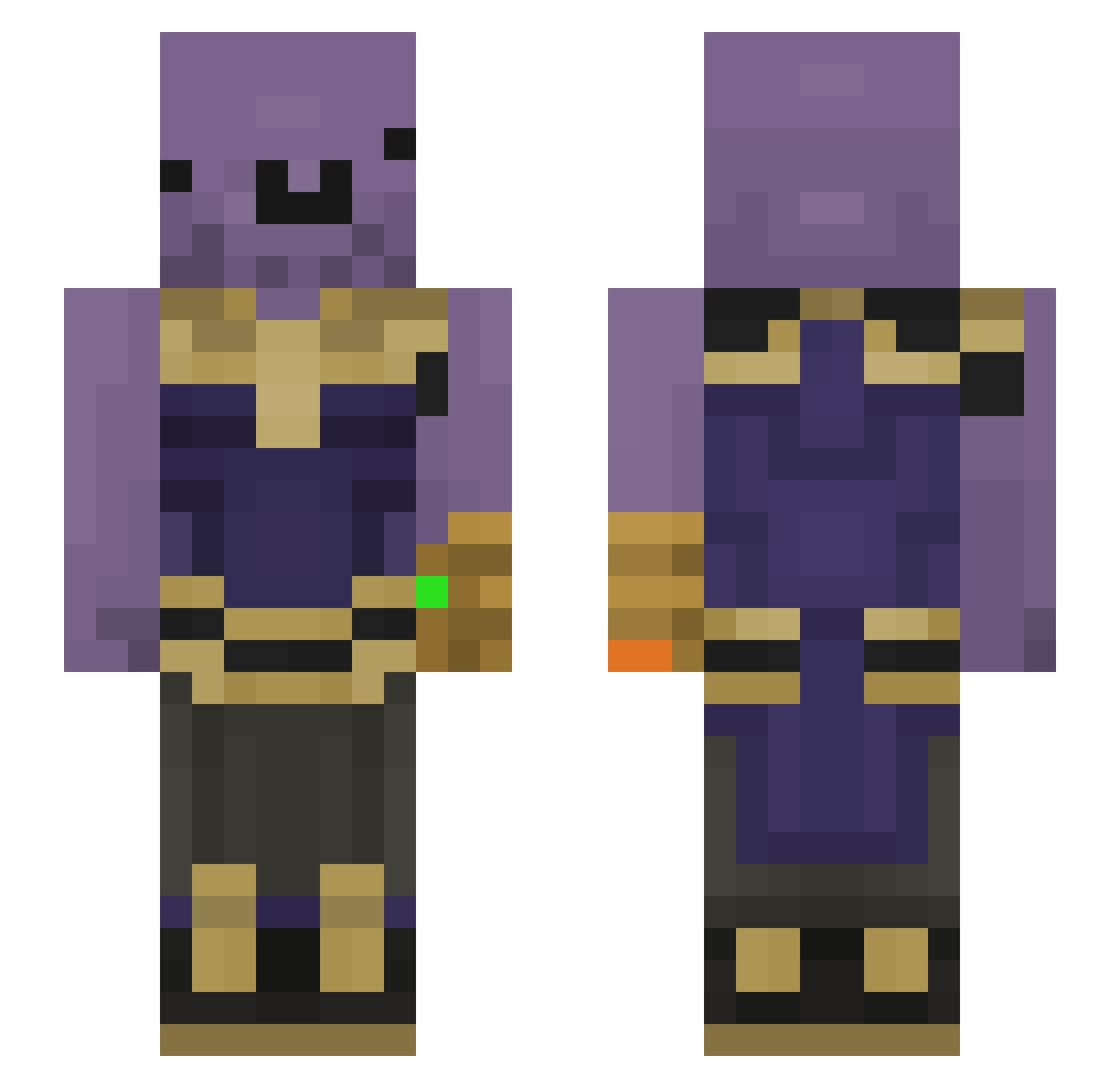
Current Minecraft skin of the player Loki_Doki10, loaded from the official Mojang API. Rotate the 3D model with your mouse or finger, then download the skin as a PNG file and use it in Minecraft: Bedrock Edition or Java Edition for free. When Loki_Doki10 changes their skin, this page updates automatically and the old skin stays in the history below.
Other players with this skin (185)
Loki_Doki10 was the 119th player we have seen with this skin, first spotted on 05.10.2026. The same skin was seen on these players. Open a nickname to see their current skin and skin history.
 Balczuk XxChiggaxX Cyclonic1234 NoirStr LeslieJackson Jojijo_ JJosss Plysp MehmetAliDurann siggoboi Delibay45 BlazeitBlitz 7Ruman7 Ahmettttvv46 DarkPyroFox7050 bunfil Confettiyah DrIknowItAll MelihZahidV2 joccs5 JuliePlayzz bonemaster2002 murat_er_14 MrBurgersen Th4n0id jacgray MerchMoosee PotatoQween0820 BloodAndWater Wassuo DerpyFace Ywadaas mightyidler SomeFlamingHomos MrBunnySlippers Baertiger_baum amazing1lron coopdooku Allen5487 HamishK7 ThePoison38 CrazySting Lruen PineAppl3_ExpreZ JoksonPL ObungaBingLargen TheHuso SixtyPizzas AmonRa4517 Dassousa TheRagdollCat_ N1gaslay3r Nope2D0 steveshawn Umudo1701 WooNeungYi Noeggrolls4me xxjoie Blestro MikiBer
More Infinity Gauntlet Minecraft skins
See all 621 Infinity Gauntlet skins
How to install the Loki_Doki10 skin
- Press the Download button above to save the skin as a PNG file.
- Minecraft: Bedrock Edition (PE): open the Dressing Room from the main menu (or tap your character → Edit Character), go to Classic Skins → Owned, press the + (new skin) button, choose the downloaded PNG and pick the Slim (Alex) model. Works on PC and mobile; consoles cannot import custom skins.
- Minecraft: Java Edition: open the Minecraft Launcher, go to the Skins tab, click New Skin, load the PNG, pick the Slim (Alex) model and press Save & Use. You can also upload it at minecraft.net → Profile → Change Skin.
The skin does not show up after import - what should I do?
Restart Minecraft and open the Dressing Room again - imported skins sometimes appear only after a restart. Also make sure you selected the imported skin and picked the Slim (Alex) model.
Which model should I choose, Classic or Slim?
This skin is designed for the Slim (Alex) model. If you pick the wrong model, the arms of the skin will look stretched or squeezed.
Is the skin of Loki_Doki10 free to download?
Yes. Press Download, save the PNG file and use it in Minecraft: Bedrock Edition or Java Edition - no payment or registration needed. The skin also works on multiplayer servers and Realms.
More skins
Looking for more? Go back to all Minecraft skins and check the top skins of the week, month and all time, or find any player's skin by nickname.