
LoganTSch - Minecraft Skins & Skin History
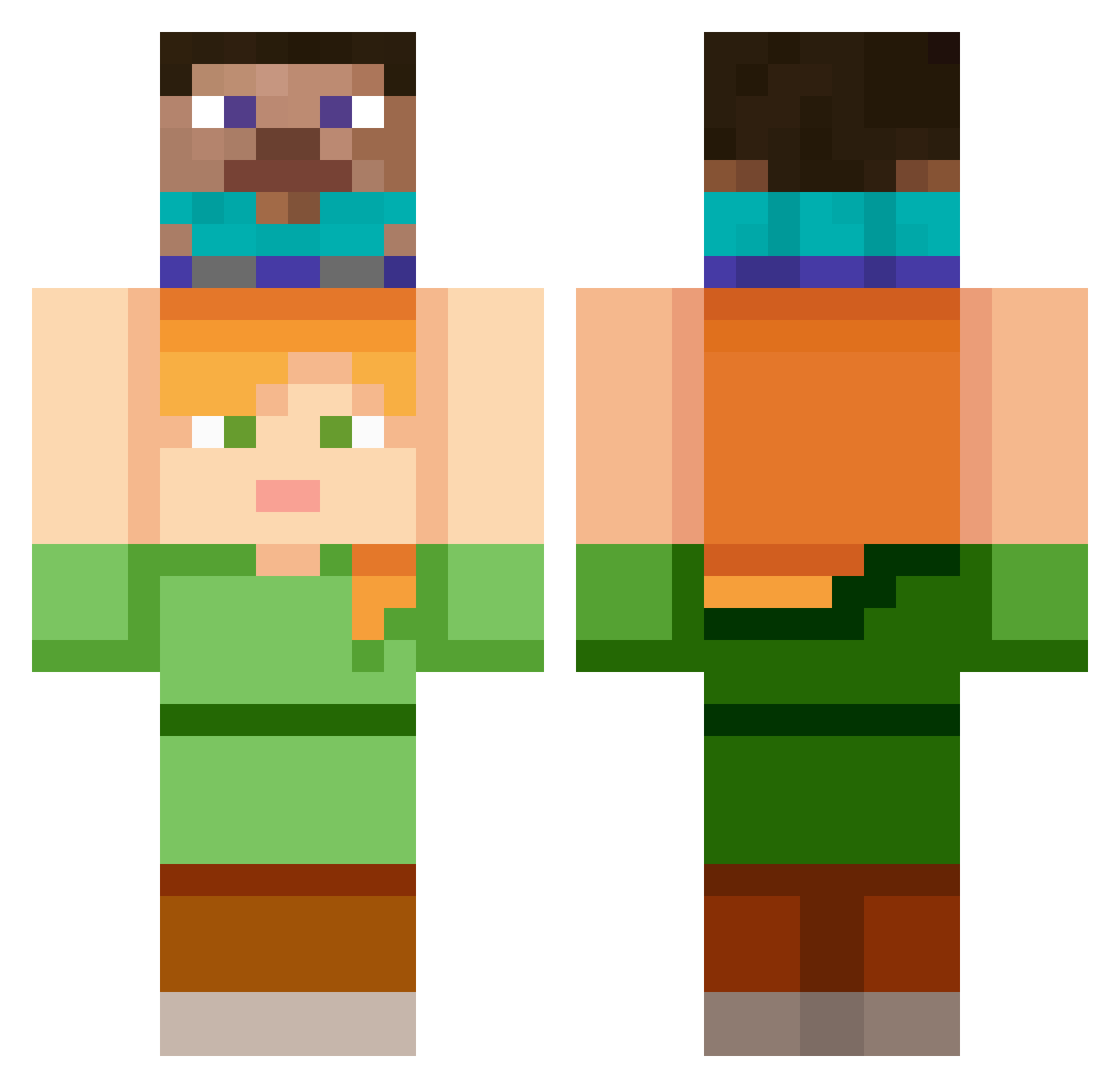
Current Minecraft skin of the player LoganTSch, loaded from the official Mojang API. Rotate the 3D model with your mouse or finger, then download the skin as a PNG file and use it in Minecraft: Bedrock Edition or Java Edition for free. When LoganTSch changes their skin, this page updates automatically and the old skin stays in the history below.
Other players with this skin (178)
LoganTSch was the 171st player we have seen with this skin, first spotted on 14.11.2026. The same skin was seen on these players. Open a nickname to see their current skin and skin history.
 Dumbultala Silenizine Carlos_05 GG_JONSON Limesintt BardoSaurus iitoshii takumikawasaki CrowStarrrr YairGab Hypnos031 Yoshimur4Eto ItzWorstMe Guuhamlek apostma MysticaldeuS Paocaitantan badaham roche309 Kucumbasays ___Hyun____ ONE274 Fwappii ST6262 vaxiert bvuj ScurrDE Didigate 1rss Vallets eju06929 CloutGodBob Chenchoo wlsrnjs1114 kapibarkaa Sim_Son23 Hanambo Shortuletz denzelkraken Xavier3003 Dylan_158 LouieBrine SEXYPlayboi percre Txx_juu youlinyang5 LesserCracker8 Ssenius_ Bakuretsu_Mahou jaepil3 YYY6969 cats1r african_jesu xvcinekvx milesisawesome Gnioook yakitori12 imcarrot1024 Sixtyten ProfesseurBronze
More Piggyback Minecraft skins
How to install the LoganTSch skin
- Press the Download button above to save the skin as a PNG file.
- Minecraft: Bedrock Edition (PE): open the Dressing Room from the main menu (or tap your character → Edit Character), go to Classic Skins → Owned, press the + (new skin) button, choose the downloaded PNG and pick the Classic (Steve) model. Works on PC and mobile; consoles cannot import custom skins.
- Minecraft: Java Edition: open the Minecraft Launcher, go to the Skins tab, click New Skin, load the PNG, pick the Classic (Steve) model and press Save & Use. You can also upload it at minecraft.net → Profile → Change Skin.
The skin does not show up after import - what should I do?
Restart Minecraft and open the Dressing Room again - imported skins sometimes appear only after a restart. Also make sure you selected the imported skin and picked the Classic (Steve) model.
Which model should I choose, Classic or Slim?
This skin is designed for the Classic (Steve) model. If you pick the wrong model, the arms of the skin will look stretched or squeezed.
Is the skin of LoganTSch free to download?
Yes. Press Download, save the PNG file and use it in Minecraft: Bedrock Edition or Java Edition - no payment or registration needed. The skin also works on multiplayer servers and Realms.
More skins
Looking for more? Go back to all Minecraft skins and check the top skins of the week, month and all time, or find any player's skin by nickname.