
imcarrot1024 - Minecraft Skins & Skin History
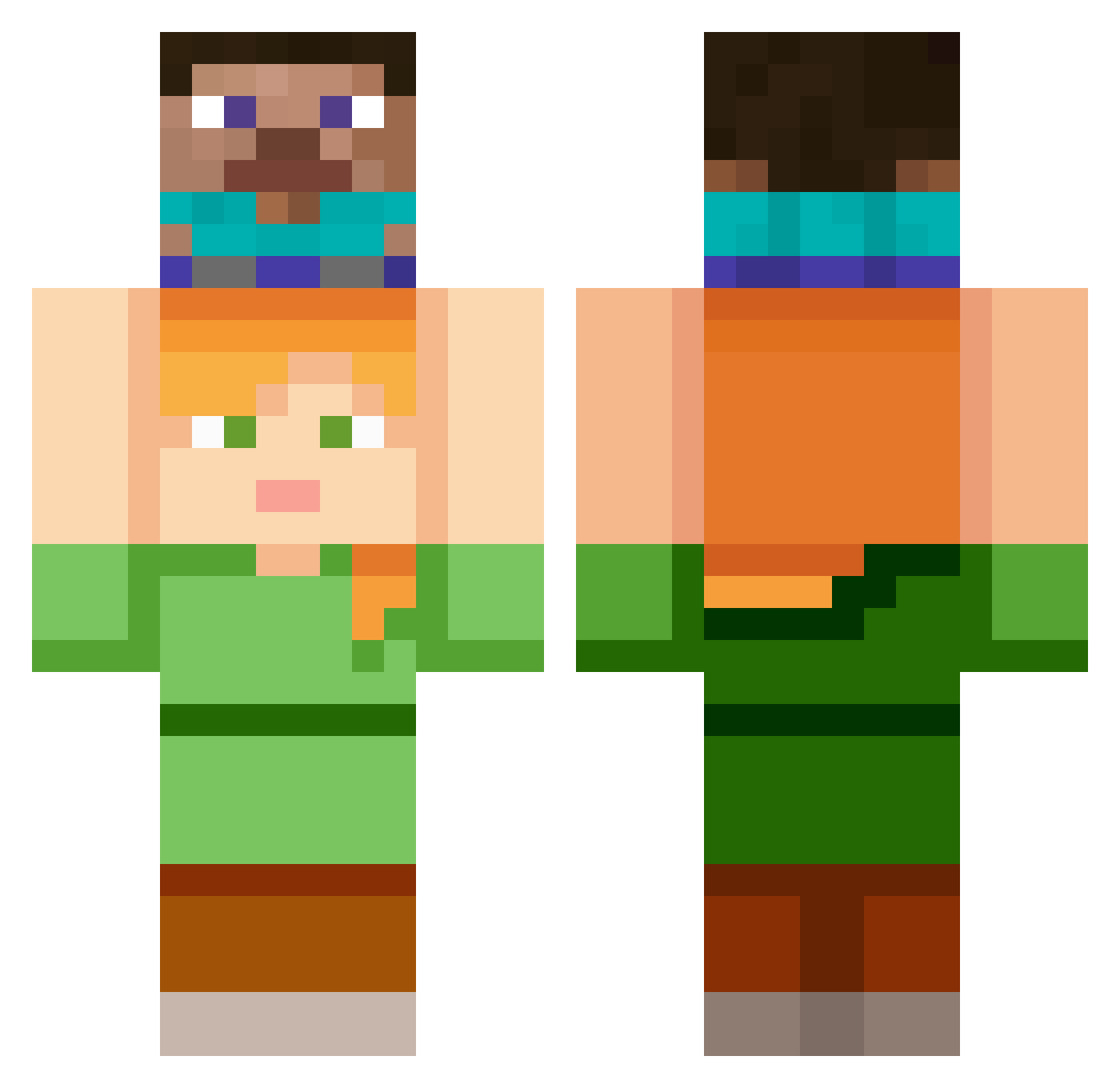
Current Minecraft skin of the player imcarrot1024, loaded from the official Mojang API. Rotate the 3D model with your mouse or finger, then download the skin as a PNG file and use it in Minecraft: Bedrock Edition or Java Edition for free. When imcarrot1024 changes their skin, this page updates automatically and the old skin stays in the history below.
Other players with this skin (142)
imcarrot1024 was the 121st player we have seen with this skin, first spotted on 22.10.2026. The same skin was seen on these players. Open a nickname to see their current skin and skin history.
 yakitori12 Gnioook Sixtyten milesisawesome xvcinekvx african_jesu cats1r YYY6969 jaepil3 ProfesseurBronze Bakuretsu_Mahou Wavenn Ssenius_ LesserCracker8 QSCZSEASD Lxmit3d youlinyang5 Txx_juu Szaszabi7 megashoto TH1601 percre SEXYPlayboi KenKanekiiTG BAGOGO LouieBrine FreshyP Dylan_158 itsmashapir0 Xavier3003 UKGneverdie denzelkraken Shortuletz GUIMUSA Hanambo Sim_Son23 xopaulina TeYTValorant lumosin AllenQQ tkemali_ yurfi Dxinn ursaoapeludo unsapopepe LeFium skinmaker_ vojtas1312 Kaerulum SOSHI55 Gezuis robinlnz Tweleve El_Nabop Yourfacem juns1127 n1cholqs 007EBA Ikazuchi00 Yami_666
More Piggyback Minecraft skins
How to install the imcarrot1024 skin
- Press the Download button above to save the skin as a PNG file.
- Minecraft: Bedrock Edition (PE): open the Dressing Room from the main menu (or tap your character → Edit Character), go to Classic Skins → Owned, press the + (new skin) button, choose the downloaded PNG and pick the Classic (Steve) model. Works on PC and mobile; consoles cannot import custom skins.
- Minecraft: Java Edition: open the Minecraft Launcher, go to the Skins tab, click New Skin, load the PNG, pick the Classic (Steve) model and press Save & Use. You can also upload it at minecraft.net → Profile → Change Skin.
The skin does not show up after import - what should I do?
Restart Minecraft and open the Dressing Room again - imported skins sometimes appear only after a restart. Also make sure you selected the imported skin and picked the Classic (Steve) model.
Which model should I choose, Classic or Slim?
This skin is designed for the Classic (Steve) model. If you pick the wrong model, the arms of the skin will look stretched or squeezed.
Is the skin of imcarrot1024 free to download?
Yes. Press Download, save the PNG file and use it in Minecraft: Bedrock Edition or Java Edition - no payment or registration needed. The skin also works on multiplayer servers and Realms.
More skins
Looking for more? Go back to all Minecraft skins and check the top skins of the week, month and all time, or find any player's skin by nickname.