
LivingSwag - Minecraft Skins & Skin History
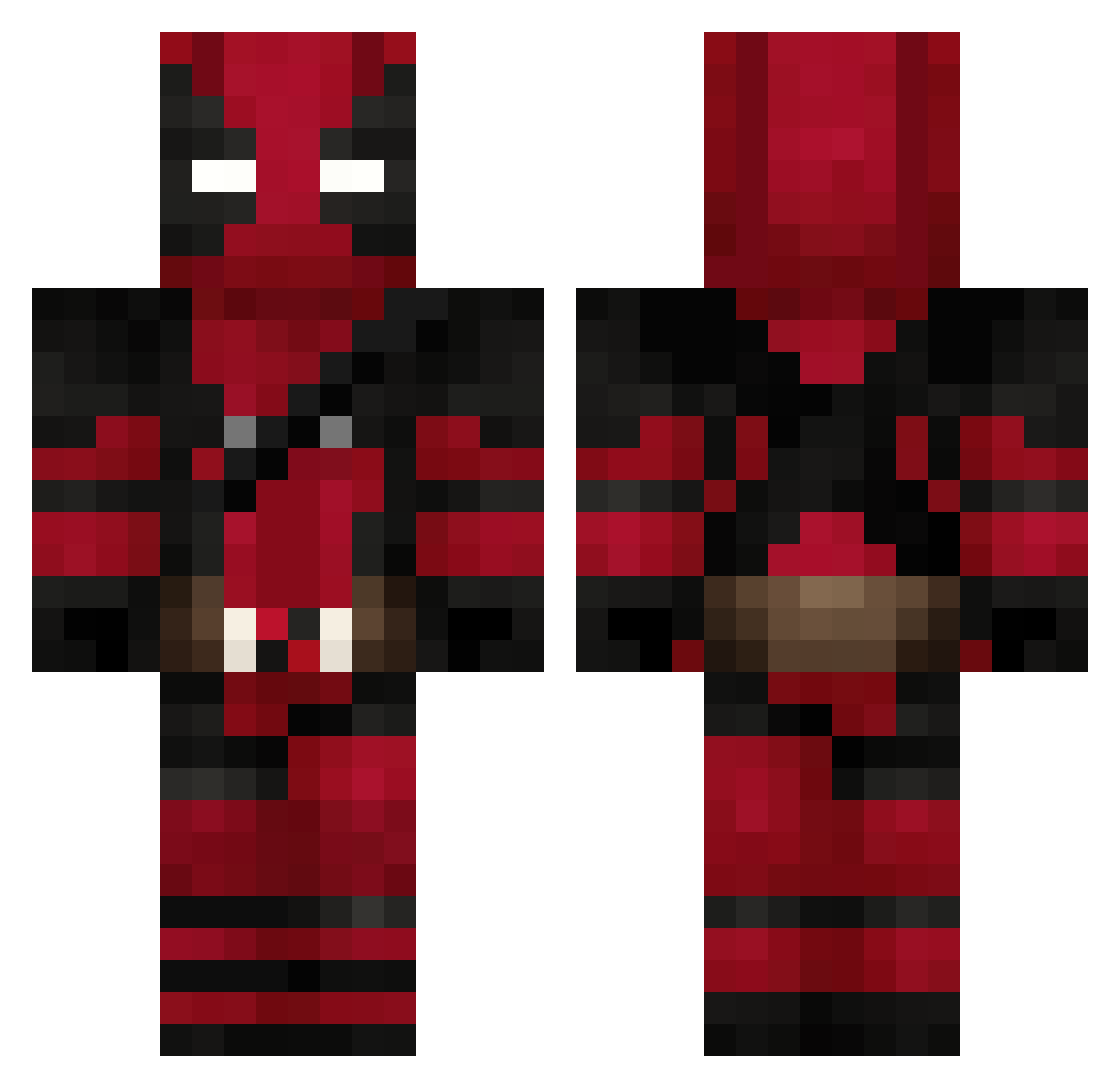
Current Minecraft skin of the player LivingSwag, loaded from the official Mojang API. Rotate the 3D model with your mouse or finger, then download the skin as a PNG file and use it in Minecraft: Bedrock Edition or Java Edition for free. When LivingSwag changes their skin, this page updates automatically and the old skin stays in the history below.
Other players with this skin (626)
LivingSwag was the 536th player we have seen with this skin, first spotted on 09.10.2026. The same skin was seen on these players. Open a nickname to see their current skin and skin history.
 PapaLaurent afrikanetzbambus rryms200 asherswagger 530Pm jamesdestroyer15 HoneybadgerTZ IBims1Pure DanielMorales limetkacz YodaSoldMeFent naidu Bakorkut123 ElijahTaco matabuelas4000 Xtremshow68 tomareomo69 OleManSkee grhfds FreshPrince2413 goldtooth519 dudeman000008 TINY_RICK312 ginganoyoru driki7 Nexsca OHqG1 darkminouman huncho110 WeibGrl LILFOKUZ isabelita_01 TerritorioMario Enzek77 MrLinguinii Destroyerbyte Manougat Tincho1 totoisjojo M4ya_01 Sharinoo Don_Nadie_ HugoVilas_ Exan7 edziuwas Schraeuberling XKaiinX Captain_Mustach Goubax33 z3rott Tyrson_74 STANTHEMAN1312 hgn07 Liz1750 Cazador07 kvmsig Metropolitanian xiao__bai114514 ElBanditoStupido ZIZSANSAN
More Deadpool Minecraft skins
How to install the LivingSwag skin
- Press the Download button above to save the skin as a PNG file.
- Minecraft: Bedrock Edition (PE): open the Dressing Room from the main menu (or tap your character → Edit Character), go to Classic Skins → Owned, press the + (new skin) button, choose the downloaded PNG and pick the Classic (Steve) model. Works on PC and mobile; consoles cannot import custom skins.
- Minecraft: Java Edition: open the Minecraft Launcher, go to the Skins tab, click New Skin, load the PNG, pick the Classic (Steve) model and press Save & Use. You can also upload it at minecraft.net → Profile → Change Skin.
The skin does not show up after import - what should I do?
Restart Minecraft and open the Dressing Room again - imported skins sometimes appear only after a restart. Also make sure you selected the imported skin and picked the Classic (Steve) model.
Which model should I choose, Classic or Slim?
This skin is designed for the Classic (Steve) model. If you pick the wrong model, the arms of the skin will look stretched or squeezed.
Is the skin of LivingSwag free to download?
Yes. Press Download, save the PNG file and use it in Minecraft: Bedrock Edition or Java Edition - no payment or registration needed. The skin also works on multiplayer servers and Realms.
More skins
Looking for more? Go back to all Minecraft skins and check the top skins of the week, month and all time, or find any player's skin by nickname.