
Lijiatu520 - Minecraft Skins & Skin History
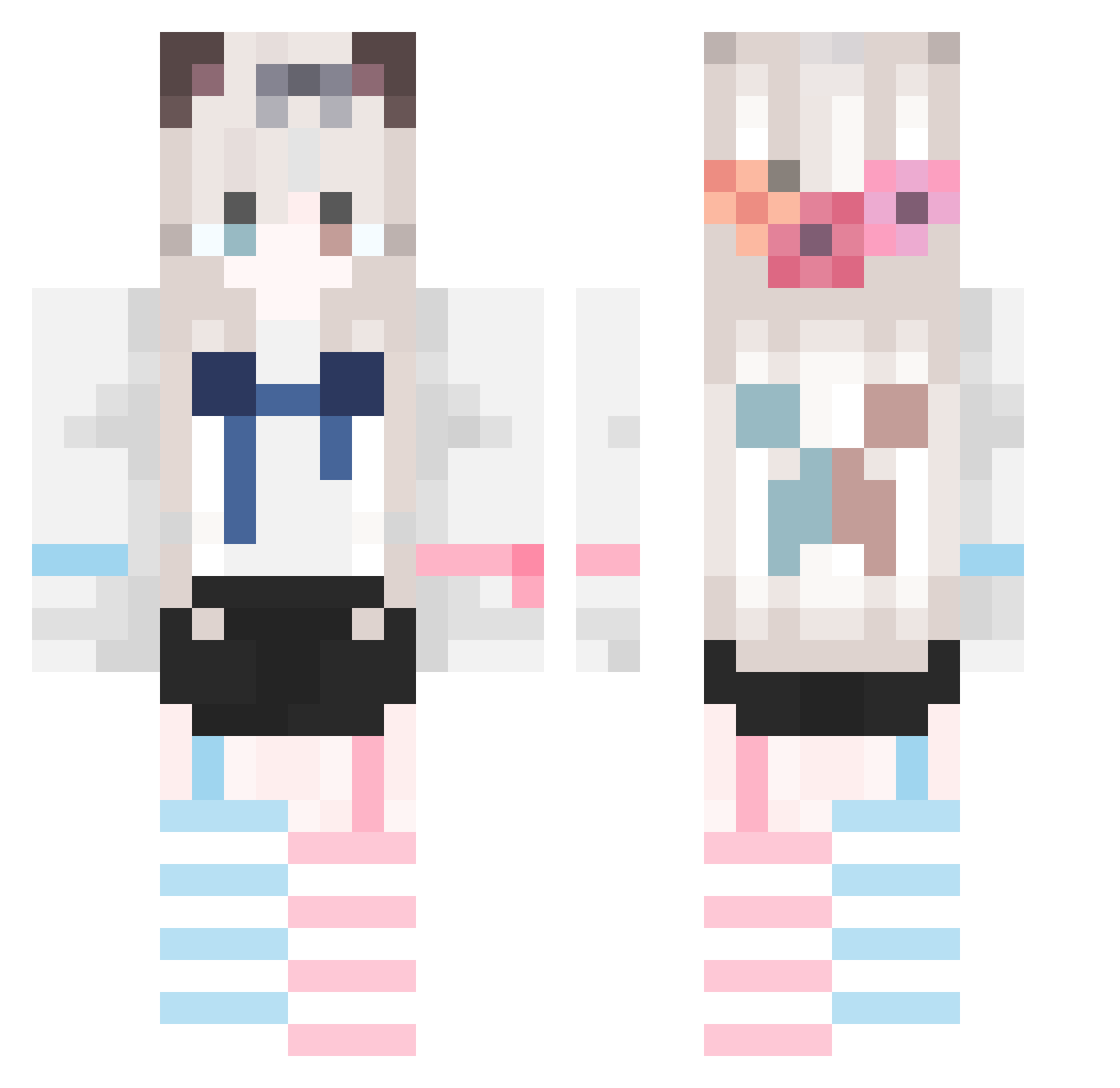
Current Minecraft skin of the player Lijiatu520, loaded from the official Mojang API. Rotate the 3D model with your mouse or finger, then download the skin as a PNG file and use it in Minecraft: Bedrock Edition or Java Edition for free. When Lijiatu520 changes their skin, this page updates automatically and the old skin stays in the history below.
Other players with this skin (674)
Lijiatu520 was the 671st player we have seen with this skin, first spotted on 26.10.2026. The same skin was seen on these players. Open a nickname to see their current skin and skin history.
 Cicidedian sakura54188 XIAOJJ0808 MSZS APiPeng kikioooooo Astralgate anning2006 HzhNotHere JYQWNA sajsaj6 Yzdaren Mask_good Elegent6 AA14630 Herlmet ZZbai_26 GuJiu1103 gyx1210 July717 ihoTwTo BX0621 DreamChu aliclad 023588 Worthily smile336 Rui_mo zhvijn chemdashuaige Yusheng_0 whaleflying IKYULL FelXingxuerong Misaya001 da_pei QiXun616 YUEMM L_JiuXuan HuukkaA meddock HunYuanFoot ShiSaner an_long size7 sharkdow777 luoluojiangqwq shenzeruo Alpaca_plus Seikiri End_Xing HimawariUWU iTyphon KinTian XIanKFeI 7Cherry Azuki0854 TAT6321 xing25 Landiao_
More Cat Ears Minecraft skins
How to install the Lijiatu520 skin
- Press the Download button above to save the skin as a PNG file.
- Minecraft: Bedrock Edition (PE): open the Dressing Room from the main menu (or tap your character → Edit Character), go to Classic Skins → Owned, press the + (new skin) button, choose the downloaded PNG and pick the Classic (Steve) model. Works on PC and mobile; consoles cannot import custom skins.
- Minecraft: Java Edition: open the Minecraft Launcher, go to the Skins tab, click New Skin, load the PNG, pick the Classic (Steve) model and press Save & Use. You can also upload it at minecraft.net → Profile → Change Skin.
The skin does not show up after import - what should I do?
Restart Minecraft and open the Dressing Room again - imported skins sometimes appear only after a restart. Also make sure you selected the imported skin and picked the Classic (Steve) model.
Which model should I choose, Classic or Slim?
This skin is designed for the Classic (Steve) model. If you pick the wrong model, the arms of the skin will look stretched or squeezed.
Is the skin of Lijiatu520 free to download?
Yes. Press Download, save the PNG file and use it in Minecraft: Bedrock Edition or Java Edition - no payment or registration needed. The skin also works on multiplayer servers and Realms.
More skins
Looking for more? Go back to all Minecraft skins and check the top skins of the week, month and all time, or find any player's skin by nickname.