
Leviizin - Minecraft Skins & Skin History
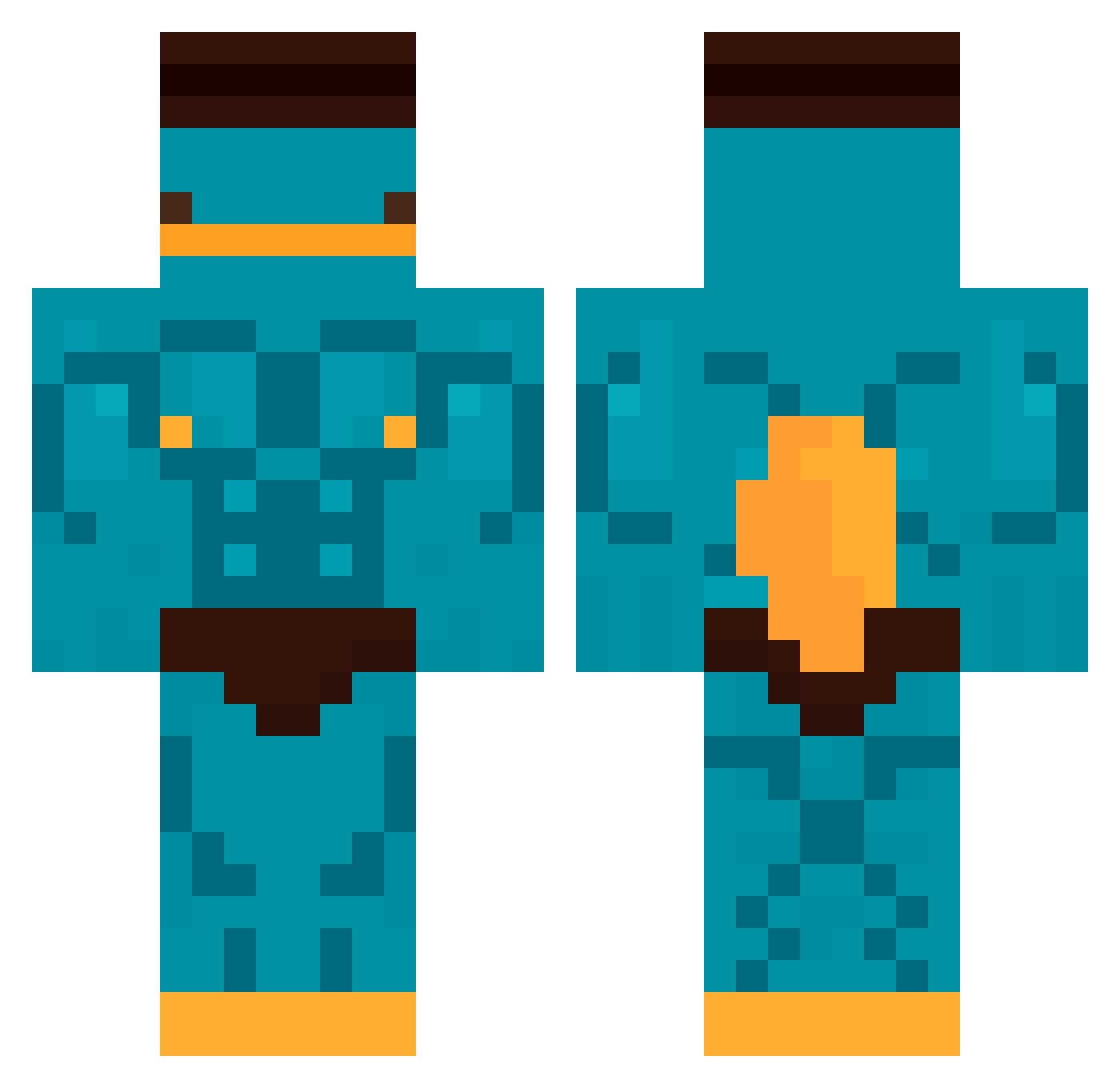
Current Minecraft skin of the player Leviizin, loaded from the official Mojang API. Rotate the 3D model with your mouse or finger, then download the skin as a PNG file and use it in Minecraft: Bedrock Edition or Java Edition for free. When Leviizin changes their skin, this page updates automatically and the old skin stays in the history below.
Other players with this skin (472)
Leviizin was the 440th player we have seen with this skin, first spotted on 28.10.2026. The same skin was seen on these players. Open a nickname to see their current skin and skin history.
 Bluestone_red Chris_2510 Xuan0109 Luguito arwintal Phob0 MonMonday bilimacortiz26 SANIVI1 Jorgeft17 Dorajimuchim05 Flip719 lukishii timtak88 BenDoom2635 MikeStar21 HadesX0 Ciucmok Nate_Lifts free_toast69 vixito81 Solrac7373 Sennryuuu youngWitold rybiarzzz PGHDD JhonJ27 DevaiYT concave79 o11111111111111o Blasja Zedis76 pauMario KazuYume Santix34 Leomplayer Clistalso Poisonbomb08 TheDeathv2YT Stiickth Schmaica YourFavMimi AcriDzZz Luddi2008 MysthRL L0rd_0ff omdtudouu Pulga1783 Vernas 200000000 madaya1 PhilStar011 Pulpo2115 midasking1234 rydgg Miner0908 Woodyy12 schwebsal132 zn0313 Slynz_
More Buff Minecraft skins
How to install the Leviizin skin
- Press the Download button above to save the skin as a PNG file.
- Minecraft: Bedrock Edition (PE): open the Dressing Room from the main menu (or tap your character → Edit Character), go to Classic Skins → Owned, press the + (new skin) button, choose the downloaded PNG and pick the Classic (Steve) model. Works on PC and mobile; consoles cannot import custom skins.
- Minecraft: Java Edition: open the Minecraft Launcher, go to the Skins tab, click New Skin, load the PNG, pick the Classic (Steve) model and press Save & Use. You can also upload it at minecraft.net → Profile → Change Skin.
The skin does not show up after import - what should I do?
Restart Minecraft and open the Dressing Room again - imported skins sometimes appear only after a restart. Also make sure you selected the imported skin and picked the Classic (Steve) model.
Which model should I choose, Classic or Slim?
This skin is designed for the Classic (Steve) model. If you pick the wrong model, the arms of the skin will look stretched or squeezed.
Is the skin of Leviizin free to download?
Yes. Press Download, save the PNG file and use it in Minecraft: Bedrock Edition or Java Edition - no payment or registration needed. The skin also works on multiplayer servers and Realms.
More skins
Looking for more? Go back to all Minecraft skins and check the top skins of the week, month and all time, or find any player's skin by nickname.