
LejamoHD - Minecraft Skins & Skin History
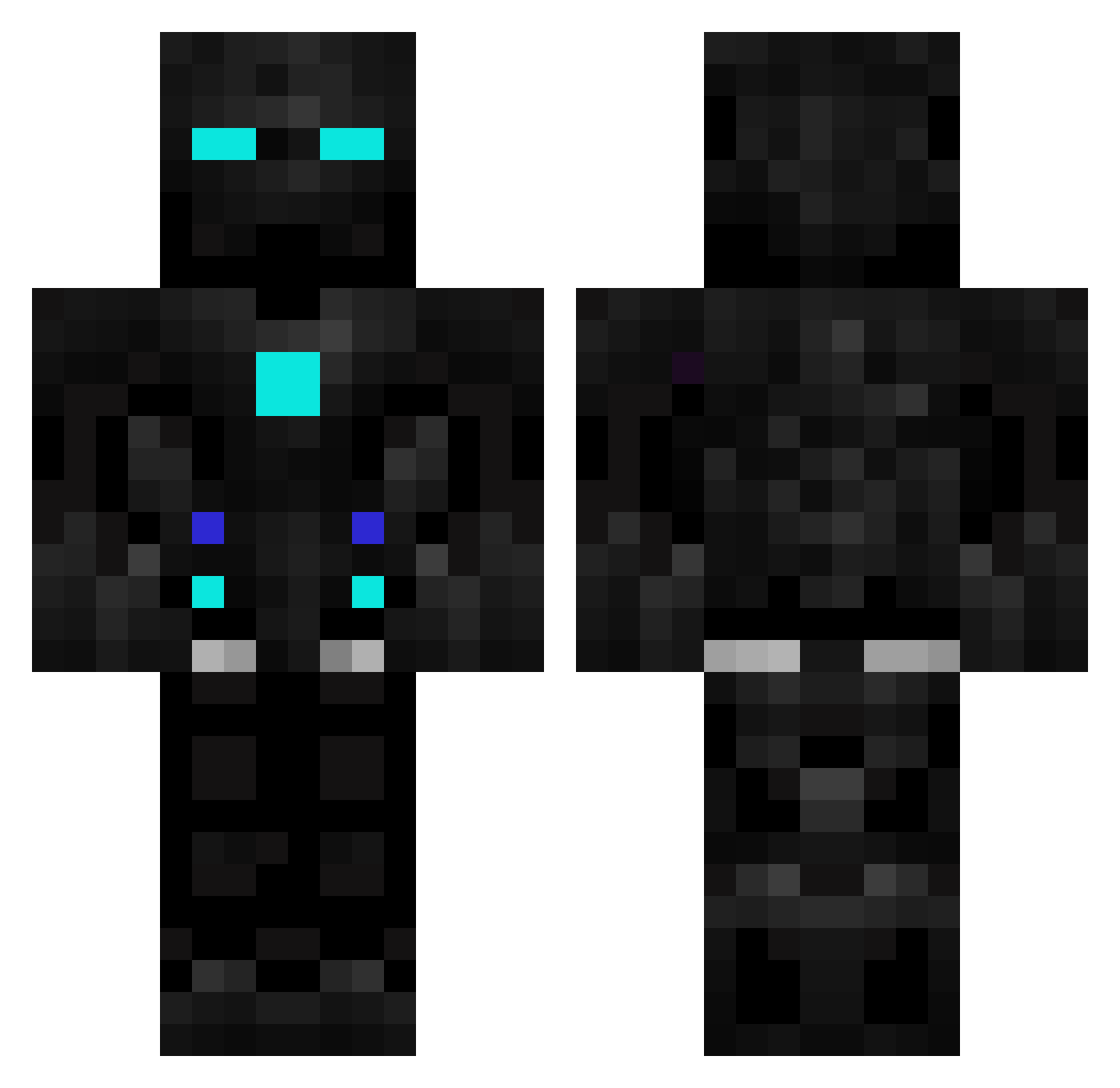
Current Minecraft skin of the player LejamoHD, loaded from the official Mojang API. Rotate the 3D model with your mouse or finger, then download the skin as a PNG file and use it in Minecraft: Bedrock Edition or Java Edition for free. When LejamoHD changes their skin, this page updates automatically and the old skin stays in the history below.
Other players with this skin (601)
LejamoHD was the 21st player we have seen with this skin, first spotted on 28.07.2026. The same skin was seen on these players. Open a nickname to see their current skin and skin history.
 Yuna0196 Tanneur21 ryuuna0208 mrcode2008 Rotoxtic lR4gn4r0k OdddGod BUENO_prod JT_ROBOT 08GLPW josue1903 Clyckford Markusbl Sandmann333 Pyro2034 rayankray Artemskiy48 spiritjk Saruul09 Bellivy martinnvana Aspecs27 Galacxy3000 KINGMEMBERFARKS tanukiudon88 MrCaptainClean Smaug_M9R WarmachineV2 RoboSlayer303 Birkannd mcustrange Aneck001 Vhades10 lionroar347 Murtinoo drakuru69 WILFOZ The_Colombianito GecexD01 KingBunny5 WolfTtt SirEntenBot Dias02 Bumblebee204 Bendy_San gabryel14 flamingo123456 JJAbraham10 nytro_i itsalexk Mr_Conclusion susboy_mi InvisibleKons FiGiToAsT87 epickitrolaz Wilsonispro123 Mr_CyberBoi Gorgomit Regnoice Cyclone_15
More Robot Minecraft skins
How to install the LejamoHD skin
- Press the Download button above to save the skin as a PNG file.
- Minecraft: Bedrock Edition (PE): open the Dressing Room from the main menu (or tap your character → Edit Character), go to Classic Skins → Owned, press the + (new skin) button, choose the downloaded PNG and pick the Classic (Steve) model. Works on PC and mobile; consoles cannot import custom skins.
- Minecraft: Java Edition: open the Minecraft Launcher, go to the Skins tab, click New Skin, load the PNG, pick the Classic (Steve) model and press Save & Use. You can also upload it at minecraft.net → Profile → Change Skin.
The skin does not show up after import - what should I do?
Restart Minecraft and open the Dressing Room again - imported skins sometimes appear only after a restart. Also make sure you selected the imported skin and picked the Classic (Steve) model.
Which model should I choose, Classic or Slim?
This skin is designed for the Classic (Steve) model. If you pick the wrong model, the arms of the skin will look stretched or squeezed.
Is the skin of LejamoHD free to download?
Yes. Press Download, save the PNG file and use it in Minecraft: Bedrock Edition or Java Edition - no payment or registration needed. The skin also works on multiplayer servers and Realms.
More skins
Looking for more? Go back to all Minecraft skins and check the top skins of the week, month and all time, or find any player's skin by nickname.