
Legojuls - Minecraft Skins & Skin History
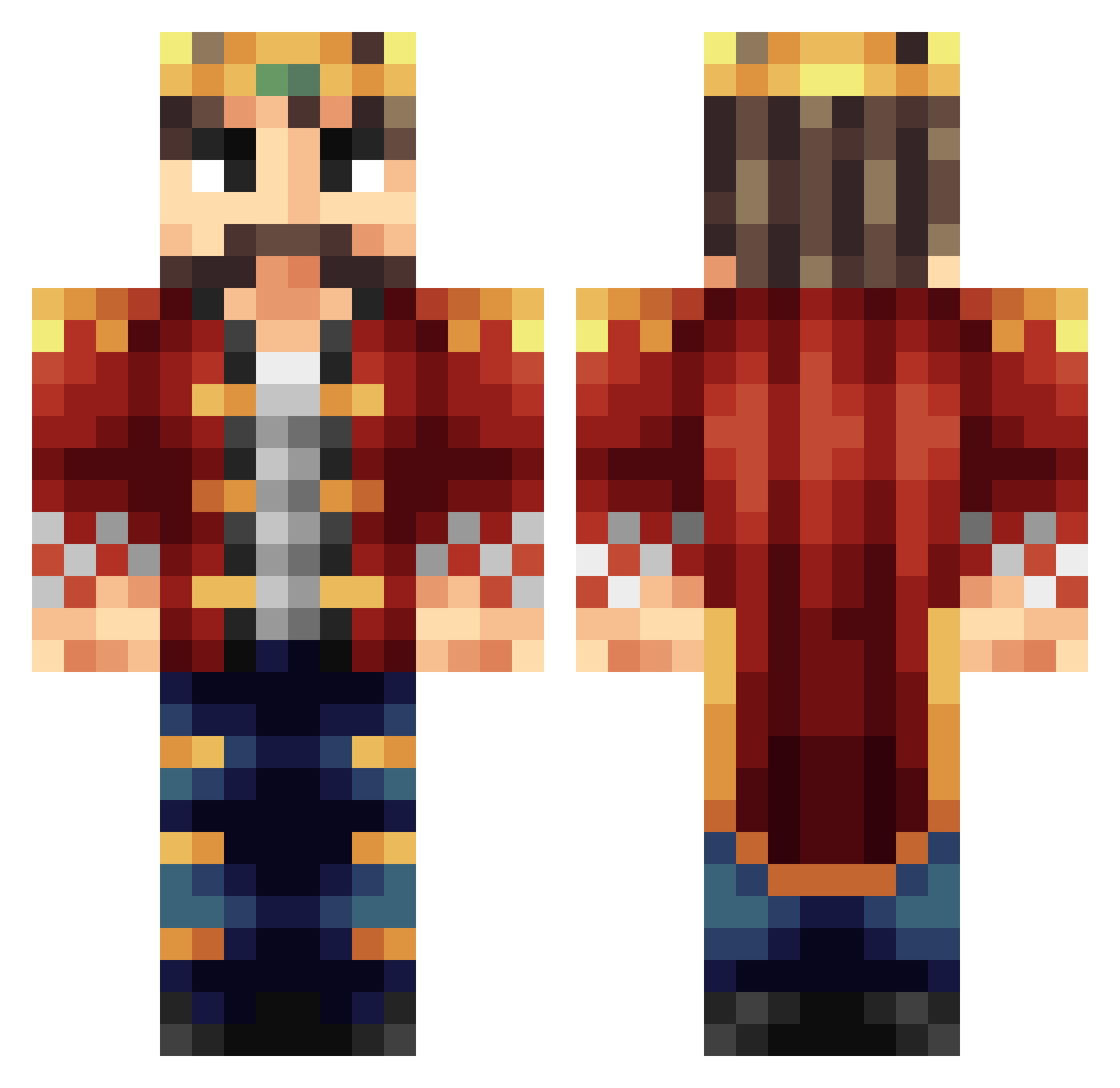
Current Minecraft skin of the player Legojuls, loaded from the official Mojang API. Rotate the 3D model with your mouse or finger, then download the skin as a PNG file and use it in Minecraft: Bedrock Edition or Java Edition for free. When Legojuls changes their skin, this page updates automatically and the old skin stays in the history below.
Other players with this skin (399)
Legojuls was the 96th player we have seen with this skin, first spotted on 23.08.2026. The same skin was seen on these players. Open a nickname to see their current skin and skin history.
 ThoseKillers Charlerder Stefis skaterboy3111 michaman123 Jasper_Craft Jeffreyvrugt1 koningswek Kevin13Dante Entropy_man Jonstriker StinkyBoi73 Carebeardidit monorailking ELJEFASOW Lordveilus gilithos Milman74 Salty_Sal xenere br1dg3s challe115 boredom2 WarpSquad westley1991 int0z jnystrom SirTuppy diegoat_ Mitchell_rage123 _Shige ChaoticQuiet Stevelom MiniDev cashline allboy2004 minus5 panoramaview CyrBag askseverin Neriac Kingwah1 KingofKings66 Ajtiger2 cogoga DeepMiner99 JajaGaming ShadowBlock114 ZOMBIELRB Chippewa25 pesticide halfdanfriis Tomyy1337 AaronTheBaron swedisZZ Parabolspiegel Grimmblut pieterboerdijk jartzi90 jududdar
More Streamer Minecraft skins
How to install the Legojuls skin
- Press the Download button above to save the skin as a PNG file.
- Minecraft: Bedrock Edition (PE): open the Dressing Room from the main menu (or tap your character → Edit Character), go to Classic Skins → Owned, press the + (new skin) button, choose the downloaded PNG and pick the Classic (Steve) model. Works on PC and mobile; consoles cannot import custom skins.
- Minecraft: Java Edition: open the Minecraft Launcher, go to the Skins tab, click New Skin, load the PNG, pick the Classic (Steve) model and press Save & Use. You can also upload it at minecraft.net → Profile → Change Skin.
The skin does not show up after import - what should I do?
Restart Minecraft and open the Dressing Room again - imported skins sometimes appear only after a restart. Also make sure you selected the imported skin and picked the Classic (Steve) model.
Which model should I choose, Classic or Slim?
This skin is designed for the Classic (Steve) model. If you pick the wrong model, the arms of the skin will look stretched or squeezed.
Is the skin of Legojuls free to download?
Yes. Press Download, save the PNG file and use it in Minecraft: Bedrock Edition or Java Edition - no payment or registration needed. The skin also works on multiplayer servers and Realms.
More skins
Looking for more? Go back to all Minecraft skins and check the top skins of the week, month and all time, or find any player's skin by nickname.