
Leberkusen - Minecraft Skins & Skin History
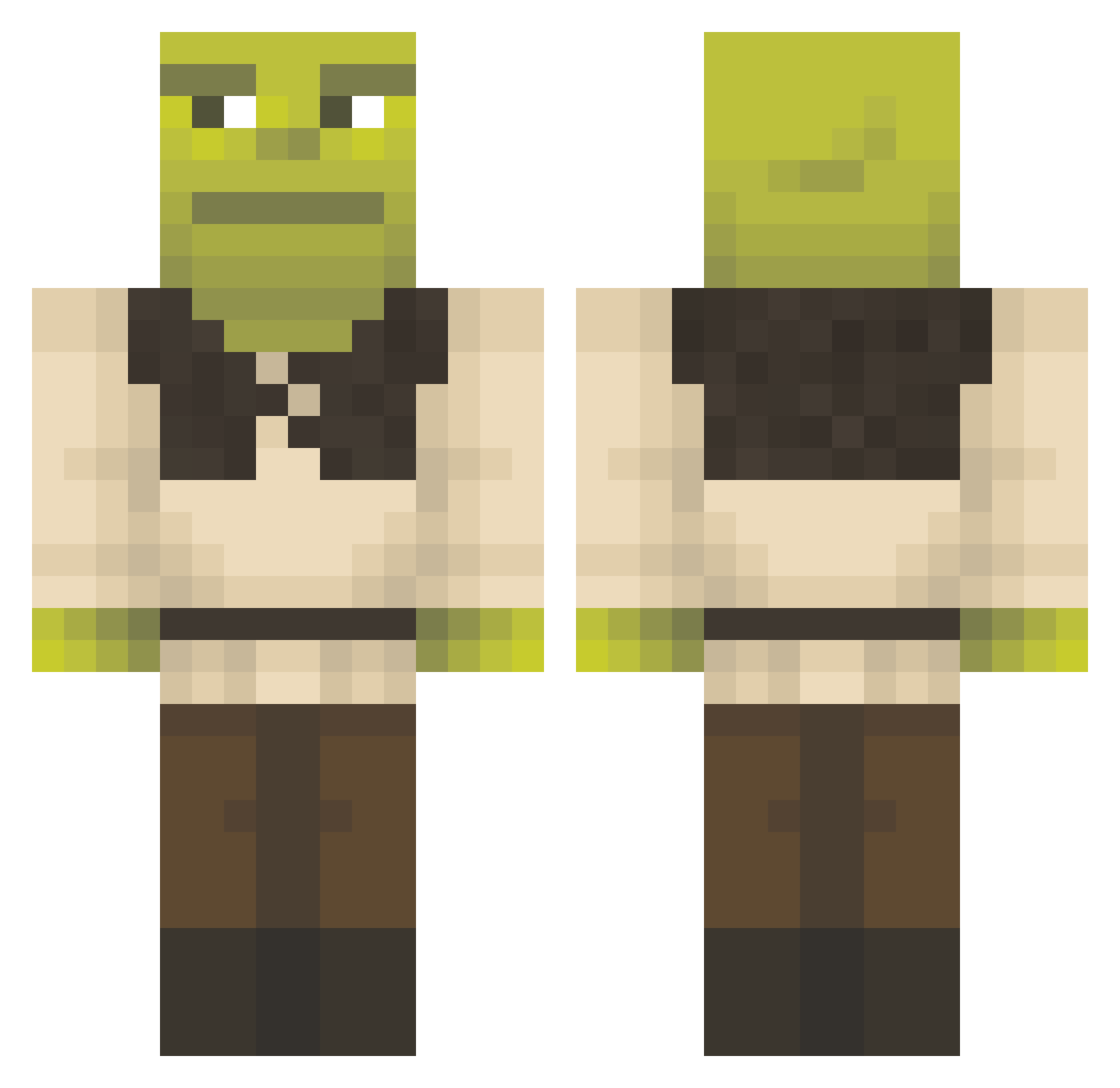
Current Minecraft skin of the player Leberkusen, loaded from the official Mojang API. Rotate the 3D model with your mouse or finger, then download the skin as a PNG file and use it in Minecraft: Bedrock Edition or Java Edition for free. When Leberkusen changes their skin, this page updates automatically and the old skin stays in the history below.
Other players with this skin (1356)
Leberkusen was the 678th player we have seen with this skin, first spotted on 19.09.2026. The same skin was seen on these players. Open a nickname to see their current skin and skin history.
 SemperYut327 Kurdino1234 CJWitts Daniiiru orbitalfilly CachikaMaNiger Ragaliee jhonni7766544ww cmangotswag Mottas15 fourmifourmi Madzzz24 pandacnm marunecicka68 Ryext7 Somamester91 garabast91 Rayonaise mrbole0 zozojersey yYUTAA_ FuriousDragon009 ButterSandwichAM Bapt_Man75 V0ldyyy WaterMeat742 AyoNeenyo Luwrig Peatanok Brodega piroquinhaoO gabrielxsuco melondye Hippi04 okland17 Barkstedt Daddyshrek6969 znunz8znunz Miiaaa9 Nosolino69 Jiyuuuuuuuu DWTHS Aidsan776 MercedesRenz23 cricri6677 IMSIN03 Pukaluca Katarielka TanjiRob23 ilMattah Siruuu3 Anne_Lotte Kaso24k milonlol sammmmy25 BCsaulX SIlver_Surfer173 massiveshafter onlyy1 RedSkYyGOH
More Shrek Minecraft skins
How to install the Leberkusen skin
- Press the Download button above to save the skin as a PNG file.
- Minecraft: Bedrock Edition (PE): open the Dressing Room from the main menu (or tap your character → Edit Character), go to Classic Skins → Owned, press the + (new skin) button, choose the downloaded PNG and pick the Classic (Steve) model. Works on PC and mobile; consoles cannot import custom skins.
- Minecraft: Java Edition: open the Minecraft Launcher, go to the Skins tab, click New Skin, load the PNG, pick the Classic (Steve) model and press Save & Use. You can also upload it at minecraft.net → Profile → Change Skin.
The skin does not show up after import - what should I do?
Restart Minecraft and open the Dressing Room again - imported skins sometimes appear only after a restart. Also make sure you selected the imported skin and picked the Classic (Steve) model.
Which model should I choose, Classic or Slim?
This skin is designed for the Classic (Steve) model. If you pick the wrong model, the arms of the skin will look stretched or squeezed.
Is the skin of Leberkusen free to download?
Yes. Press Download, save the PNG file and use it in Minecraft: Bedrock Edition or Java Edition - no payment or registration needed. The skin also works on multiplayer servers and Realms.
More skins
Looking for more? Go back to all Minecraft skins and check the top skins of the week, month and all time, or find any player's skin by nickname.