
LePavlitte - Minecraft Skins & Skin History
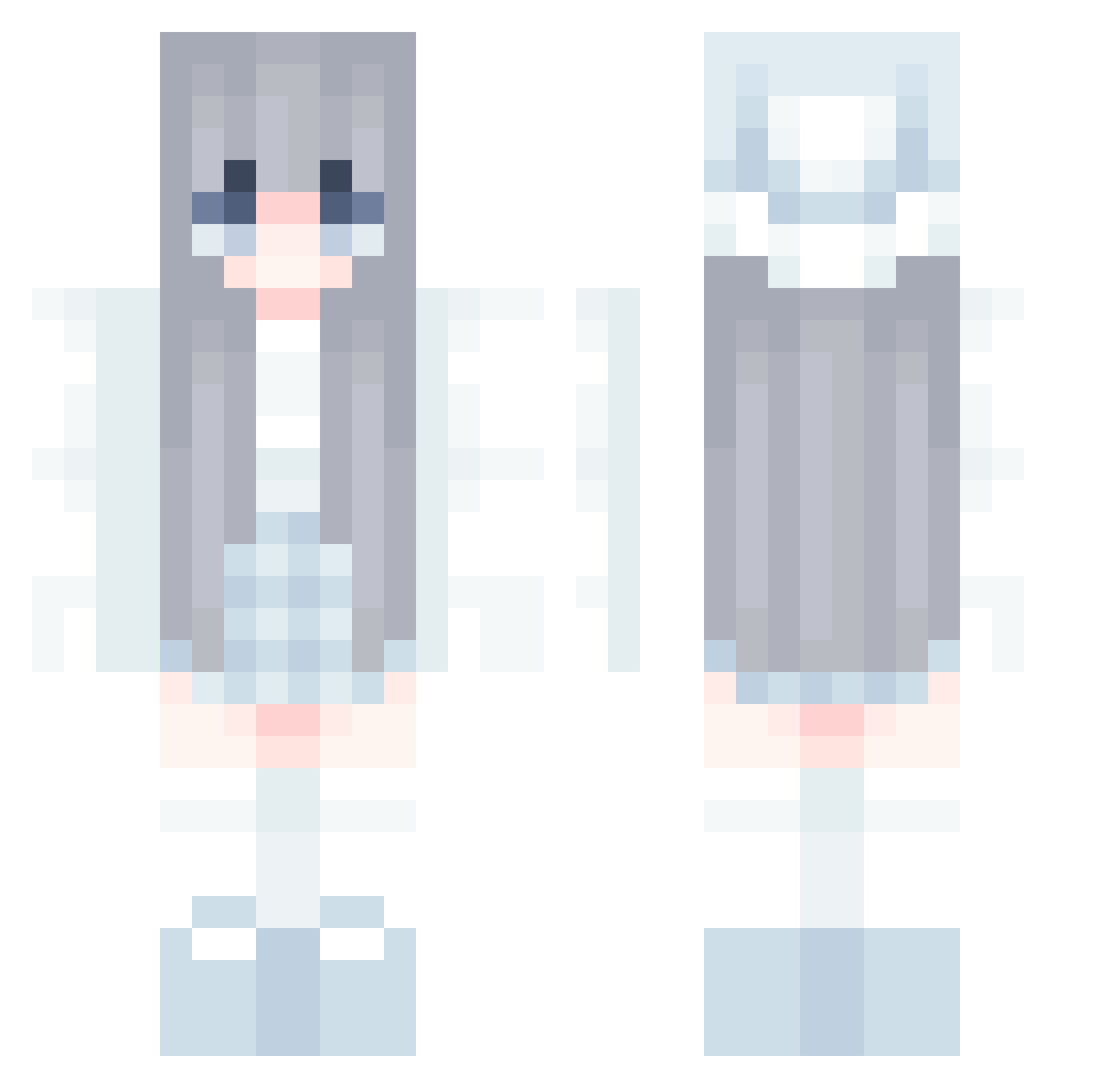
Current Minecraft skin of the player LePavlitte, loaded from the official Mojang API. Rotate the 3D model with your mouse or finger, then download the skin as a PNG file and use it in Minecraft: Bedrock Edition or Java Edition for free. When LePavlitte changes their skin, this page updates automatically and the old skin stays in the history below.
Other players with this skin (581)
LePavlitte was the 24th player we have seen with this skin, first spotted on 27.07.2026. The same skin was seen on these players. Open a nickname to see their current skin and skin history.
 __Nandinha like_ccb DapperKhan40832 matilda111 vloer668 SweetShirae Tansan_i8 inoMae luvkt777 minyhahahaha hollow_L 1thisismetrying9 idohasan
 HARUTOMELON Mr_IndaKing Zheng_Changbin saeyfer tasselase123 Gesty2509 Baldgurl astrycxl cottonmaster1 Tapiocax Shieeken lilylys UltraGM SleepyM0on Faded_Bolts231 ccheery
 srevc TheGrimToucher00 ieatsoggywaffles dektess Mari010101 yunbi104 LThhss KMANAS myasvirtue Kunips k1N1y4 tyrismyriss Cekux Gibby_MC_ PrincessPie4306 PikaPlayer2 Azul1130 moChizukiYome xT_Darkzz wntjd7927 jotty469 BennyCheese linng0402 yaokaiyang notinolife gasenica Strawberruwu Snowfleuve JosefSeinVater roguerevenge 32neko_
More Winter Minecraft skins
How to install the LePavlitte skin
- Press the Download button above to save the skin as a PNG file.
- Minecraft: Bedrock Edition (PE): open the Dressing Room from the main menu (or tap your character → Edit Character), go to Classic Skins → Owned, press the + (new skin) button, choose the downloaded PNG and pick the Classic (Steve) model. Works on PC and mobile; consoles cannot import custom skins.
- Minecraft: Java Edition: open the Minecraft Launcher, go to the Skins tab, click New Skin, load the PNG, pick the Classic (Steve) model and press Save & Use. You can also upload it at minecraft.net → Profile → Change Skin.
The skin does not show up after import - what should I do?
Restart Minecraft and open the Dressing Room again - imported skins sometimes appear only after a restart. Also make sure you selected the imported skin and picked the Classic (Steve) model.
Which model should I choose, Classic or Slim?
This skin is designed for the Classic (Steve) model. If you pick the wrong model, the arms of the skin will look stretched or squeezed.
Is the skin of LePavlitte free to download?
Yes. Press Download, save the PNG file and use it in Minecraft: Bedrock Edition or Java Edition - no payment or registration needed. The skin also works on multiplayer servers and Realms.
More skins
Looking for more? Go back to all Minecraft skins and check the top skins of the week, month and all time, or find any player's skin by nickname.