
Laviencee - Minecraft Skins & Skin History
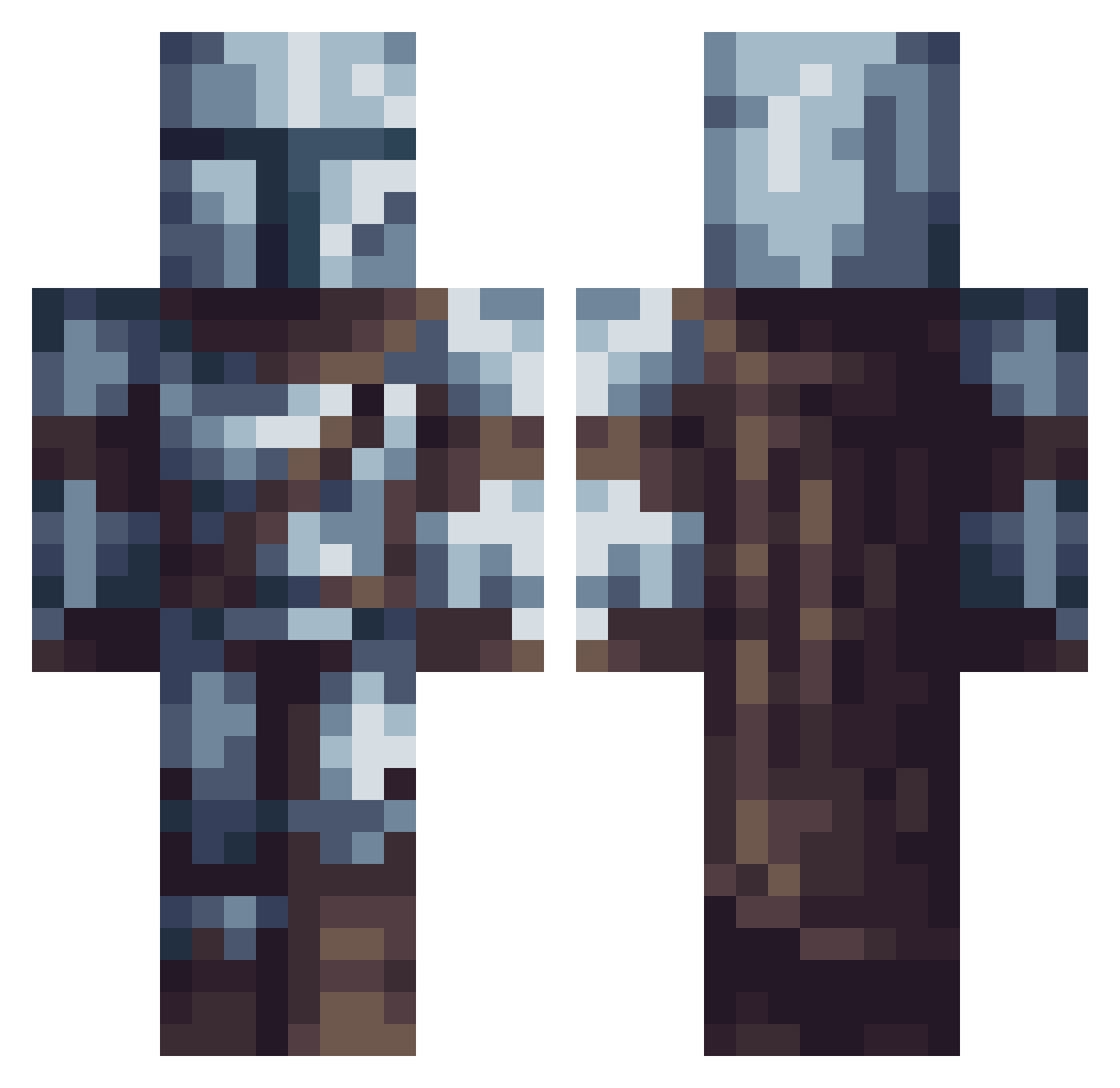
Current Minecraft skin of the player Laviencee, loaded from the official Mojang API. Rotate the 3D model with your mouse or finger, then download the skin as a PNG file and use it in Minecraft: Bedrock Edition or Java Edition for free. When Laviencee changes their skin, this page updates automatically and the old skin stays in the history below.
Other players with this skin (745)
Laviencee was the 626th player we have seen with this skin, first spotted on 03.11.2026. The same skin was seen on these players. Open a nickname to see their current skin and skin history.
 Beto530 Proczarex XdElliot Mohg242 Primitive17 Killlerwiller Anorak00 miop325 spacewizzzard MrMysterieux YetiZLasu Wallshot oMerkurio Cheezou747 RHIN0IAK alexz203 Zigeuner420 Kaczor1121 K1ll3rP1x3l TheUltimateMe Aheadstr BomberBarbara pepaar IvanBerni Hisashii3 StefK98 Maxax33 Sultross crazy_diamond_00 Garnacho2 AkiraGSD Cruzaru HughmanMaybe arat28 superflashgamer MisterIsis owotter Mangledorian NoPlayer_R_ SSGorje Jakobb15 Walker_IV TheBest950 baticuac SpartanZ23 polishpingwin201 Wild_Inside Altachilles MasterBlack34 WoodTalented iTaMi_Dono MUJTABA313 Mando_Lumpazius HoloLuxo BugLs Boosicle MAYCHENAYCHE VanMolgri GruntingBayson BubbaBearGamer
More The Mandalorian Minecraft skins
See all 675 The Mandalorian skins
How to install the Laviencee skin
- Press the Download button above to save the skin as a PNG file.
- Minecraft: Bedrock Edition (PE): open the Dressing Room from the main menu (or tap your character → Edit Character), go to Classic Skins → Owned, press the + (new skin) button, choose the downloaded PNG and pick the Classic (Steve) model. Works on PC and mobile; consoles cannot import custom skins.
- Minecraft: Java Edition: open the Minecraft Launcher, go to the Skins tab, click New Skin, load the PNG, pick the Classic (Steve) model and press Save & Use. You can also upload it at minecraft.net → Profile → Change Skin.
The skin does not show up after import - what should I do?
Restart Minecraft and open the Dressing Room again - imported skins sometimes appear only after a restart. Also make sure you selected the imported skin and picked the Classic (Steve) model.
Which model should I choose, Classic or Slim?
This skin is designed for the Classic (Steve) model. If you pick the wrong model, the arms of the skin will look stretched or squeezed.
Is the skin of Laviencee free to download?
Yes. Press Download, save the PNG file and use it in Minecraft: Bedrock Edition or Java Edition - no payment or registration needed. The skin also works on multiplayer servers and Realms.
More skins
Looking for more? Go back to all Minecraft skins and check the top skins of the week, month and all time, or find any player's skin by nickname.