
Lautron26 - Minecraft Skins & Skin History
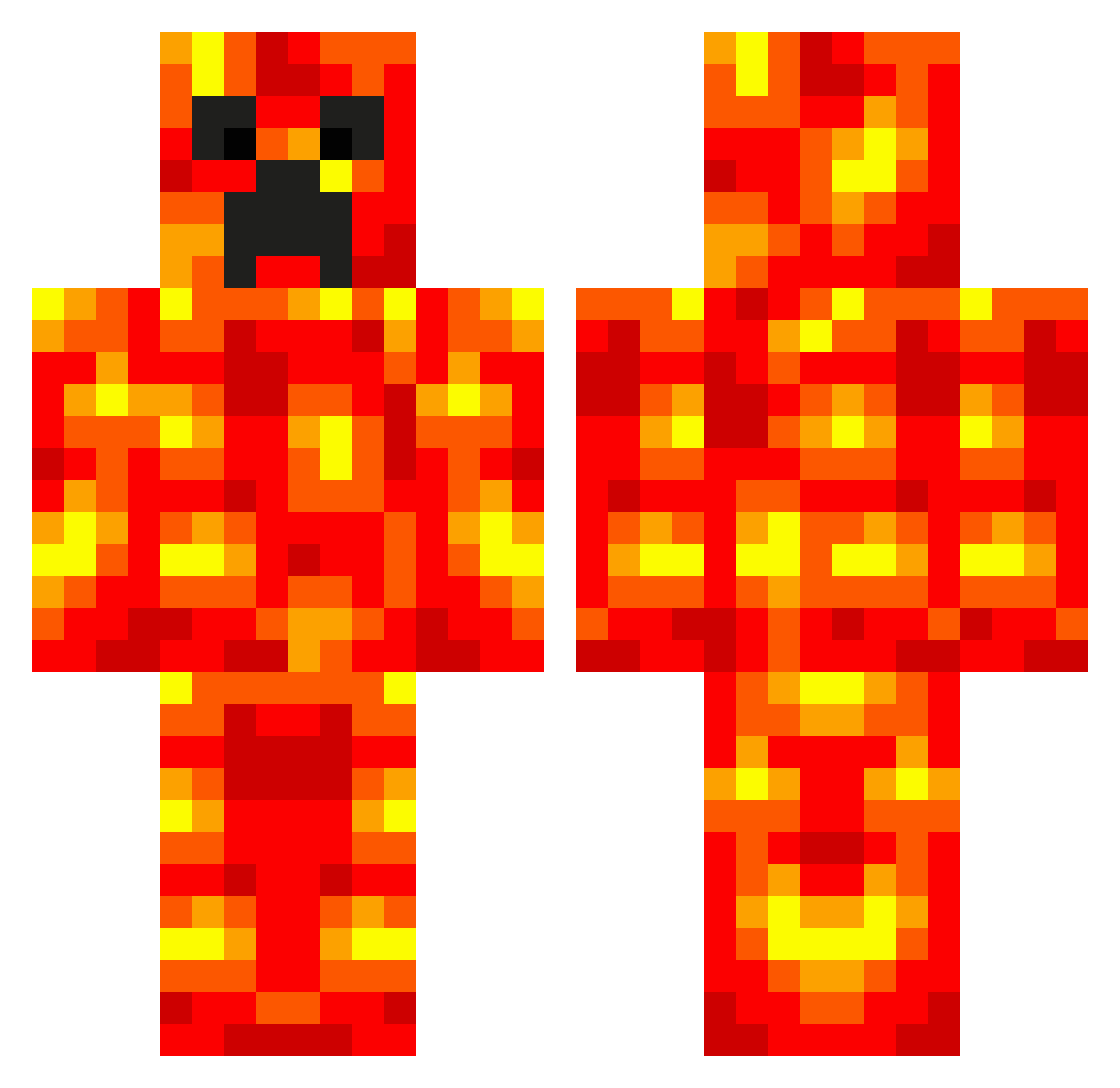
Current Minecraft skin of the player Lautron26, loaded from the official Mojang API. Rotate the 3D model with your mouse or finger, then download the skin as a PNG file and use it in Minecraft: Bedrock Edition or Java Edition for free. When Lautron26 changes their skin, this page updates automatically and the old skin stays in the history below.
Other players with this skin (537)
Lautron26 was the 179th player we have seen with this skin, first spotted on 29.08.2026. The same skin was seen on these players. Open a nickname to see their current skin and skin history.
 elmokiller3 mrwille123 MonkeyMagig07 Isabellabrud RhinoRanger Urans djnova89 hockeyjets AidenML FEARxZombiexGod HerobrineNEH InstantSalmon yoyogaming211 sky_guy_dude bdog24709 WAR07 Rossco25 BlaiseSarate Chris_Smart17 ChrisB369 Meatdock KaiHaworth chewning4 Man_Sak Nobii99 hz51 mean_darcus factorycraft talonmonsterman sidneyelle Jaster572 awsomenijaman5 marcus020406 MADDDMANNN Karate28 Mittenz24 rossevans1999 kota11 lars00146 isakhelgi Gay_mer2 hazza9345 rettopyrrah codysunrise firecatcher65 harry12345 antholee junang fatcookie1231 BOGMIRE900 Oisin77 raphael2805 fthorup tobykeogh123 counterpunch123 LLANDUDNO1 FantasicFlange epicXrager SleekyHeck panhead24601
More Magma Minecraft skins
How to install the Lautron26 skin
- Press the Download button above to save the skin as a PNG file.
- Minecraft: Bedrock Edition (PE): open the Dressing Room from the main menu (or tap your character → Edit Character), go to Classic Skins → Owned, press the + (new skin) button, choose the downloaded PNG and pick the Classic (Steve) model. Works on PC and mobile; consoles cannot import custom skins.
- Minecraft: Java Edition: open the Minecraft Launcher, go to the Skins tab, click New Skin, load the PNG, pick the Classic (Steve) model and press Save & Use. You can also upload it at minecraft.net → Profile → Change Skin.
The skin does not show up after import - what should I do?
Restart Minecraft and open the Dressing Room again - imported skins sometimes appear only after a restart. Also make sure you selected the imported skin and picked the Classic (Steve) model.
Which model should I choose, Classic or Slim?
This skin is designed for the Classic (Steve) model. If you pick the wrong model, the arms of the skin will look stretched or squeezed.
Is the skin of Lautron26 free to download?
Yes. Press Download, save the PNG file and use it in Minecraft: Bedrock Edition or Java Edition - no payment or registration needed. The skin also works on multiplayer servers and Realms.
More skins
Looking for more? Go back to all Minecraft skins and check the top skins of the week, month and all time, or find any player's skin by nickname.