
Larsoncraft - Minecraft Skins & Skin History
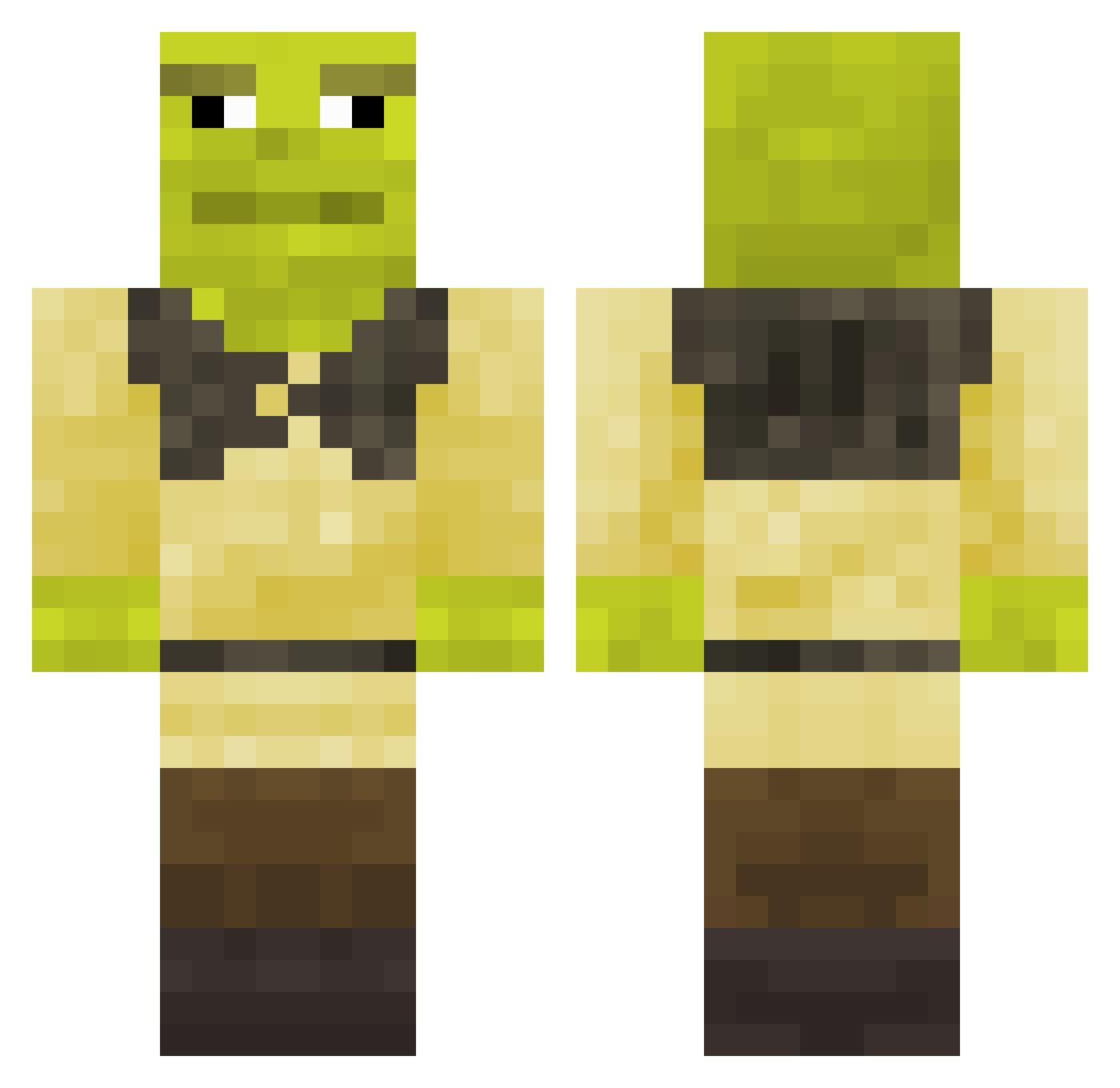
Current Minecraft skin of the player Larsoncraft, loaded from the official Mojang API. Rotate the 3D model with your mouse or finger, then download the skin as a PNG file and use it in Minecraft: Bedrock Edition or Java Edition for free. When Larsoncraft changes their skin, this page updates automatically and the old skin stays in the history below.
Other players with this skin (338)
Larsoncraft was the 249th player we have seen with this skin, first spotted on 12.10.2026. The same skin was seen on these players. Open a nickname to see their current skin and skin history.
 OnlyKoa Jay_Chikie 4ernojopbIu ruskotwo alexteiss dirtymurt raeb_BG Vlanc473 Exacc Dadiv7470 Zartik_le_Murloc SushiNeko10 gagafrog DerDokktorr szufrx Landim2009 Tonkaaaaaa SomeSaltyBread Adam_CHOCO Theobooii Svartsomnatten rodial SoGah777 dollyguarana123 iiMuck Linox9 Shrek69Akbarr Fell0 TheRealBlack85 restik MajorProblems Latrioxus StinkNek way_are_you_gay skyser530 2LABATTE FrazzledTurtle GnomishKing Superheropotato9 R0BOTURKEY12345 Hank0ch_10 Gugus69 Memocux ZuuuuuuuuuuuWild Scawall ImNobitaPT CaroLa_Lawliet gravir1 Danxtz Shrek_Original Aktives_Buddel MrPerson1956 Jean_NRV p_enish J_a_d_e_n PhineasMom SonnyxFN MrManek BigMuscles5150 Zloxy_4
More Shrek Minecraft skins
How to install the Larsoncraft skin
- Press the Download button above to save the skin as a PNG file.
- Minecraft: Bedrock Edition (PE): open the Dressing Room from the main menu (or tap your character → Edit Character), go to Classic Skins → Owned, press the + (new skin) button, choose the downloaded PNG and pick the Classic (Steve) model. Works on PC and mobile; consoles cannot import custom skins.
- Minecraft: Java Edition: open the Minecraft Launcher, go to the Skins tab, click New Skin, load the PNG, pick the Classic (Steve) model and press Save & Use. You can also upload it at minecraft.net → Profile → Change Skin.
The skin does not show up after import - what should I do?
Restart Minecraft and open the Dressing Room again - imported skins sometimes appear only after a restart. Also make sure you selected the imported skin and picked the Classic (Steve) model.
Which model should I choose, Classic or Slim?
This skin is designed for the Classic (Steve) model. If you pick the wrong model, the arms of the skin will look stretched or squeezed.
Is the skin of Larsoncraft free to download?
Yes. Press Download, save the PNG file and use it in Minecraft: Bedrock Edition or Java Edition - no payment or registration needed. The skin also works on multiplayer servers and Realms.
More skins
Looking for more? Go back to all Minecraft skins and check the top skins of the week, month and all time, or find any player's skin by nickname.