
Lanshire - Minecraft Skins & Skin History
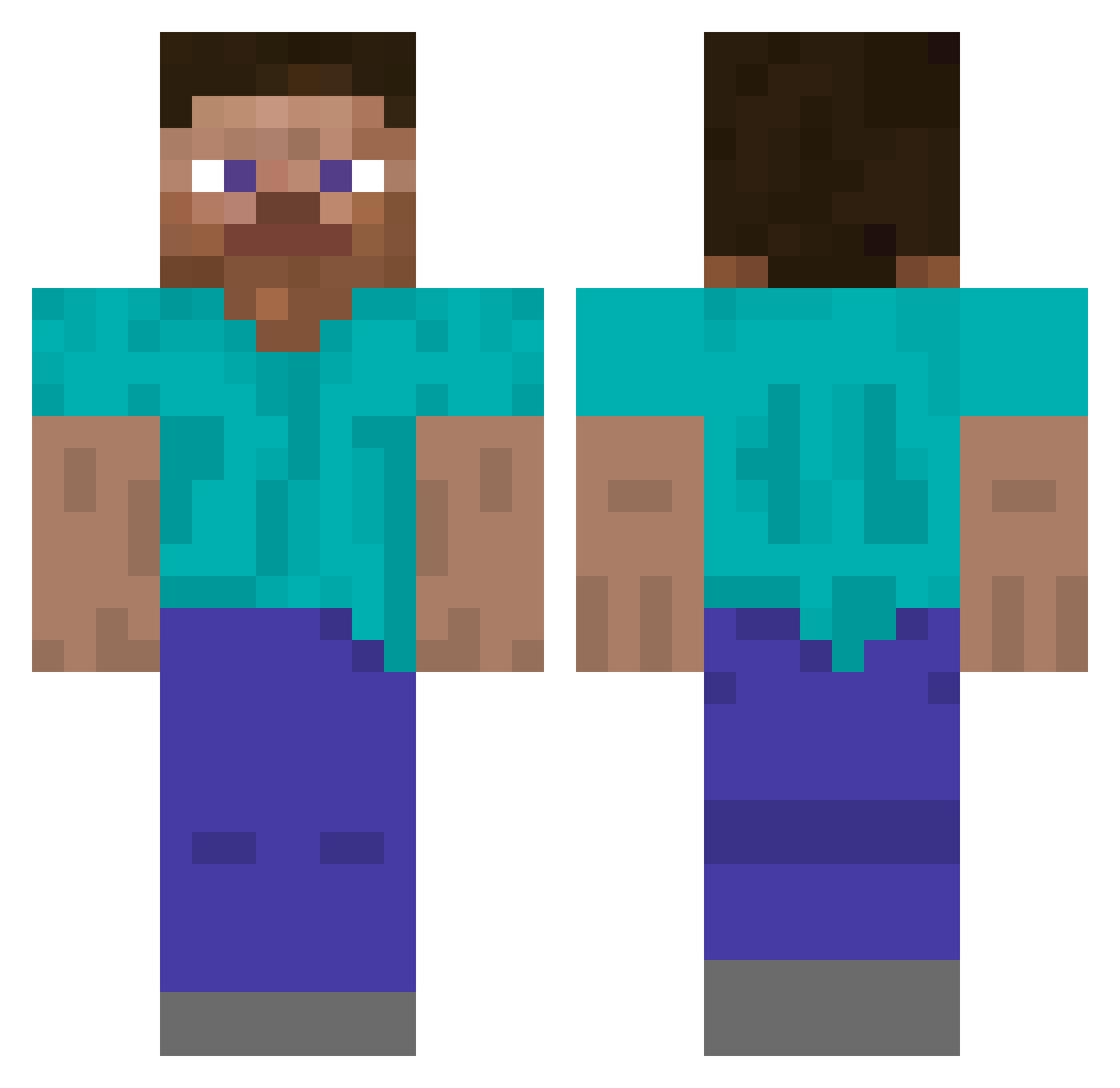
Current Minecraft skin of the player Lanshire, loaded from the official Mojang API. Rotate the 3D model with your mouse or finger, then download the skin as a PNG file and use it in Minecraft: Bedrock Edition or Java Edition for free. When Lanshire changes their skin, this page updates automatically and the old skin stays in the history below.
Other players with this skin (267)
Lanshire was the 50th player we have seen with this skin, first spotted on 12.08.2026. The same skin was seen on these players. Open a nickname to see their current skin and skin history.
 MrMAgooooo99 Boubastis Cualatico_o mpolas143 yiv3_ N_g3az11 thigums pobabi
 dotmot Mategrave VPutin akyw _steave equals Cyantified Amalgamates kimdogeISLEGIT ButterRitter
 Hoangf_275k _SEOKHOON_ Ford_focusStr _EXOTIC___ Homlessharry zruoh EnderDr4gon4 JayUnchanged Mudpack
 qq_Skipper_ jmepavanegrospet Borakaan h23h rozehip 123Monke123 Mentos2022
 Smaragdite
 PiotrekiIwo Lommisen Kumala sadfvnjoepjwiq Theatine huxawl LongestPoo52 NguyenHaPhan MertSHNN weird Cortnii uncials Lyon Skorn eleroho3s TheInhumanBiker
 Trunk5s zEmirhann duNTeRDelUSion Tatsunoko2011 Dudebro113 A3th3rr Feasut Perione Duskworld
Previous skins of Lanshire
Skins that Lanshire wore before, newest first. Click a skin to open its page and download it.
How to install the Lanshire skin
- Press the Download button above to save the skin as a PNG file.
- Minecraft: Bedrock Edition (PE): open the Dressing Room from the main menu (or tap your character → Edit Character), go to Classic Skins → Owned, press the + (new skin) button, choose the downloaded PNG and pick the Classic (Steve) model. Works on PC and mobile; consoles cannot import custom skins.
- Minecraft: Java Edition: open the Minecraft Launcher, go to the Skins tab, click New Skin, load the PNG, pick the Classic (Steve) model and press Save & Use. You can also upload it at minecraft.net → Profile → Change Skin.
The skin does not show up after import - what should I do?
Restart Minecraft and open the Dressing Room again - imported skins sometimes appear only after a restart. Also make sure you selected the imported skin and picked the Classic (Steve) model.
Which model should I choose, Classic or Slim?
This skin is designed for the Classic (Steve) model. If you pick the wrong model, the arms of the skin will look stretched or squeezed.
Is the skin of Lanshire free to download?
Yes. Press Download, save the PNG file and use it in Minecraft: Bedrock Edition or Java Edition - no payment or registration needed. The skin also works on multiplayer servers and Realms.
More skins
Looking for more? Go back to all Minecraft skins and check the top skins of the week, month and all time, or find any player's skin by nickname.