
LanePlayzz - Minecraft Skins & Skin History
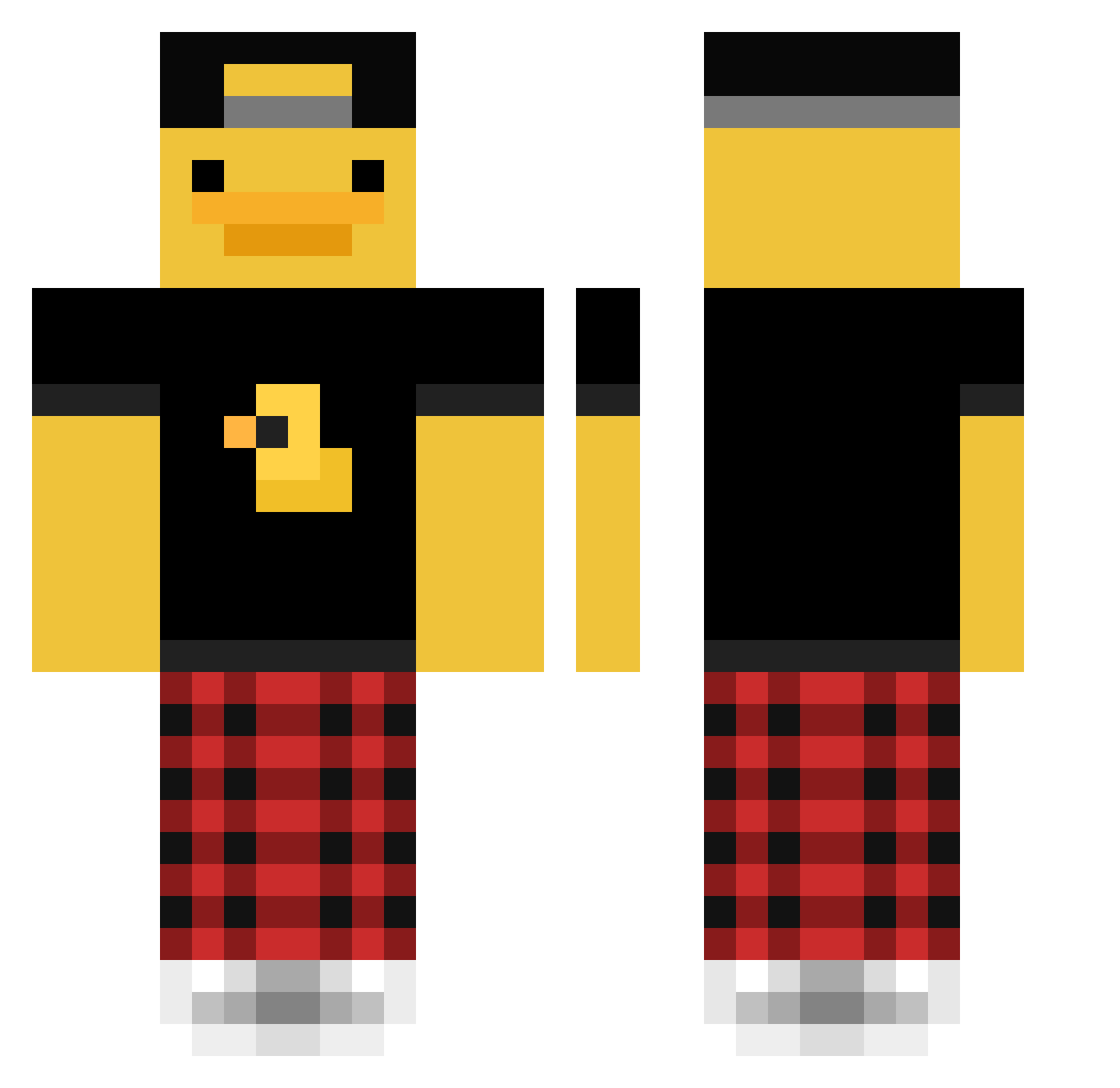
Current Minecraft skin of the player LanePlayzz, loaded from the official Mojang API. Rotate the 3D model with your mouse or finger, then download the skin as a PNG file and use it in Minecraft: Bedrock Edition or Java Edition for free. When LanePlayzz changes their skin, this page updates automatically and the old skin stays in the history below.
Other players with this skin (48)
LanePlayzz was the 8th player we have seen with this skin, first spotted on 09.08.2026. The same skin was seen on these players. Open a nickname to see their current skin and skin history.
 1Michu1
 OLNC4N Ultra_Fear Abelbable Sajdack7
 heysoulsister12 Fazza123456789 TIJExtreme
 WiciaWicia125 Macho2536 Mahesaaw PetrOnd D1xyy alexbaldtheduck xInsanityAL Jsiri5 TheShoutout2008 Aloe199 Szeba_11 xx_eHoR_xx xDiamondZz Haanrikk trapplord88 Dissi08 NS_IS_ALIVE Sadaltime itz_tinna Pihvi88 kassyade Olafeiro whtroller godjasper Wiyq sok12321 CallMeYee NopsyNoodle Chrissaft498 Audin NeverFrustrated Aidam_cz hdjk19 The1Willow EpicGamer0628 lightbow83 haebin22 _kubus_v2_ TheRealJakieChan Doggoneisland10
More Cap Minecraft skins
How to install the LanePlayzz skin
- Press the Download button above to save the skin as a PNG file.
- Minecraft: Bedrock Edition (PE): open the Dressing Room from the main menu (or tap your character → Edit Character), go to Classic Skins → Owned, press the + (new skin) button, choose the downloaded PNG and pick the Classic (Steve) model. Works on PC and mobile; consoles cannot import custom skins.
- Minecraft: Java Edition: open the Minecraft Launcher, go to the Skins tab, click New Skin, load the PNG, pick the Classic (Steve) model and press Save & Use. You can also upload it at minecraft.net → Profile → Change Skin.
The skin does not show up after import - what should I do?
Restart Minecraft and open the Dressing Room again - imported skins sometimes appear only after a restart. Also make sure you selected the imported skin and picked the Classic (Steve) model.
Which model should I choose, Classic or Slim?
This skin is designed for the Classic (Steve) model. If you pick the wrong model, the arms of the skin will look stretched or squeezed.
Is the skin of LanePlayzz free to download?
Yes. Press Download, save the PNG file and use it in Minecraft: Bedrock Edition or Java Edition - no payment or registration needed. The skin also works on multiplayer servers and Realms.
More skins
Looking for more? Go back to all Minecraft skins and check the top skins of the week, month and all time, or find any player's skin by nickname.