
LabubuTeam_qnvd - Minecraft Skins & Skin History
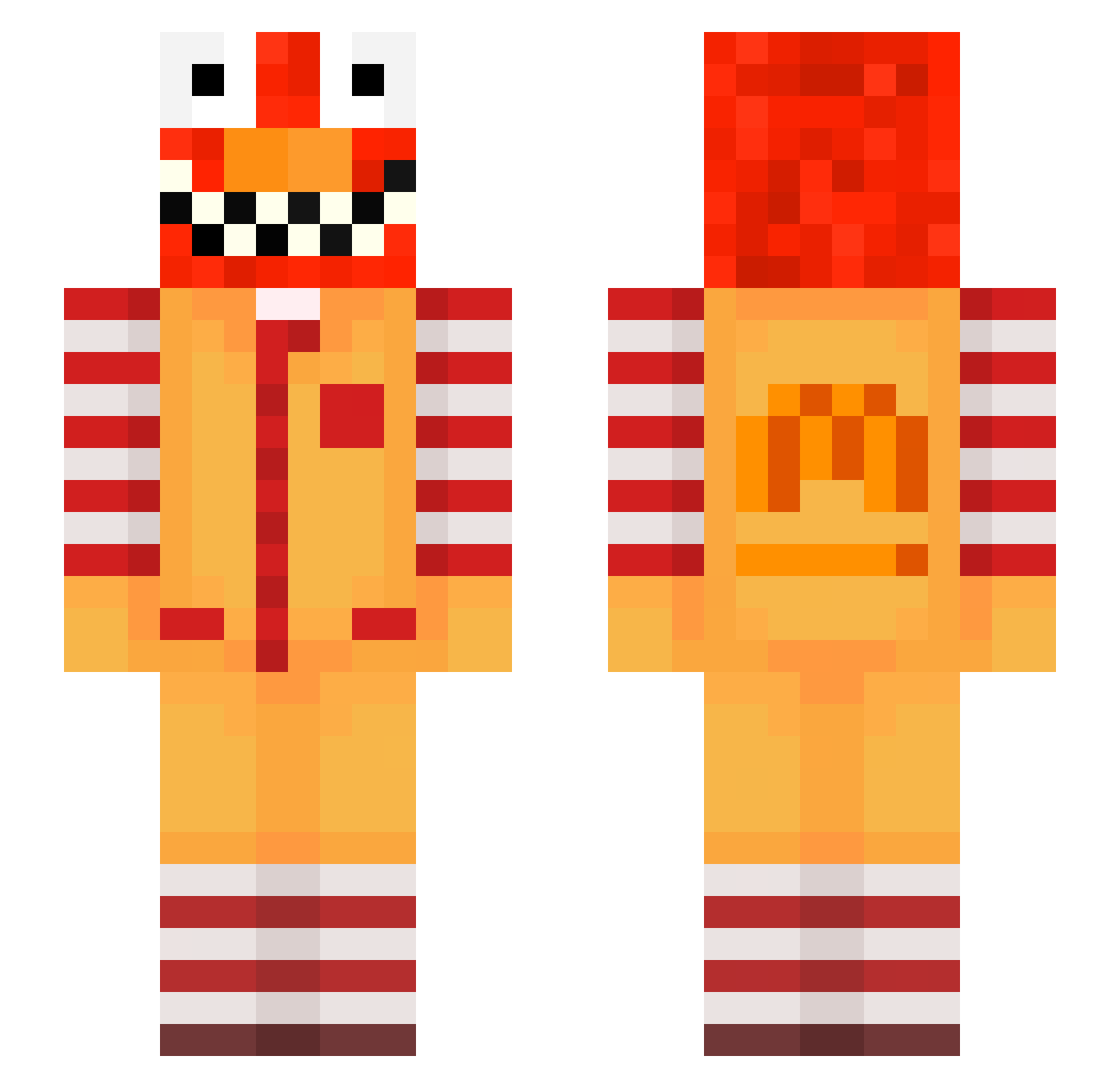
Current Minecraft skin of the player LabubuTeam_qnvd, loaded from the official Mojang API. Rotate the 3D model with your mouse or finger, then download the skin as a PNG file and use it in Minecraft: Bedrock Edition or Java Edition for free. When LabubuTeam_qnvd changes their skin, this page updates automatically and the old skin stays in the history below.
Other players with this skin (781)
LabubuTeam_qnvd was the 721st player we have seen with this skin, first spotted on 11.11.2026. The same skin was seen on these players. Open a nickname to see their current skin and skin history.
 ByGaTo7 AltVersevt4AV VietNamReborn_4 Huban_early242 LinhFrost09hUwU felipecorreia1 Rain_KhXXp Kungrille666 EnderDiddyys LinhtejRL0308 OnyxlsHard AltVerseb7fAV raventzAxUyo Kitaacidic3 wallahiwallahi LinhdbUcS0112 craggyRuino6us R0b1nWa1d ppmeyer_ringed67 goodgamergreg Dim_square82 emraj1spotless97 Gaaudin21 z9d_msmc_1pz LinhUOJcQ0107 Entitilo_ciKhx Moniakcreamy3 LinhsBOdb1230 antspaavel RAYEW_LEGIT zz_zwLBg_22 LinhPDHIy1121 aks_dcuNp_03_05 GanerFRR CarsonVRFNRL Puffmandope LabubuTeam_syd0 LinhtPEWh0310 Randoma44 BLUEHAMMER44 jola_humongous12 wise46grateful58 EATING_BIRDS LinhBoldkbqUwU Vizcaya_which7 LinhNdbSf1122 Bozo_hWfSb_03_04 wpf_k9Isk_10_04 c5onsiderateuns nnpg_I2eBXEd8Sv2 iLazxr ravetXwk8nkC PASIRb7aq964lol4 Wmith_putrid23 Genua_arctic2 Sv2Pat2nVQLcwSv2 losa_55 xthonkismtedZS giddyIyntacti6c Gustavvvvv
More Ronald Mcdonald Minecraft skins
See all 145 Ronald Mcdonald skins
How to install the LabubuTeam_qnvd skin
- Press the Download button above to save the skin as a PNG file.
- Minecraft: Bedrock Edition (PE): open the Dressing Room from the main menu (or tap your character → Edit Character), go to Classic Skins → Owned, press the + (new skin) button, choose the downloaded PNG and pick the Slim (Alex) model. Works on PC and mobile; consoles cannot import custom skins.
- Minecraft: Java Edition: open the Minecraft Launcher, go to the Skins tab, click New Skin, load the PNG, pick the Slim (Alex) model and press Save & Use. You can also upload it at minecraft.net → Profile → Change Skin.
The skin does not show up after import - what should I do?
Restart Minecraft and open the Dressing Room again - imported skins sometimes appear only after a restart. Also make sure you selected the imported skin and picked the Slim (Alex) model.
Which model should I choose, Classic or Slim?
This skin is designed for the Slim (Alex) model. If you pick the wrong model, the arms of the skin will look stretched or squeezed.
Is the skin of LabubuTeam_qnvd free to download?
Yes. Press Download, save the PNG file and use it in Minecraft: Bedrock Edition or Java Edition - no payment or registration needed. The skin also works on multiplayer servers and Realms.
More skins
Looking for more? Go back to all Minecraft skins and check the top skins of the week, month and all time, or find any player's skin by nickname.