
LNXlunox - Minecraft Skins & Skin History
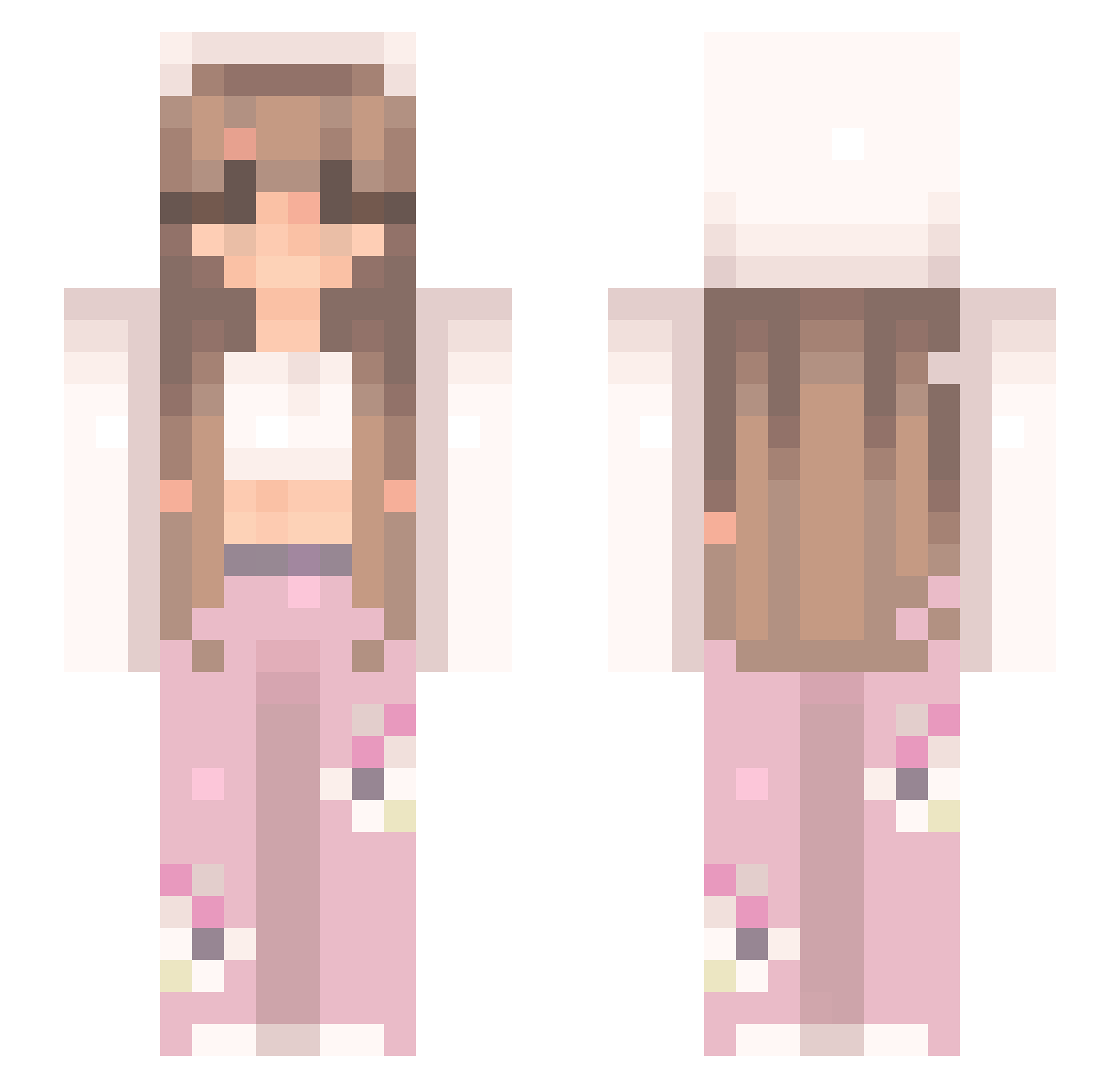
Current Minecraft skin of the player LNXlunox, loaded from the official Mojang API. Rotate the 3D model with your mouse or finger, then download the skin as a PNG file and use it in Minecraft: Bedrock Edition or Java Edition for free. When LNXlunox changes their skin, this page updates automatically and the old skin stays in the history below.
Other players with this skin (545)
LNXlunox was the 400th player we have seen with this skin, first spotted on 13.10.2026. The same skin was seen on these players. Open a nickname to see their current skin and skin history.
 Reikolnwza Deadd00 Stansvt1004 PrincessKota2022 LvN4Z Tinnni kejsi_ gwennie5 Tu_Flor BigFishy_ monkey100001 Hackusating Susie_fan Yayim7 galdinii Hkimballer yunarii_ secretdoors Neloun ashyp30 chickenhunter713 tinaqueen FelleSchelle Angelzlove99 Miishelf lshkuess Dziaduuu997 Z_zLife HELLOKITTYKOOL GNH_Shattered pinkmilkxo Saraengllesne CrystlMeath BellaRoseKitty Adix_44 nemwardo Ling_YunEE c27137 Franiii_112 kerrysshi anoojaaa TBelen Mari0111 riaxoxx MEA____ NotSora WILD_MaLi Carlochidomorta mojakotka PrincessMaryA12 softdemise Kimchaewon520 alexwantsu asayyso Emmad34 PinkMonster666 laceydog2 KatiG906 Hemppuonn dumplings4sale
More Flowers Minecraft skins
How to install the LNXlunox skin
- Press the Download button above to save the skin as a PNG file.
- Minecraft: Bedrock Edition (PE): open the Dressing Room from the main menu (or tap your character → Edit Character), go to Classic Skins → Owned, press the + (new skin) button, choose the downloaded PNG and pick the Slim (Alex) model. Works on PC and mobile; consoles cannot import custom skins.
- Minecraft: Java Edition: open the Minecraft Launcher, go to the Skins tab, click New Skin, load the PNG, pick the Slim (Alex) model and press Save & Use. You can also upload it at minecraft.net → Profile → Change Skin.
The skin does not show up after import - what should I do?
Restart Minecraft and open the Dressing Room again - imported skins sometimes appear only after a restart. Also make sure you selected the imported skin and picked the Slim (Alex) model.
Which model should I choose, Classic or Slim?
This skin is designed for the Slim (Alex) model. If you pick the wrong model, the arms of the skin will look stretched or squeezed.
Is the skin of LNXlunox free to download?
Yes. Press Download, save the PNG file and use it in Minecraft: Bedrock Edition or Java Edition - no payment or registration needed. The skin also works on multiplayer servers and Realms.
More skins
Looking for more? Go back to all Minecraft skins and check the top skins of the week, month and all time, or find any player's skin by nickname.