
LIN____0628 - Minecraft Skins & Skin History
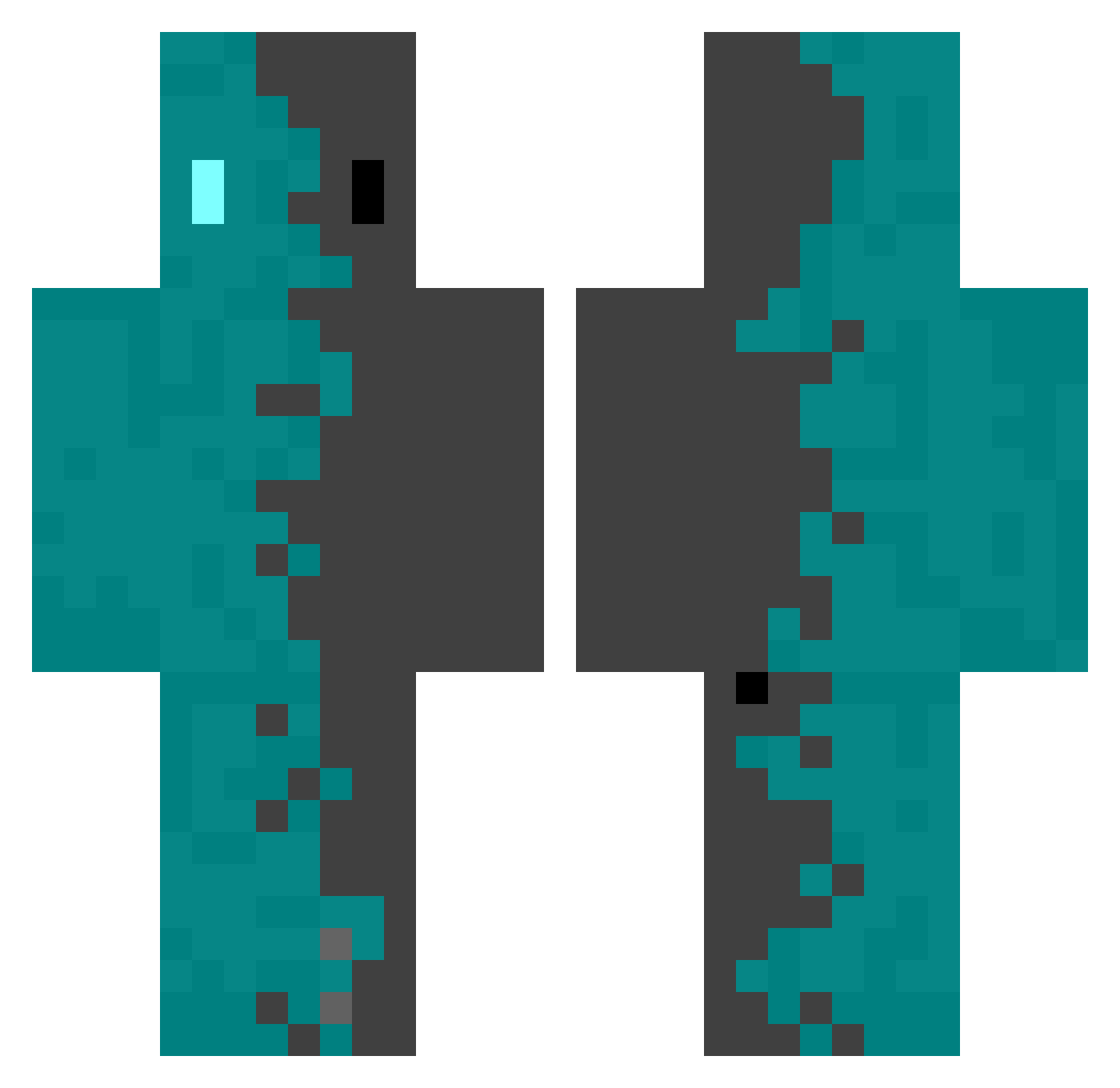
Current Minecraft skin of the player LIN____0628, loaded from the official Mojang API. Rotate the 3D model with your mouse or finger, then download the skin as a PNG file and use it in Minecraft: Bedrock Edition or Java Edition for free. When LIN____0628 changes their skin, this page updates automatically and the old skin stays in the history below.
Other players with this skin (552)
LIN____0628 was the 283rd player we have seen with this skin, first spotted on 23.09.2026. The same skin was seen on these players. Open a nickname to see their current skin and skin history.
 Leon_kennedy007 Evvvvv_ kanchoo ketropal ozzieman882 SCUnknown Saenobae1 Sakana_Lin OGtms DDNG00 Decolonizer PlayOptik joselaralau Guy0mm Moki300 Jlommm Layton379 Nuko_Sanda Monk_Reid Enrqor2 Raposobl LeaProds HeiGeZi valplaytm MORI4RTY Player_BOT Rapterus26 H4CH1 Jydlenz APZ888 yoshiwo9653 LatZaiN ESh4d0w Louloute299 Valh52 Gabz19 STEALTHYTOUCAN Alzefia Hunterlm9 TypicalRob_ Wady_ yuimi_n ShiYueYYDS gabrielhino BlitzEXE Rhgxz7 Kayr0Xx wixic95800 zhuorui Yannick3550 ganjamn420 GeQun kp_12 __bEan_ Mejipro FabianJ21 sourou itSUGARfree Sakui0375 R3__N4
How to install the LIN____0628 skin
- Press the Download button above to save the skin as a PNG file.
- Minecraft: Bedrock Edition (PE): open the Dressing Room from the main menu (or tap your character → Edit Character), go to Classic Skins → Owned, press the + (new skin) button, choose the downloaded PNG and pick the Classic (Steve) model. Works on PC and mobile; consoles cannot import custom skins.
- Minecraft: Java Edition: open the Minecraft Launcher, go to the Skins tab, click New Skin, load the PNG, pick the Classic (Steve) model and press Save & Use. You can also upload it at minecraft.net → Profile → Change Skin.
The skin does not show up after import - what should I do?
Restart Minecraft and open the Dressing Room again - imported skins sometimes appear only after a restart. Also make sure you selected the imported skin and picked the Classic (Steve) model.
Which model should I choose, Classic or Slim?
This skin is designed for the Classic (Steve) model. If you pick the wrong model, the arms of the skin will look stretched or squeezed.
Is the skin of LIN____0628 free to download?
Yes. Press Download, save the PNG file and use it in Minecraft: Bedrock Edition or Java Edition - no payment or registration needed. The skin also works on multiplayer servers and Realms.
More skins
Looking for more? Go back to all Minecraft skins and check the top skins of the week, month and all time, or find any player's skin by nickname.