
LALAAL - Minecraft Skins & Skin History
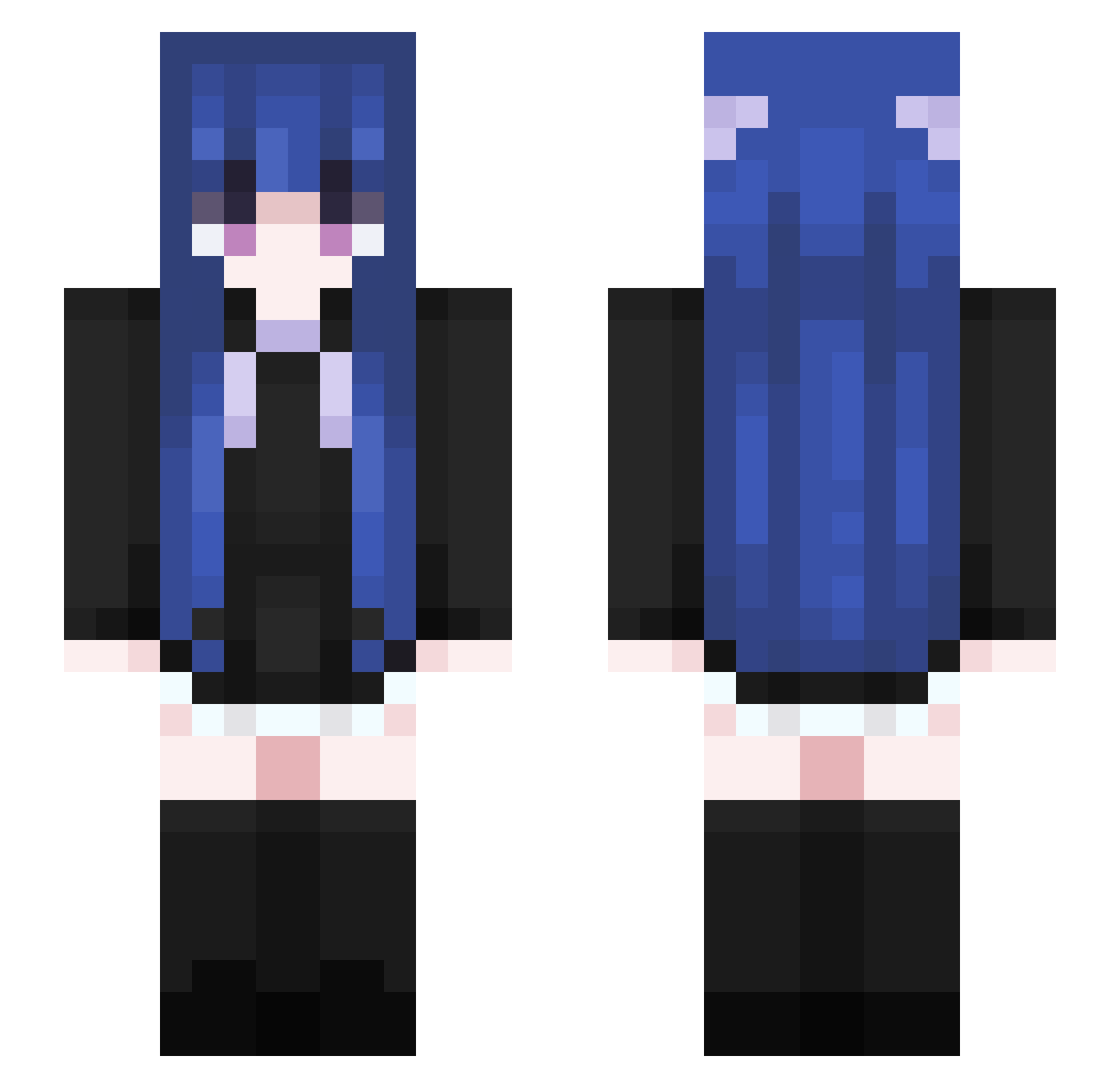
Current Minecraft skin of the player LALAAL, loaded from the official Mojang API. Rotate the 3D model with your mouse or finger, then download the skin as a PNG file and use it in Minecraft: Bedrock Edition or Java Edition for free. When LALAAL changes their skin, this page updates automatically and the old skin stays in the history below.
Other players with this skin (460)
LALAAL was the 436th player we have seen with this skin, first spotted on 16.10.2026. The same skin was seen on these players. Open a nickname to see their current skin and skin history.
 mivsqw OCRANE HoppedOnYourB HK_416_BC LiuXiaoQiang ABlueFox catanchovy Yy_ssy wocaonima0 sword99798 Mango0313 7QAQ8 Awesome_Emv 0v0too Tstardust TrinityC YuYiXuan gamerwordenjoyin Nanci00 Zike2301 KartoffelGen7031 mengrongd Sei_0712 hlk12138 dtxgghsrtedghaer SK3_07 airtoria FlarpyBlarp JaayMC_ N_zsoda ne_prostoi_4el LBJM INKSL XH_xiaoyu squirrelmedia BIJOKER MendiSendi2020 XingYingXY xiaobao5 PeterPiperGaming LOKI4714 Egirless Fairlyblu Mmmiruku RoseChunk laregami KartoffelGen8627 milkwithf Akane_3 Reylanon Daeenerys A_MT Fnecks Lin_Qin caperla Ateis axz018 ceswc sadwww FocusSR
More Goth Minecraft skins
How to install the LALAAL skin
- Press the Download button above to save the skin as a PNG file.
- Minecraft: Bedrock Edition (PE): open the Dressing Room from the main menu (or tap your character → Edit Character), go to Classic Skins → Owned, press the + (new skin) button, choose the downloaded PNG and pick the Slim (Alex) model. Works on PC and mobile; consoles cannot import custom skins.
- Minecraft: Java Edition: open the Minecraft Launcher, go to the Skins tab, click New Skin, load the PNG, pick the Slim (Alex) model and press Save & Use. You can also upload it at minecraft.net → Profile → Change Skin.
The skin does not show up after import - what should I do?
Restart Minecraft and open the Dressing Room again - imported skins sometimes appear only after a restart. Also make sure you selected the imported skin and picked the Slim (Alex) model.
Which model should I choose, Classic or Slim?
This skin is designed for the Slim (Alex) model. If you pick the wrong model, the arms of the skin will look stretched or squeezed.
Is the skin of LALAAL free to download?
Yes. Press Download, save the PNG file and use it in Minecraft: Bedrock Edition or Java Edition - no payment or registration needed. The skin also works on multiplayer servers and Realms.
More skins
Looking for more? Go back to all Minecraft skins and check the top skins of the week, month and all time, or find any player's skin by nickname.