
L3vy_ - Minecraft Skins & Skin History
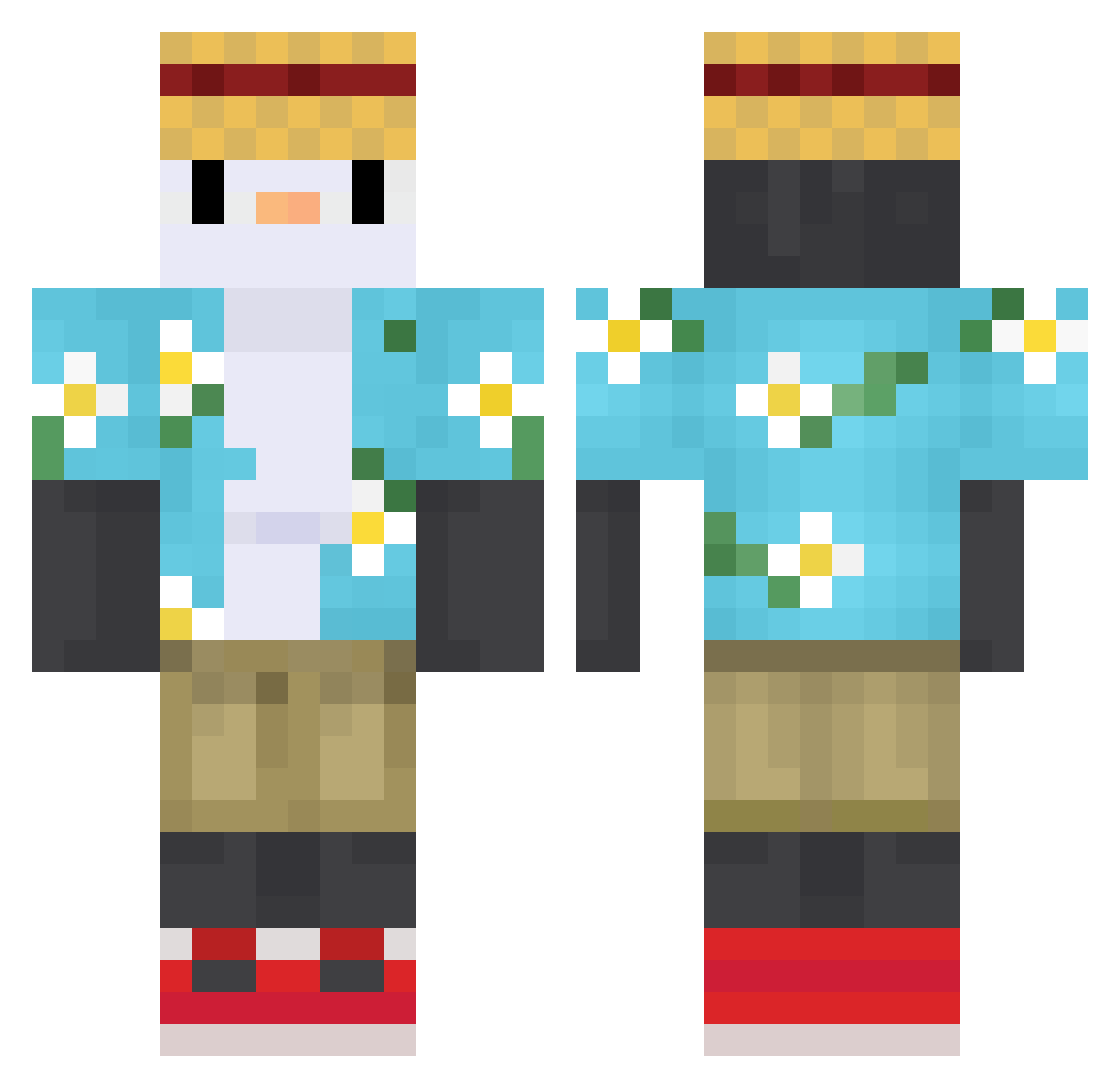
Current Minecraft skin of the player L3vy_, loaded from the official Mojang API. Rotate the 3D model with your mouse or finger, then download the skin as a PNG file and use it in Minecraft: Bedrock Edition or Java Edition for free. When L3vy_ changes their skin, this page updates automatically and the old skin stays in the history below.
Other players with this skin (613)
L3vy_ was the 408th player we have seen with this skin, first spotted on 04.10.2026. The same skin was seen on these players. Open a nickname to see their current skin and skin history.
 Lau_111 ORIGINALDARKWOLF Quantw comp486 DoritoPenguin13 iced705 qipangzi Erickosota Junnnnnnnnnn kyasama01 dc02028 BillyBucci totti8061 Fssx_ Phabi04 Yang0113 RBTLS FelyMS JoeTimothy2001 QZLC SkyPoint3 AndytGomez Sp4rkk iRxngerz urmarinara_sauce Tintinxx itsSamu zvrotwo Khyron01 xDuckyyy_ Linnm0o0 rafesa pigchu3 palazane Phar0ss pochosaurus14 horsecho gidra1009 Spiderman0207 adrianeek xjn323 Blue10001 Jonnyplayer123 nadangdang steakbiencuit tibco217 Fox1333i Tornado_Potato__ Patr0n_ ssy1027 Skuiten MiguelxX1903 KDAVV Puffza Emmake08 KoldV2 Momoyu2003 Nalgagolda ZHC5959 Mstr_Lonely
More Straw Hat Minecraft skins
How to install the L3vy_ skin
- Press the Download button above to save the skin as a PNG file.
- Minecraft: Bedrock Edition (PE): open the Dressing Room from the main menu (or tap your character → Edit Character), go to Classic Skins → Owned, press the + (new skin) button, choose the downloaded PNG and pick the Classic (Steve) model. Works on PC and mobile; consoles cannot import custom skins.
- Minecraft: Java Edition: open the Minecraft Launcher, go to the Skins tab, click New Skin, load the PNG, pick the Classic (Steve) model and press Save & Use. You can also upload it at minecraft.net → Profile → Change Skin.
The skin does not show up after import - what should I do?
Restart Minecraft and open the Dressing Room again - imported skins sometimes appear only after a restart. Also make sure you selected the imported skin and picked the Classic (Steve) model.
Which model should I choose, Classic or Slim?
This skin is designed for the Classic (Steve) model. If you pick the wrong model, the arms of the skin will look stretched or squeezed.
Is the skin of L3vy_ free to download?
Yes. Press Download, save the PNG file and use it in Minecraft: Bedrock Edition or Java Edition - no payment or registration needed. The skin also works on multiplayer servers and Realms.
More skins
Looking for more? Go back to all Minecraft skins and check the top skins of the week, month and all time, or find any player's skin by nickname.