
KyleJohnston - Minecraft Skins & Skin History
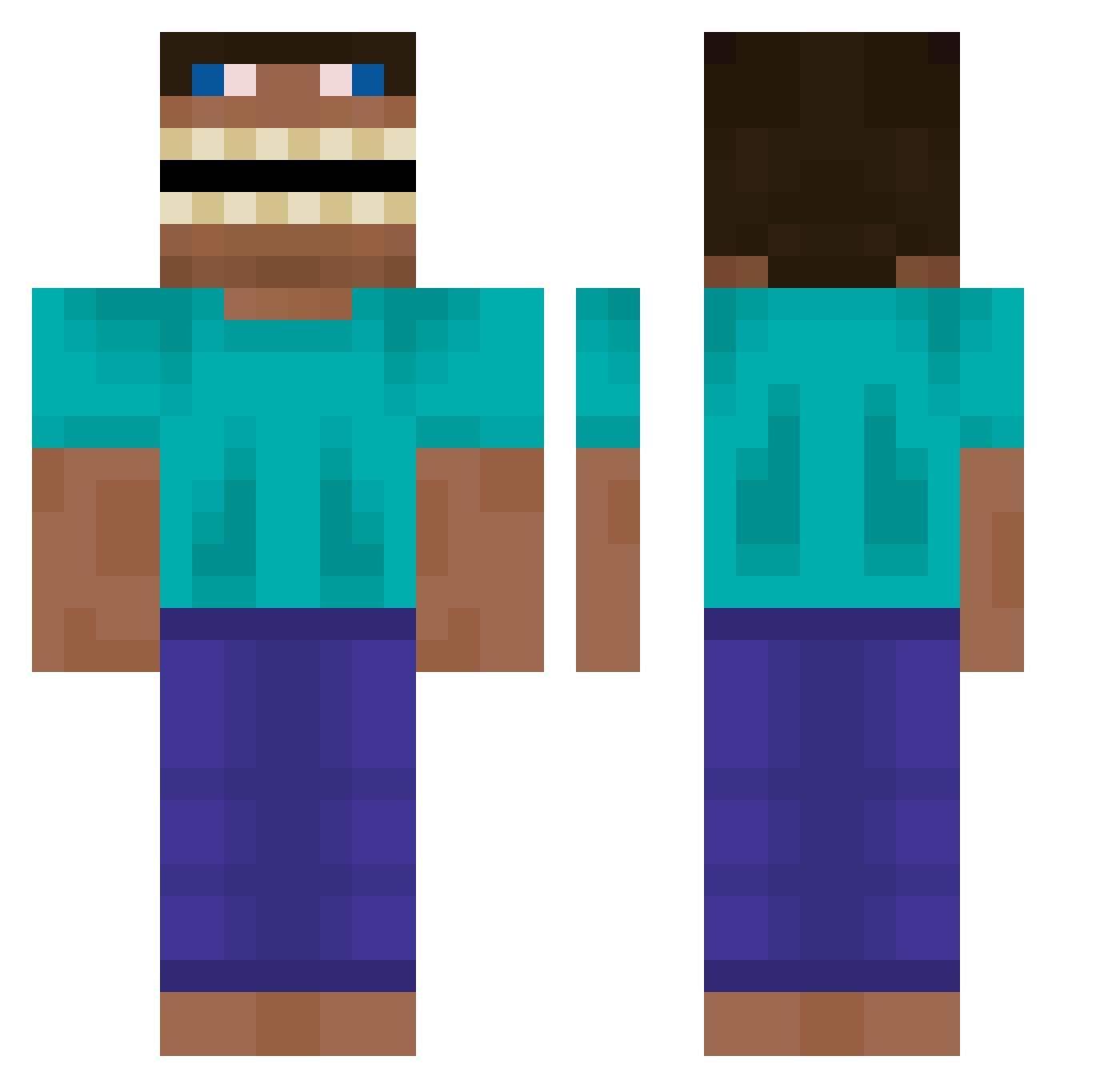
Current Minecraft skin of the player KyleJohnston, loaded from the official Mojang API. Rotate the 3D model with your mouse or finger, then download the skin as a PNG file and use it in Minecraft: Bedrock Edition or Java Edition for free. When KyleJohnston changes their skin, this page updates automatically and the old skin stays in the history below.
Other players with this skin (576)
KyleJohnston was the 380th player we have seen with this skin, first spotted on 03.10.2026. The same skin was seen on these players. Open a nickname to see their current skin and skin history.
 Yatagan_ AyoOnTop HortonFarkle btyluca JUN2489 zFox2 yerkaderken WerfaI Anto59844 GeKongEk poppig1234 Gelo_Gelado Freillz rasseklask ChefCloomer Hiwe Utl6x christof2 Pietrousky vc_jck duckzRkewl SolidJinn djansen_ INeedNic TonyRigattoni Sla1ve BlackRyuma GumChewball szalonaolkaa grootballasinhol big_stet StarPlatiinum_ bogdi_dd ER1CZ3B4WS Puffysirr tidoge765 Matt_Mendoza buharikkeb _EpicPanda_ KKrisspy Bean_Shot handog0999 StubbornNebula O1x TheRomanPumpkin Ryyyu ZeusLeSeducteur ToxicFlatulance braguinha0504 GuanORK babyyysham xXTheCounter 4rtcios WasAnstaendiges Laf_Laf hungjenlu Astrogouine cabinwalnuts EQ1098 Player141121
More Funny Minecraft skins
How to install the KyleJohnston skin
- Press the Download button above to save the skin as a PNG file.
- Minecraft: Bedrock Edition (PE): open the Dressing Room from the main menu (or tap your character → Edit Character), go to Classic Skins → Owned, press the + (new skin) button, choose the downloaded PNG and pick the Classic (Steve) model. Works on PC and mobile; consoles cannot import custom skins.
- Minecraft: Java Edition: open the Minecraft Launcher, go to the Skins tab, click New Skin, load the PNG, pick the Classic (Steve) model and press Save & Use. You can also upload it at minecraft.net → Profile → Change Skin.
The skin does not show up after import - what should I do?
Restart Minecraft and open the Dressing Room again - imported skins sometimes appear only after a restart. Also make sure you selected the imported skin and picked the Classic (Steve) model.
Which model should I choose, Classic or Slim?
This skin is designed for the Classic (Steve) model. If you pick the wrong model, the arms of the skin will look stretched or squeezed.
Is the skin of KyleJohnston free to download?
Yes. Press Download, save the PNG file and use it in Minecraft: Bedrock Edition or Java Edition - no payment or registration needed. The skin also works on multiplayer servers and Realms.
More skins
Looking for more? Go back to all Minecraft skins and check the top skins of the week, month and all time, or find any player's skin by nickname.